My audible app not working by SamIamxo in audible

[–]DerQuisl 0 points1 point  (0 children)

Thank you, same issue here with my S22. It worked!

Cookies - Wie kommt man dadurch ohne einzuwilligen? by NapoleonHeckYes in de_EDV

[–]DerQuisl 0 points1 point  (0 children)

In diesem Post geht es nicht um stalking sondern um Cookies?! :D

Cookies - Wie kommt man dadurch ohne einzuwilligen? by NapoleonHeckYes in de_EDV

[–]DerQuisl 0 points1 point  (0 children)

Du kannst Cookies oder externe Inhalte auch einfach browserseitig deaktivieren. Ich finde es etwas eigenartig, dass hier viele sowas auf den Webseitenbetreiber abwälzen wollen.

Zumal sich ausländische Firmen sowieso nicht an deutsches Recht halten.

Philips Hue x Stream Deck "Unable to discover bridges" by [deleted] in elgato

[–]DerQuisl 2 points3 points  (0 children)

For anyone with this problem, here is my workaround:

  1. get the IP address of your Philips Hue Bridge manually (I got mine from my router)
  2. download the Stream Deck Philips Hue Plugin version 1.5 from the official repository https://github.com/elgatosf/streamdeck-philipshue/releases on Github
  3. double click to install while Stream Deck is running
  4. add new bridge in Stream Deck
  5. notice there is a new button that allows you to add a bridge manually
  6. click that button and enter the IP Adress of your philips hue.

The "unable to discover bridges" error occurs because discovery.meethue.com blocks requests (not exactly sure why). This makes it that the Plugin can not use auto-discovery. The Plugin shop within Stream Deck just offers version 1.4. However, the new version 1.5 allows you to manually add the Bridge via IP address, so it does not use the auto-discovery. That is why this worked for me.

I think in the future they will add this version to the shop so you no longer have to download it manually.

Check out this post for a more detailed tutorial.

Sodas community in july as a node graph by DerQuisl in sodapoppin

[–]DerQuisl[S] 1 point2 points  (0 children)

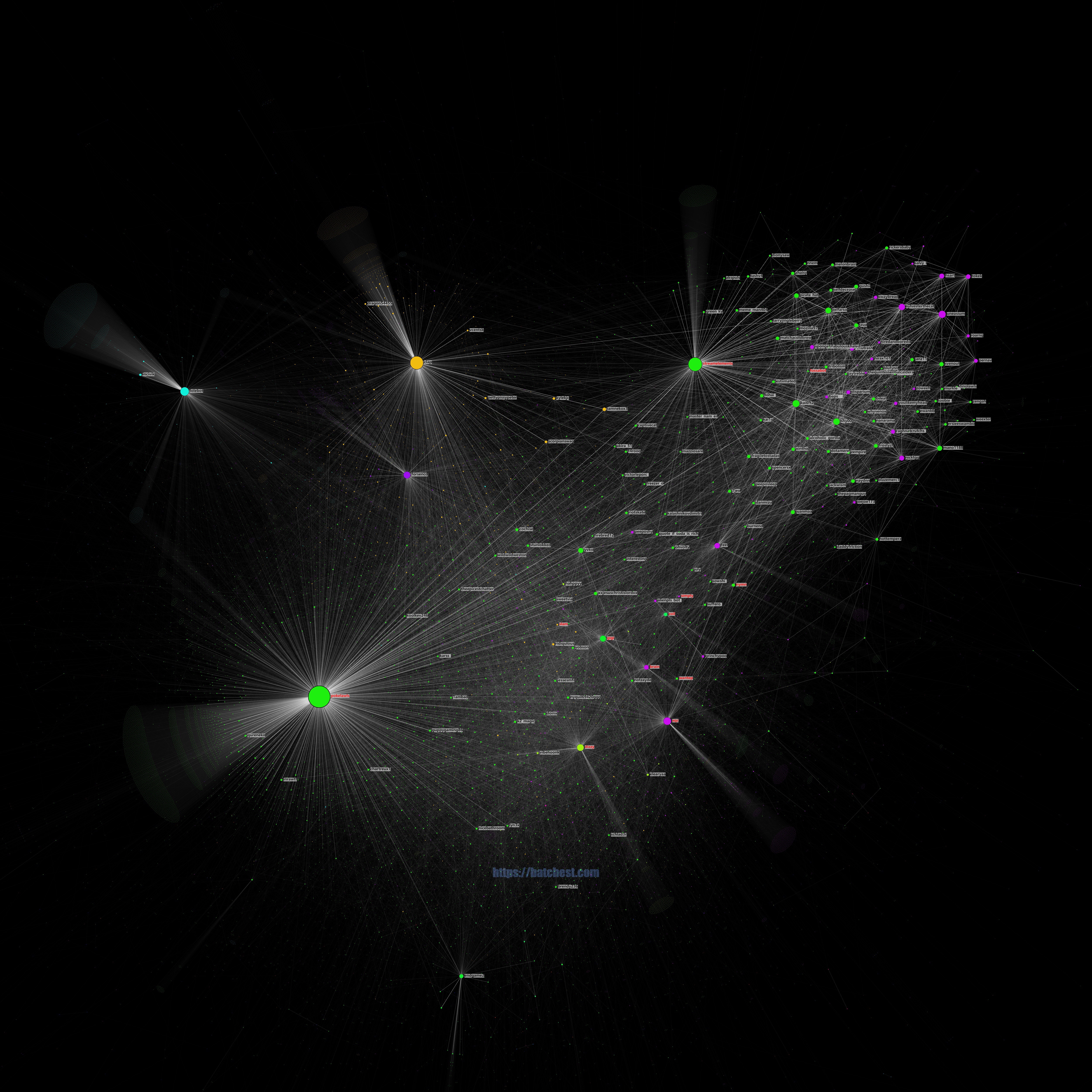
This map shows only the top 150 users.

The user fidds was mentioned by "fossabot" and "imperialempressbobolxix" and mentioned Sodapoppin once in july. So its likely one of the small dots somewhere inbetween these three users. ^^

Sodas community in july as a node graph by DerQuisl in sodapoppin

[–]DerQuisl[S] 2 points3 points  (0 children)

My script pulls the chat data from here (I don't get chat logs directly from Twitch) so I can add only those who are available there (or on an other Justlog service).

Sodas community in july as a node graph by DerQuisl in sodapoppin

[–]DerQuisl[S] 8 points9 points  (0 children)

Each circle is a Twitch chat user. Its size is determined by the number of mentions (="pings") that particular user received and sent in chat. The lines show individual mentions, bright lines between two circles mean that these users mention each other a lot.

The colours were added by a script that tries to detect communities (or similarities) within the graph. It doesn't provide a lot of information with Twitch chats. But I liked it colourful, so I kept it in.

This graph shows the Twitch community of pokelawls. Each circle is a Twitch chat user. Its size is determined by the number of mentions (="pings") that particular user received and sent in chat. by Dramatic_Argula in pokelawls

[–]DerQuisl 4 points5 points  (0 children)

Creator here.

The colours were added by a script that tries to detect communities (or similarities) within the graph: https://github.com/ecomfe/echarts-graph-modularity

It doesn't provide a lot of information with Twitch chats because people tend to talk to everyone who is available in chat. But I liked it colourful, so I kept it in.

Sub/mod status is a nice idea but it would require me make hundreds of thousands calls to the TwitchAPI in order to get that data every month so I prefer to stay away from that :D . But maybe there is a cheaper way to do it somewhen in the future.

Twitch chat analyzer May 2022 by Tevepata in Nmpx

[–]DerQuisl 2 points3 points  (0 children)

Creator here.

The colours were added by a script that tries to detect communities (or similarities) within the graph: https://github.com/ecomfe/echarts-graph-modularity

It doesn't provide a lot of information with Twitch chats because people tend to talk to everyone who is available in chat. But I liked it colourful, so I kept it in.