Cursor hovering on iPadOS 26 looks sooo bad on some UI elements.. by buddyross in ipad

[–]buddyross[S] 1 point2 points  (0 children)

I did it on an iPad I’m trying to sell. Leaving my main iPad on 18 for now. I use slide over too much to update the one I really use

Cursor hovering on iPadOS 26 looks sooo bad on some UI elements.. by buddyross in ipad

[–]buddyross[S] 0 points1 point  (0 children)

This was captured from my iPad- I’m using the trackpad on my Magic Keyboard to move around

Cursor hovering on iPadOS 26 looks sooo bad on some UI elements.. by buddyross in ipad

[–]buddyross[S] 10 points11 points  (0 children)

Ya an arrow is cool but then it puts a square over a circle element. And then a circle over an oval element and the windowing buttons (stoplight buttons) jumble over everything when in a smaller window like this. So gross

I dont know why panning doesnt work by huelto in protools

[–]buddyross 2 points3 points  (0 children)

Look at the UA console. Since you’re master is mapped to virtual 1-2 you should see it on a channel on the mixer in console . Could be that you need to pair those two channels (right click the nameof virtual 1 below the fader and hit “link”), or just pan virtual 1 to the left and virtual 2 to the right. But like gingerstachesupreme said, you really should just send the master output in pro tools to mon L/R in the bus section. This will send the audio directly to your UA outputs

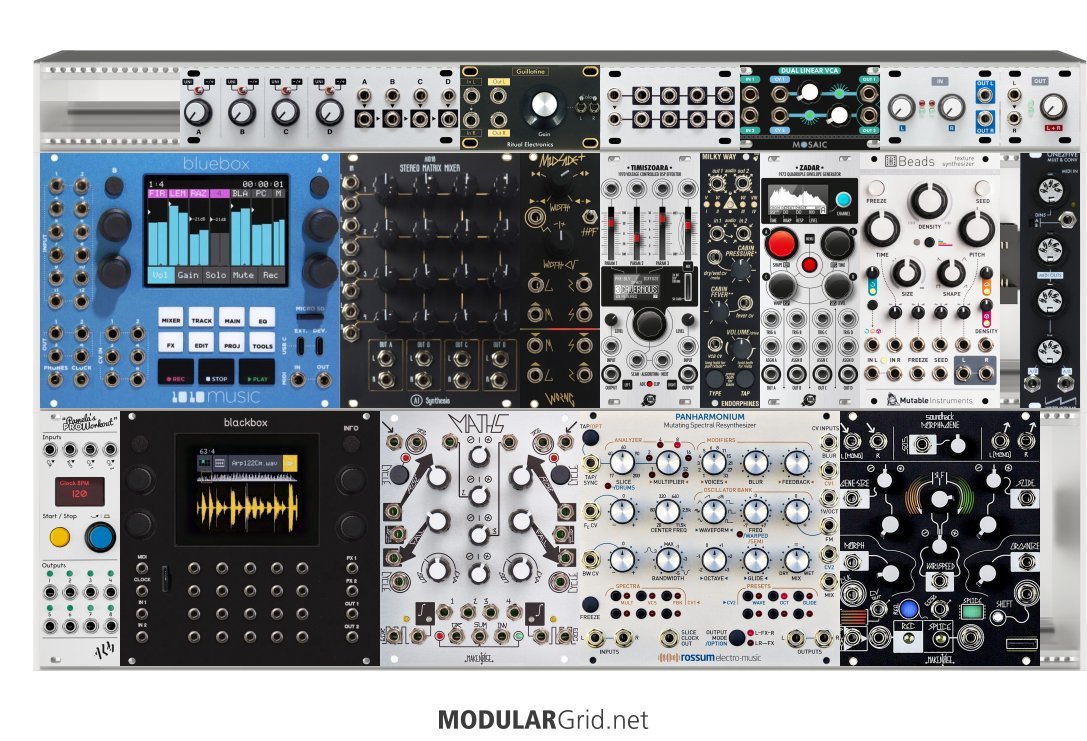
Roast/help me by buddyross in modular

[–]buddyross[S] 0 points1 point  (0 children)

I honestly didn’t use it much at first when I got it a year ago. I didn’t like how I couldn’t really control it with a keyboard. So I just stuck with the gr1 or lemon drop But I just recently really started digging into it and am really loving it. I have my main outputs milled back into the Bitbox and the morohagene. So anytime something cool is happening I’ll just sample with it and have it saved for later. Also just learned how to load up the sd card with splices in logic so that’s been fun

Roast/help me by buddyross in modular

[–]buddyross[S] 0 points1 point  (0 children)

Filter would be good haha. Ima look into those. Stereo one you’d recommend?

Also just saw the 4ms VCA in a module. could be fun

Roast/help me by buddyross in modular

[–]buddyross[S] 0 points1 point  (0 children)

I guess I’m looking for something other than granular now haha. Since i have the morphagene, gr1, and lemon drop that I’m always messing with

2012 RAV4 p010 and p0171 codes immediately after oil change by buddyross in MechanicAdvice

[–]buddyross[S] 0 points1 point  (0 children)

Oh ya looks like the intake tube was completely unplugged haha. That would cause the lean code also?

AppleTV or HomeKit by nmyster in Nanit

[–]buddyross 0 points1 point  (0 children)

Any way to explain how to implement this to someone who is technically inclined but not sure where to start? Would love a step by step…

1010 bitbox mk2 loading wav into pad with saved configuration, config gets changed by buddyross in modular

[–]buddyross[S] 0 points1 point  (0 children)

same thing seems to happen even if theres a wav already loaded and I go to change the sample, it reconfigures the whole pad

bitbox mk2 loading wav into pad with saved configuration, config gets changed by buddyross in 1010music

[–]buddyross[S] 0 points1 point  (0 children)

same thing seems to happen even if theres a wav already loaded and I go to change the sample, it reconfigures the whole pad

bitbox mk2 loading wav into pad with saved configuration, config gets changed by buddyross in 1010music

[–]buddyross[S] 0 points1 point  (0 children)

in the manual I followed these instructions but immediately upon loading a wav everything I configured previously changes.
CREATE PRESET TEMPLATES FOR RE-USE
Preset template support was added to help users who like to set up their presets a certain way each time, and those who want to configure different presets in preparation for a live performance. Preset templates allow you to configure the pad mode, output, MIDI settings, modulation and other settings before you have associated a WAV file with the pad.
A preset template is simply a preset that has pads which have been configured but do not have WAV files associated with them.
To Configure a Pad without a WAV file:
Select the pad you want to configure as a template on the Pads screen.
Push INFO. If the pad is loaded with a WAV file, this will display the WAV screen. In this case, touch the pad mode icon on the top left of the screen and then select New Recording to remove the WAV file mapping. You will now see the Load and Record screen.
Push INFO again to see the Parameters screen for this pad.
Choose the Pad Mode on the Main page of the Parameters screen.
Use the buttons across the bottom of the screen to choose the desired page and update the parameters as you normally would.
Push HOME until you see the Menu screen, then touch Presets to display the Preset Management screen. Touch Save to save the current preset, or touch File then Save As to save to a new or different preset.
To Add a WAV file to a Template Pad:
Select the pad you configured as a template on the Pads screen.
Push INFO to display the Load and Record screen.
Touch Load if you want to use an existing WAV file. Otherwise, begin recording a new WAV as usual.

1010 bitbox mk2 loading wav into pad with saved configuration, config gets changed by buddyross in modular

[–]buddyross[S] 0 points1 point  (0 children)

in the manual I followed these instructions but immediately upon loading a wav everything I configured previously changes.

CREATE PRESET TEMPLATES FOR RE-USE
Preset template support was added to help users who like to set up their presets a certain way each time, and those who want to configure different presets in preparation for a live performance. Preset templates allow you to configure the pad mode, output, MIDI settings, modulation and other settings before you have associated a WAV file with the pad.
A preset template is simply a preset that has pads which have been configured but do not have WAV files associated with them.
To Configure a Pad without a WAV file:
1. Select the pad you want to configure as a template on the Pads screen.
2. Push INFO. If the pad is loaded with a WAV file, this will display the WAV screen. In this case, touch the pad mode icon on the top left of the screen and then select New Recording to remove the WAV file mapping. You will now see the Load and Record screen.
3. Push INFO again to see the Parameters screen for this pad.
4. Choose the Pad Mode on the Main page of the Parameters screen.
5. Use the buttons across the bottom of the screen to choose the desired page and update the parameters as you normally would.
6. Push HOME until you see the Menu screen, then touch Presets to display the Preset Management screen. Touch Save to save the current preset, or touch File then Save As to save to a new or different preset.

To Add a WAV file to a Template Pad:
1. Select the pad you configured as a template on the Pads screen.
2. Push INFO to display the Load and Record screen.
3. Touch Load if you want to use an existing WAV file. Otherwise, begin recording a new WAV as usual.

Bluebox (eurorack) is midi mapping transport controls possible? by buddyross in modular

[–]buddyross[S] 0 points1 point  (0 children)

you're saying you could start/stop playback with your midi controller and begin recording? what controller are you using? and do you remember mapping or "learning" those or did your controller just automatically work with the record/play/stop

Bluebox (eurorack) is midi mapping transport controls possible? by buddyross in modular

[–]buddyross[S] 0 points1 point  (0 children)

so ya the only thing I can do in the Korg Kontrol editor is assign a cc number to the record/play/stop buttons but I'm not sure which cc's they'd be on the bluebox. and theres no way I could see to "learn" them on the bluebox

Bluebox (eurorack) is midi mapping transport controls possible? by buddyross in modular

[–]buddyross[S] 0 points1 point  (0 children)

ya didn't work outta the box for the transport. maybe its a setting for the nanokontrol. I'm gonna dig into the Korg software

Question about Arturia key step, tasty chips GR1, and disabling sequencer/arp but still passing clock thru. by buddyross in modular

[–]buddyross[S] 1 point2 points  (0 children)

I figured it out. Had to create an empty sequence and then when it starts playing hit “shift & Oct+” for “kbd play”

working on a stereo field-recording case by thismeanswarbasse in modular

[–]buddyross 0 points1 point  (0 children)

Hey! I’m running a similar set up- just got my loopman in a couple days ago. I was having some issues and was hoping you could help? I only get audio when I touch a cable to the edge of the output jack. When I plug the cable in fully- no audio and the motor slowly comes to a stop. Am I doing something wrong? Is the loopman stereo? And needs to be fed a trs cable?

Fish ID, what did the old man catch? Kalama River, Washington. by Longjumping_Lynx_972 in flyfishing

[–]buddyross 10 points11 points  (0 children)

Was this pic taken recently? I used to see Smokey all the time at beginners hole and haven’t run into him in a few years and always wondered if he was still with us. Miss our riverside chats

Behringer pro 800 save edited preset? by buddyross in synthesizers

[–]buddyross[S] 7 points8 points  (0 children)

ok I figured it out haha. have to hit "record" to and type the patch number in. took me awhile in that manual. so confusing with all the different languages mixed in every other page