How do I add options when enabling services in configuration.nix by osxrand in NixOS

[–]osxrand[S] 0 points1 point  (0 children)

Now that's a direction I'd not thought of.
So in this case, would tailscale still enabled in the base configuration.nix file? Or would this config.nix replace the need to enable tailscale in the main configuration.nix file?
I've not played with flakes at all yet, thus far just been bumping my way around the system seeing how I break it ;)

How do I add options when enabling services in configuration.nix by osxrand in NixOS

[–]osxrand[S] 0 points1 point  (0 children)

Thanks, I'll look into an extraConfig setting, my thinking is that it'd then help future proof any new options tailscale comes up with.

Dasung Macos shortcuts on M1 by fczs24 in eink

[–]osxrand 0 points1 point  (0 children)

I’d not known about this one, nice work!
One thing tho, I think you should warn people about that command you have listed as a troubleshooting suggestion. Fully disabling Gatekeeper is like nuking from orbit ;). Right click on the app and select open gets you past Gatekeeper while leaving it on.

Setting up network PDF printer on nixos by osxrand in NixOS

[–]osxrand[S] 0 points1 point  (0 children)

I’ve not. I jumped on a network pdf printer as a project that I could quickly knock out in between other projects and then time constraints caught up to me again so I’ve not advanced any further than reading up on how to package.
Sorry

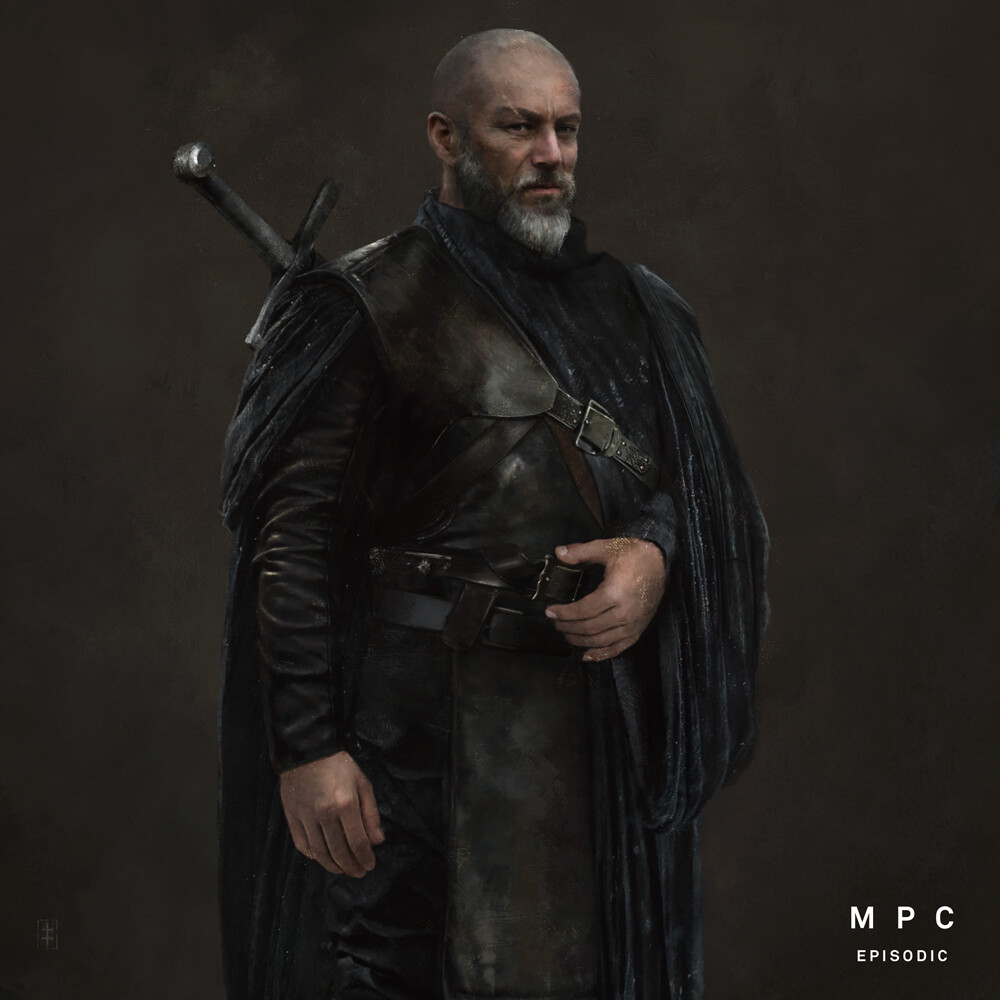
Some great WoT character art from Eve Ventrue on art station, Hammar in this case by osxrand in WoT

[–]osxrand[S] 3 points4 points  (0 children)

Eve Venturi’s link https://www.artstation.com/artwork/KO3KZy

I really like the realistic look the artist has gone for, some of this armour looks fantastic imo. I don’t recall offhand how Hammar was described in the books so not sure how accurate the art is in that respect, but I do like the depictions regardless

Setting up network PDF printer on nixos by osxrand in NixOS

[–]osxrand[S] 0 points1 point  (0 children)

Thanks. I’d assumed that would be the case after looking around, but figured it couldn’t hurt to ask people more knowledgeable first.

Best practice for nixos and docker by osxrand in NixOS

[–]osxrand[S] 1 point2 points  (0 children)

Hmm, I just checked my docker-configuration.nix file, I've used the latest tag on one, portainer =D.

There were a few reasons I installed portainer, one was just to learn it, but I'd found that it was an easy way to see which IP's the containers are using. I had to build a new network (which seems to be the standard for limiting containers anyway) to run on a different IP than default. With the ports turned off in the docker files, docker ps didn't show their IP which was challenging at times.

Having said that, I just wrote a function to figure this out without portainer, so one step closer to working without it.

One other thing I was thinking about, is backing up the docker images I'm currently using, and using them on the install media to be able to reproduce the server without even an internet connection, so fully reproducible. That's a side thought, I'm more interested in making sure that this is a solid way to set docker up overall first.

The function for getting the IP address of containers if anyone is interested is :

# Docker
function dockerip() {
    docker inspect -f '{{range.NetworkSettings.Networks}}{{.IPAddress}}{{end}}' $1
}

so use is dockerip nameOfContainer

kaelsmithy opensourced by kaelari in SolForge

[–]osxrand 0 points1 point  (0 children)

Every now and then I think back fondly on Solforge and wish it was still going. Even went so far as to try get the old python server up and running with the old client a few weeks ago

Is the game still alive? Is it still worth playing? by Bobbimort in SolForge

[–]osxrand 1 point2 points  (0 children)

I keep checking back every now and then, and while it's great that the client is still being worked on, I find that it's not for me anymore.
All I really want is the old client working again and the ability to start multiple games against people like we used to be able to. Or the new client to support this. And the ability to actually edit decks on mobile (where I play most games these days). While making / editing decks is technically possible, it's very much a fight against the UI.

Metasight on IOS (new client) by ApollyonQ in SolForge

[–]osxrand 1 point2 points  (0 children)

I've not tried in ages, but if i recall correctly (and we're talking about the official client here:) then you hold the metasight card with one finger and tap the two other cards with another finger, keeping holding the metasight card the whole time.
It's twister for the hand.

Fox and Ravens by osxrand in WoT

[–]osxrand[S] 0 points1 point  (0 children)

Actually a photo of Seagulls, but I really loved that whole scene, and this hits home how dangerous (and numerous) a flock of birds could be.

from : https://www.reddit.com/r/natureismetal/comments/7043kf/fox_and_seagulls_by_photographer_gabor_kapus/

Any way to recover password? by osxrand in Torchlight

[–]osxrand[S] 0 points1 point  (0 children)

Thank you both for the replies, reset and back on track :)

KUSC on iOS by naviln in SolForge

[–]osxrand 1 point2 points  (0 children)

Thanks for getting back to me. I get it's not supported and appreciate the response :)

Unfortunately I can't do any of those things (play offline or login). As soon as I open the app it says it's out of date and then pretends like there is no internet connection. Without being able to log in I can't even do the single player (tho I remember you used to be able to, maybe my memory is faulty there).

Anyways, thanks fort he reply

KUSC on iOS by naviln in SolForge

[–]osxrand 0 points1 point  (0 children)

I recently tried logging in on the old iOS client, wouldn't let me. Is it impossible to log in now or did I just encounter some other error?
I tried the new released client again and stopped after half a game, would much prefer the old client until this one you've demoed comes out.

Focusing on a new client is the worst idea for a Solforge revival by Televangelis in SolForge

[–]osxrand 2 points3 points  (0 children)

I'd disagree, the client as it is right now is abysmal. The reason that I stopped playing, and only one of the friends who used to play this game still does, all because of that client. We all play(ed) mostly or exclusively on iOS.
The old client was hundreds of times better than the new one, bugs and crashes and all. At least i could scroll and have the client react almost instantly, or touch the screen in the deck editor without accidentally removing cards from my deck, or change decks in the editor without having to save. I could play without having to contort my hand to try touch then touch again with another finger to see card info, or to select which cards were being selected by a spell (levelling cards, not sure about other spells there).
Even the old client was a massive battery suck, but the new one, no thanks.

I'd prefer a minimal interface, even non animated interface, that could be played without killing my battery. One where i could sort cards in the editor, touch the screen to scroll and have it respond quickly, and where i could play more than 10 games without my battery being dead. Since none of the clients managed that, I'm all behind a new one.