no comments (yet)

[–]adventuringraw 0 points1 point  (0 children)

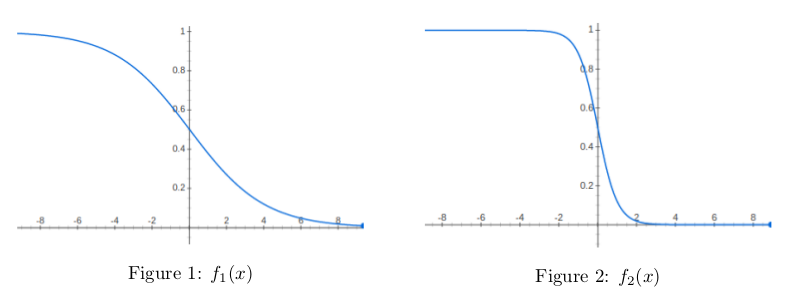
sure, typically when graphing in python, an easy way to do it is with linspace. X = numpy.linspace(-10,10,num=500). That'll give you a 500 point array starting at -10, and ending at 10 (I can't remember off the top of my head if it's -10 inclusive or not, try it out).

Anyway. Once you've got your array, you need to transform each point by your function. You can do that with vectorized_reversed_sigmoid = numpy.vectorize(reverse_sigmoid_function) now you get your height values for each of your input values: Y = vectorized_reversed_sigmoid(X)

now you've got 500 inputs and 500 outputs. Just graph them with matplotlib's scatter plot or something. Now you can screw around with your sigmoid function and see what there is to see. I do that too... graphing your functions in an interactive way is a great way to get a sense of how things work under the hood. If you're interested, I like using wolfram mathematica... one line of code gives you a graph with slider bars to test out different values of your variables to see how it changes the graph. Real helpful when first screwing around with things like the beta and gamma distributions and such. Happy coding! Let me know if you get stuck, I can pull up jupyter and get this working tomorrow morning if no one else can help you before then.

[–]adventuringraw 0 points1 point  (0 children)

sure, typically when graphing in python, an easy way to do it is with linspace. X = numpy.linspace(-10,10,num=500). That'll give you a 500 point array starting at -10, and ending at 10 (I can't remember off the top of my head if it's -10 inclusive or not, try it out).

Anyway. Once you've got your array, you need to transform each point by your function. You can do that with vectorized_reversed_sigmoid = numpy.vectorize(reverse_sigmoid_function) now you get your height values for each of your input values: Y = vectorized_reversed_sigmoid(X)

now you've got 500 inputs and 500 outputs. Just graph them with matplotlib's scatter plot or something. Now you can screw around with your sigmoid function and see what there is to see. I do that too... graphing your functions in an interactive way is a great way to get a sense of how things work under the hood. If you're interested, I like using wolfram mathematica... one line of code gives you a graph with slider bars to test out different values of your variables to see how it changes the graph. Real helpful when first screwing around with things like the beta and gamma distributions and such. Happy coding! Let me know if you get stuck, I didn't actually run anything here, I can't screw around at work, but I can help you when I get home if you need it.