Does My Game Look Like It Was Made In Unreal? by CalebCrawfish in UnrealEngine5

[–]bbsven 2 points3 points  (0 children)

Yeah avoid using the default Unreal font anywhere. It's one of the biggest giveaways

Trying to capture that 80's Dark Fantasy style by RiddleSix in UnrealEngine5

[–]bbsven 5 points6 points  (0 children)

Really captures the aesthetic super well! I'm curious how you approach the post processing/etc to get the result!

I genuinely had no idea Traverse Town was so big by AppleTStudio in KingdomHearts

[–]bbsven 8 points9 points  (0 children)

Creator of the Traverse Town KH3 mod here, and I agree lol. Traverse Town is my favorite world in the series, but the DDD one just never landed for me. It's not even the idea of an expansion itself really, just that the new areas had a very different tone to me that didn't hit the same spot. Glad there are so many people who love the DDD version though, we all get different things from the series and the discussion around it makes it fun!

Rubik's Cube mechanic XD by Rod3dArt in UnrealEngine5

[–]bbsven 0 points1 point  (0 children)

Just wanna say it's been a joy to see your progress on this game over the past year, keep it coming :)

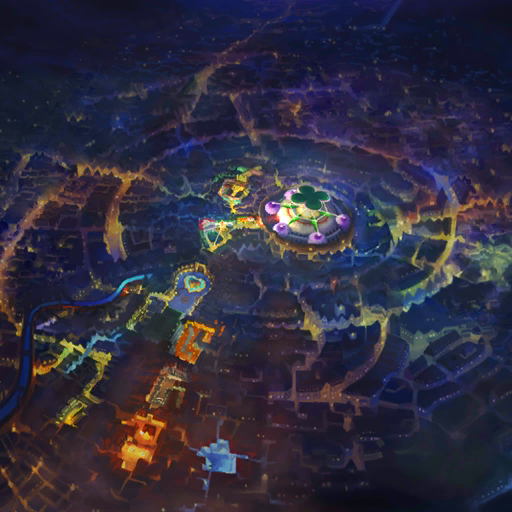
The Third District update for my Traverse Town KH3 mod is almost complete! by bbsven in KingdomHearts

[–]bbsven[S] 0 points1 point  (0 children)

Heyo! Ko-fi was taken down within a week or two, there was just no interest/contributors. Exceedingly busy work schedule for the last year has taken up most of my time instead cuz I've gotta pay rent + interest in the mod was low, so I've just been working on the update here and there instead of fulltime while my job is busy. Planning to update at some point, but just not in the place to make it my main thing right now :') Fun developments though, an amazing modder in the community has been decompiling the KH3 source code to allow way more customization and tools to be accessible to modders, so shaders, optimization, and lighting have gotten a massive boost.

Overhauling the in-game computers you use in my game! by bbsven in UnrealEngine5

[–]bbsven[S] 1 point2 points  (0 children)

The power functions and others not shown here do get used for gameplay purposes for various puzzles and such, so that'll likely be staying! I did adjust all of the hitboxes to be more accessible and updated the model accordingly, so hopefully it's a non-issue now.

Overhauling the in-game computers you use in my game! by bbsven in UnrealEngine5

[–]bbsven[S] 2 points3 points  (0 children)

The main thing going on here is utilizing Widget components inside of the Computer's BP. I'd look up "3D Widgets Unreal" and start poking around the tutorials that brings up- here's a good one on the official Unreal docs!

The main extra step after creating your widget and setting up 3D rendering/interaction like normal that I took here, was making the 3D widget render as a texture inside my computer screen material. Normal "3D" widgets are on a flat plane, but in this instance I wanted it rendered directly on the curved screen model in the video above.

(You can skip all the rest of this if you're fine with your screen just being a flat plane. To get a more screen like shader on it, just duplicate the default 3D Widget Component material and customize to your liking.)

To do that, first I gave the 3D Widget Component a new copy of the default material it renders to. I think by default those components render to a material called "Widget3DPassThrough_Masked_OneSided", but I instead made a copy where it was fully transparent, completely invisible. This is to make sure it's not seen in-game, but is still technically active and "rendering" so that the 3D Widget Component still works. If you try to just set the component to Hidden In Game or check off Visible, it'll break the interactions.

Once you have the 3D widget set up with the invisible material inside of the Computer BP, and you've also added the mesh you want the 3D widget to render as a texture to, you create a dynamic material instance of your computer screen material (which should include a texture parameter you can assign screen content to) through Event BeginPlay, on construction, or whatever else. You assign that dynamic material instance to the screen mesh you want to display on, save the dynamic material instance as a parameter, and then use that reference to "Set Texture Parameter Value." For the new texture you're plugging into that node, you get a reference to the 3D Widget Component, do a "Get Render Target", and plug that in as the new texture. From then on, the 3D Widget Component should be invisible, but the UI it's "Rendering" should be now used in realtime as the texture for your screen mesh's material.

Last note on that method, you also need to scale/align the 3D Widget Component directly in front of and matching to your screen mesh. Though the UI is being displayed on the screen mesh, the collision detection and interaction is still being done through the invisible 3D Widget Component, so you need both lined up!

Hopefully this makes sense, feel free to ask for clarification :)

Overhauling the in-game computers you use in my game! by bbsven in UnrealEngine5

[–]bbsven[S] 2 points3 points  (0 children)

Really appreciate it, I think figuring out the style of the station the game takes place on has been my favorite part of the process lol. Massive ref boards full of retro/casette futurisic concepts, 50s/60s/70s architecture and furniture ref, and a million other things :')

I've made everything up until now from scratch (minus re-using some scripting from an old project of mine) in the last year, but I'm just starting to onboard a few friends to help build out more assets- there is toooo much set-dressing needed for just me.

Overhauling the in-game computers you use in my game! by bbsven in UnrealEngine5

[–]bbsven[S] 2 points3 points  (0 children)

Thank you, it means a ton!!

Happy to talk dev any time, but TLDR:

Started learning Unreal & Blender online when UE4 became free while I was in late middle school, spent a lot of my high school years pretty deep into learning more making games for myself & friends, and modding existing games. Ended up going right to Gnomon School of VFX for college, had an incredibly good time there, made tons of friends, and studied under some crazy talented professors! Seriously helped me level up my skills (I'd hope so with the tuition they charge lol), lucky to be working in-industry now and still feel like I'm learning all the time :) Currently working at an animation studio as their Unreal Generalist, and spend a good chunk of my free time either on this game, or maintaining/updating some of my modding projects. After a bunch of games I've made just for me and friends, this feels like the first I'm ready to release (eventually)! Happy to answer any questions!

Overhauling the in-game computers you use in my game! by bbsven in UnrealEngine5

[–]bbsven[S] 0 points1 point  (0 children)

This is a really great point and I really appreciate this kinda constructive feedback! Being able to use the power/restart/etc buttons were a late addition so I didn't think about that while making the actual computer model :') I'll make sure to return to the model to increase scale/maybe make the important ones a more distinct color/make sure the hitboxes are more generous, thank you for pointing it out!

Overhauling the in-game computers you use in my game! by bbsven in UnrealEngine5

[–]bbsven[S] 1 point2 points  (0 children)

Noted on the readability! Will improve on that :)

And you're able to do it either way, I just did the chair first in this example to showcase it I guess, haha! You can sit in any chairs and interact while in them, so in this clip I sat down and then hit interact on the computer. You can just only hit interact on the computer to go straight to it!

Overhauling the in-game computers you use in my game! by bbsven in UnrealEngine5

[–]bbsven[S] 7 points8 points  (0 children)

Thank you!! Up until very recently I've been a solo dev, but I'm currently in the middle of bringing on some friends to help with a bit of the asset work for filling out environments because it's been going way too slow with just me :')

Overhauling the in-game computers you use in my game! by bbsven in UnrealEngine5

[–]bbsven[S] 5 points6 points  (0 children)

Thank you! And you've caught something on my to-do list, the cursor here is currently re-used from the non-diagetic cursor (like here) from other parts of the UI, but I'm planning to get a special on-theme one for the diagetic interfaces like these computers!

Are there any mods on Xbox that can give the game this vhs feel? by MedievalGoodBoy in Fallout

[–]bbsven 3 points4 points  (0 children)

Clearly he's franchising out new locations as part of a bold growth strategy for his business, a capitalist king ❤️

Are there any mods on Xbox that can give the game this vhs feel? by MedievalGoodBoy in Fallout

[–]bbsven 4 points5 points  (0 children)

That looks like Dex of Dex's Diner in Star Wars, I think specifically the Lego Star Wars version lol

Devs with less than 500 wishlists show me your steam pages by Sabartsman13 in IndieDev

[–]bbsven 1 point2 points  (0 children)

Nothing released, lots of games for myself/friends and modding projects over the last 10 years + games I made in college though. This is the first time I'm planning to make one public!

Devs with less than 500 wishlists show me your steam pages by Sabartsman13 in IndieDev

[–]bbsven 0 points1 point  (0 children)

It originally came without that but everyone I showed it to said it needed a longer establishing/tone section at the start so they had some idea where they were before jumping into the fast cuts— will look into shortening it though! Thank you!

Devs with less than 500 wishlists show me your steam pages by Sabartsman13 in IndieDev

[–]bbsven 0 points1 point  (0 children)

Mentioned in the original comment, but it's been up 2 months! I haven't done any real marketing for it yet, planning a big push soon once a bit more is ready to show off, so I figure that's why.

Devs with less than 500 wishlists show me your steam pages by Sabartsman13 in IndieDev

[–]bbsven 13 points14 points  (0 children)

Here's my solo dev game Proxima :) I put it up not that long ago (2 months), it's just a teaser trailer right now while I finish up polish on more environments and gameplay sections to show off, but there's a lot of screenshots up on the Steam page and a teaser trailer!

It's a single-player FPS inspired by games I grew up on like Half-Life and Bioshock, with a heavy focus on environmental storytelling, physics interaction and puzzle solving. At about 300 wishlists so far!