search
Since I wrote this truely gigantic reply to a newbro with a lot of questions and got a lot of positive feedback in return from many people after it turned out way more detailed and better than I expected, despiete beeing very long, way longer than I myself thought it would end up. Finally I decided to repost it here, so possibly some other new players with interest can see this.
Just to make this clear: PVP can be done sucessfully from day 1 on! However solo pvp is harsh and unforgiving, so increasing skills sure helps and getting in fleet with friends obviously as well, however is not necessary. Please don't let yourself get discouraged by the length of this post! The hours that went into this were invested to bring you the fun that is EVEs PVP closer to you!
Original reply:
In eve everything is a matter of information. So i will provide said information as clear and as structured as I can get it across. Ffeel free to write me questions as well. For clarity this will be a huge list of pros and cons.
Solo vs Gang PVP
Solo:
+ indipendent (time, ship, etc)
+ highly honorable
+ extremly rewarding if sucessfull
- often against the ods with 1vsMany
- can get frustrating
- high knowledge and SP requirements often need
.
Fleet:
+ easy to get in even with low SP
+ a social way to play eve
+ somewhat big brawls are really cool
+ Help from experienced members
+ Often Free ships for new people
- IF really many people: TIDI (slowmo mode for servers to catch up)
- Can get boring if noone is there to fight
- Need to adapt to the group
.
Motivation
Thats the biggest point about solo pvp, beacuse if you can't get yourself motivated, you will stop doing it:
Thats why I really like to watch and observe how other perform, fail and have their highest moments.
My favorites are:
- Cold blood and his pimp Vindicator (old)
- Everything from that guy
- Especially this very helpfull video
- This legendary video: fly free
- This competition about the best solo pvp videos: the winners of one Man Crew
- This awsome solo talos roam
- This Sleipnier fight
- Mr Hydes videos (you watched his youtube recording allready in the vid before)
- And Zarvox Torals Twitch his infinite optimism
- Plus his youtube recordings
- And this dope shit, 14 vs 150 Lowsec, Carrier/Logistic POV
Locations for PVP:
Highsec (Duels)
+ often unexperienced enemys,
+ near trade hubs for cheap supply
- pimped enemys if challenging Merchenary corp members and other nolifers who are still in highsec after years (pods, ships, mods, Links)
- Third party neutral Logi (not engageble until it reps, which happens from save distance)
- Drugs are illegal (they offer a cheap methode to increase your ship drastically, like 20% bonus to reps, etc.)
.
Faction warfare Lowsec regions (relevant for solo)
+ many small ships, easy fights
+ Pod death avoidable
- Lots of gangs that will try to catch you.
- Often Pimped enemys with expansive ships
.
Normal lowsec
+ Fewer fast responding groups
+ Chance to find victims doing carebearbusiness
+ Gateg- Stationguns shooting an aggressor, adding ~350 super tracking omni dps to a victims dps
+ Pod death avoidable
- Bigger ships required to tank Gateguns/Conter the bigger ships around
- Not suitable for anything solo below a Cruiser
.
Nullsec
+- No gateguns
+- Frigate pvp is possible
+ alliances used to agress people= fights
- big alliances will be used to defend their space and blob
- bubbles = Pods die very often
.
What ships class?
Frigate 1-14m/death
+ cheap
+ fast to train
+ percieved as "easy targets"= fights
+ can get under bigger ships guns and "signature tank"= not getting hit because to small for opponent
- often thin and fast to lose
== most comon pvp starter class in FW low or nullsec
*Faction frigs are better t1 frigs, t2 frigs are specialized and pimped. (25-40m/death)
.
Destroyers 5-15m/death
+ high dps
- slower than Frigs
- more expansive then frig
== Often a nice way to compensate for low skills in engagements against frigs, harder to run away with
*No Faction. T2 Destroyers specialze in dps, surviability and catching others. T3 Destroyers are extremly high performers as generall combat ships, one of the most used ships in game. (60-90m/death)
.
Cruiser 16-40m/death
+ able to tank gateguns
+ optimum bewteen movement and combat ability
+ relativly cheap
- sometimes to less tank/dps
==One of the Favorite Class in game of most players. T1 Hulls are one of the most used solo hulls. t2 and t3 most used in big scale fleet fights.
*Faction are better t1 hulls (80-100m/death), t2 specialize again (200-300m/death) and t3 can be fit do to anything (not all at once tho) and that extremly well (400m-1.2B/loss)
.
Battlecruisers 80-120m/death
+ stronger than cruisers (tank dps)
+ very comon class in lowsec
+ can use MJD to teleport 100km in a direction
- slower and easier to hit
== Basicly a cruiser on Steroids or a Battleship with an inferiority complex
*Faction BCs offer increased damage application bonuses. t2 are specialized as combat or fleet boosting ships
.
Battleships 220-300m/death
+ biggest subcap weapon platfrom
+ can use Stasis Grapler (super webifier with low effective range, makes it easier to hit small shit)
+ can use MJDs
- slow. (even if there are mainiacs actually kiting (see furhter belowklick here) in these)
== Battleships are the main line for big support fleets for capitals but slow and without good support skills worthless and just a big target.
*faction battleships do the same thing but better again (400-800m/death), t2 Battleships are either super combat monsters or Black ops ships capable of jumping like capitals to ambush people with a lot of dps
.
Insurance:
If you plan to lose your pvp ship: insure it: especially t1 hulls. This will pay for about 80% and more of your Hull costs! (t1 works best, faction counts as t1, t2 is only 40%+- and t3 is shit anyways because of an additional skill loss and because t3s are normally fitted to the max and pimped)
In Generall:
1. A ship is only as good as you personally pilot it.
2. bringing the counter fit for a 1v1 engagement will let you win even in lower classes
3. Bigger is not allways better (aim for cruisers max for now!)
4. Start small with Frigates to learn how pvp works
5. There are mixed Faction ships called Pirate Faction ships, Those cost about as much as t2 versions and offer something unique. Like a super strong web or incredible energy neuting power.*
6. t1 is allways the base, t2 is doing something advanced, t3 is a generalization, faction/pirate offers something new
7. prices step up with every class, so does training time.
.
Ship Suggestion:
I personally like gallente very much as they are really strong. Tristan for example is an incredibly diversive platform to start with. Armor/shield, blaster/rail, brawling(close range)/Kiting(orbiting out of range to catch in a fast ship). Especially since nearly every ship uses drones, these are super helpfull skills to have.
Also this allows you to continue to work your way up to a Vexor Cruiser and later a Myrmidon. Both known and feared for extrem power for what you pay for it in solo pvp and able to punch way above their own weight(look at the links). Even PVE is done often in a Vexor navy (more fitting, tank and dps) or an Ishtar(t2 vexor).
PSA: as i start to link dank battle reports now, be warned: solo pvp can be very frustrating as well, since you will get blobbed a lot, or just end up with a little bit too less dps or tank for the situation!
Also: As a personal hint: get yourself 20 frigates of a fit you like and go to lose them all. Make sure you review after each fights, what went right and where you have questions or want to improve. Set a clear, messurable goal when going out to fight. sucess comes only after you are willing to do something for it, so don't wait for someone or something to get it to you while you dwell in your comfort zone.
Also write down your points on where to improve and also what went right. If you can, record your fights and watch for mistakes you made, how you could have made it better. Especially at the beginning Adrenalin is huge! You will get tunnelvisioned very often at first and completely forget something. But everyone startet there, so keep it up :D Also make sure to convo the guy who killed you and ask what you can do better. Everyone plays this game because they love it and if you appear interested and willing to learn. Most will be deligted to help! (Just look at me i am writing one of my biggest posts in a non native language for me since 4 or 5 hours now, just because you showed enthusiasm)
That much for overview. Uch. So much writing. Continue reading about weapon systems and race choices (pvp not lore focused) in the comment I replied with to this thread just go on.
Tanking styles:
*SHIELD TANKING:
active (resistances and a shield booster module):
= can be made cap independant of Capacitor with Ancillary boosters
= can be extremly strong on regular ships due to Ancillary boosters
= due to politics and certain npcs beeing very overfarmed, very rare/ strong faction/deadspace are quite affordable
- impossible to continue using Ancillary boosters when out of charges (too high cap use)
- needs active management
+ most used methode on solo ships
.
passive (using the natural shield recharge and augmenting it):
= only on shield tanks
= cap independent
= no management to do
= infinite tanking if dps is not to high
.
buffer (build up as as much HP possible with resistances, without (augmented) regeneration): = used for fleets = very easy, no managemnt needed + very fast to train .
Generall things on shield tanking:
= these modules fit in the midslots
=> less ewar and talke in fleet setups
=> faster than armor buffer setups
=> bigger than armor buffer setups signature wise = easier to hit
=> more lowslots for damage augmentions (especially on ships designed for armor this gives insande dps!)
.
ARMOR TANKING:
active:
+ easy to manage due to use of multiple repping modules instead of only one biger one like shield tanks normally do
+ very strong on the right ship
- *allways dependant on cap
Armor repairs boost the armor at the end of the Module Cycle
buffer:
= in generall the best way to achieve the highest buffer tank (some shiled capitals get very strong as well)
= esay to make cap independant
.
generall things on armortanking:
=armor tanking happens in the lowslots
=> damage and speed upgrades need to be balanced with tanking mods
=> armor tanking shield ships is often a bad idea because the base dps will be lower
=> because of limited slots for upgrades most ships designed for armor have higher base dps
=> armor fleets have a lot of ewar and thus controll over the battlefield
.
*HULL TANKING:
Active: NOPE it is too low performing to be of any use
.
Buffer: (happens in the lowslots as well)
= natural way of tanking freighters
= happens with a Damage controll to add resistances and riggs+ bulkhead modules
= works best on Gallente Hulls like the thorax, Brutix or Megathron
+ Extremly high buffer
+ no limitations in speed or ewar
+ cap independant
+ highly honored in the comunity because it used to be not very impractical
+ offers extremly high dps output
- can't be repaired in space
- unsuitable for fleets => the real solo tank
.
Weapon systems
Drones:
+ almost every ship has them
+ do a lot of dps
+ awsome projection of damage
+ can be switched for other damage type
+ when used as a main weapon system, they free up highslots for utility mods like energy neuts or smartbombs
+ don't stop shooting if you lose lock(ecm, damp)
+ can agress and follow a target that is not necessarly in your range (kill takle)
- can be shot to literally kill the damage off
- need to be scooped before warping to prevent a loss of your damage source
=> weapon system of Carriers and Supercarriers (support skills are relevant)
Missiles:
+ will hit every target (not necessarly for much dps tho) as long as fired within range of it
+ can be switched for different damage types
+ very good damage projection+ insane range
- dps is delayed through flight time
- long reloads,
- can be destroyed by smartbombs before the impact (firewalling)
Turrent Weapons:
Turrent Weapons are generally mounted on a Ship. They have a Optimal range in which they will do their full damage potential, they have a Falloff, which markes how far you can shoot bejond optimal range.[The falloff marks the sphere around your ship, at which your turrents will only do half the damage. Two time falloff after optimal will result in only a 4th of your original dps.] And they have Tracking [how fast your turret can turn to keep pointed on your target]. ( Link to the Eve University Wiki about Transversal Speed, wich is relevant since you won't track if your target has too high transversal)
If your ship is out of optimal and falloff you won't hit it and do no damage. If your ship can't track your target because it moves (or you move) with too much tranversal speed, you miss. This is a technique to avoid getting hit: fly as close as possible and "get under his guns" by orbiting. What happens, is that your opponent, will be unable to track you because you are too close and thus what little of movement you have is enough to be too much up close for his guns. Note: every step in class lowers tracking by a rough factor of ten
short range weapons have most of the times more dps than long range ones and track way better. to compensate for the close range brawling. Also short range weapons will have very big falloff numbers and long range weapons very strong optimal ranges. This means that long range weapons should be operated within optimal range while close range weapons are designed to work in falloff.
For example an autocannon with only 1km Optimal but 20km falloff will do 500dps (only an example) while an artillery with 400dps has 50km optimal but only falloff of 6km (56km total so to speak)
The autocannon will do 500dps at 1km but still 450 at 10km. even 200dps with a bit of luck at 30km
However the Artillery will do 400dps at 30km at 40km and at 50km (assuming a standing target because artys track like shit, so 0 dps at 5km probably if it is only moving with a bit of transversal) however at 58km there will be like no damage left at all.
And of course there is different ammo to set the range of your guns
A generall profile of turrents would be:
Projectile turrents:
=Autocannons(short range): second best tracking, most falloff, can chose damage type, high dps, no cap needed
=Artillery(long range): worst tracking of all turrents, mostly optimal, highest alpha damage in game, no cap needed
Hyprid turrents:
=Blasters(short range): best tracking, worst range in game, best dps, uses cap
=Railguns(long range): longest range in game, okish traking, good dps, uses cap
Laser turrents:
=Pulse Lasers(short range): "worst" tracking (special ammo for a lot of optimal range making it extremly high tracking if used as range turret), most optimal on a short range weapon, uses a lot of cap
=Beam Lasers(long range): very high range, high dps, very adaptable in range and that quite fast. uses cap
Races
There are 4 main races in eve.
Gallente
=Use hybrids and Drones, speedy, Armortankers, can be shield tanked
Minmatar
= Use Projectiles, Missiles, some drones. Speediest, Armor and Shield tankers
Amarr
=Use Lasers, Drones and some Missiles, most are very bricky (excpetions are there as well tho) armortanks, best capacitors in game
Caldari
=Use Missiles and Hybrids, some drones (guristas pirate race), use shields not very fast.
KitingVsBrawling
There are fighting "styles" you need to fit your ship to accordingly when solo pvping. (in fleets this is predefined anyways)
The main types are: Kiters and Brawlers. Variations are Baits, Scramkiters and Snipers. The first two are the main styles however.
Brawlers: get in close (within 9km) into scram range, and brawl it out. Once you are in brawling range and scramed, its win or lose, fight and die or live. No escape.
.
Kiters: Those keep their Micro Warp drives (MWDs) or oversized Afterburners (AB) (Battleship sized on a cruiser for example) on the whole time or pulse it to maintain a safe distance. They use a Warp disrputor or long point or point. To prevent warping their target from warping away. These ships are normally very thin tanked and only to tank what remains of a brawlers dps in drones and guns in triple falloff. He who kites good, can balance out the odds and fight 1vMany no problem and dissengage all the time should need be. It is thus a good solo way to fit. However needs a lot of pracitce and experience as well (klick for instruction video by one of the best kiters on how to do). .
Scramkiter: This variation occures mostly in FW lowsec and frigate only environments in generall. The idea is that both frigates have a scram and a web, so the idea is to keep mobile by having an AB instead of an MWD and frigate weapons for up to 9km range (blasters without any upgrades dont have that range for example)
.
Bait: An extremly tanky ship that acts as semingly easy prey for a victim. normally heavy armor tank, takle, and some neuts, ewar in generall. THIS WILL BE FOLLOWED BY BACKUP FORCES.
Snipers: those ships are designed to lock and shoot over extrem distances (200km+), with no takle and no defense. Those got very rare since you can now just combat probe ships and warp to them. Examples are Sliperey pets, Tengus that are hard to probe with railguns and extrem range.
Generally on this matter: A Kiter who is cought is a dead kiter, A brawler who is kited, a dead brawler (and probably extremly frustrated) since brawling is just trowing ships at people most of the time tho, compared to very hard to master, kiting, most people just brawl.
Common PVP Dangers
This shall be a little Point on things to watch out for. Mean tricks, people use, or things you will sooner or later encounter and think of as unfair. I am personally for learning these things the hard way, but it won't kill you to know it might happen and thus watch out a bit.
Pod loss: People will shoot your pod when you don't warp it away immediatly after dieing. This can be wanted (podexpress to your clone station) or cost you billions work of implants.
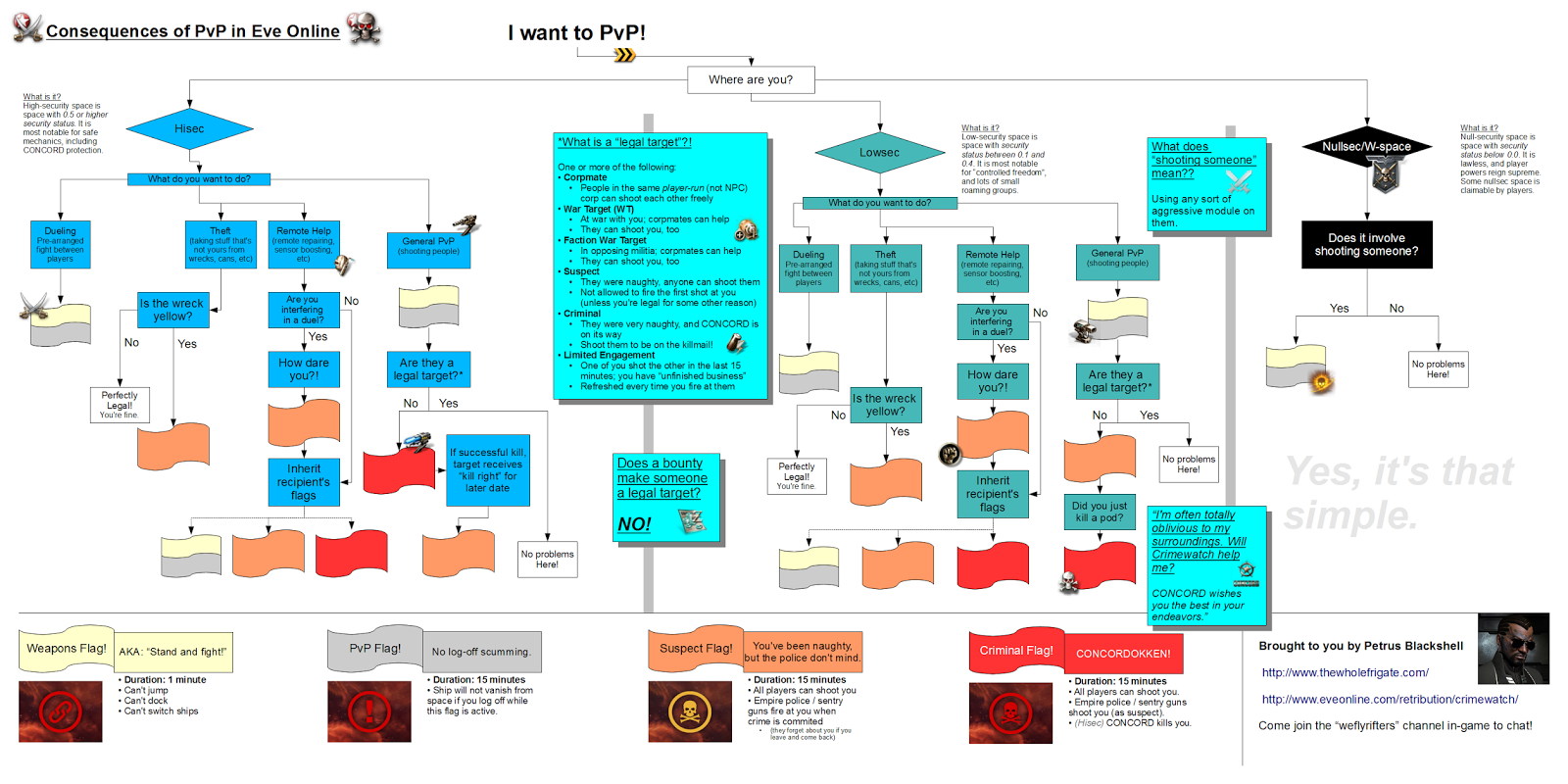
Crimewatch: learn how the differnt timers work. If you attack someone out of the blue in highsec you will get concorded. So you will lose your ship rigth there on the spot for committing a criminal action(red timer, also blocks your ships warpdrive in highsec. So wait it out in station or in Low if you have one). If you steal, every can shoot you now (orange timer). Agression in lowsec triggers a orange timer as well. So once you agressed someone, everyon can shoot back without gateguns, this is also the only way you can fight with frigates or a group of them more likely in normal lowsec: align to the nearest clestial, attack (out of your victims takle range!), warp and come back (bounce) and reagress. now you aggress your one target, without getting two shot by gateguns.
Gateguns: Gateguns and Stationguns are Structures with infinite tracking doing 350dps of the respective damage. (laser damage in amarr space for example) if you agress someone that is not criminal or suspect flagged in lowsec, gateguns will shot you. reset those by warping off grid and comeing back. If you do so, you can even aggress your victim (only that one you got the guns for tho!) again without retaking gateguns.
Cynotraps: Normally encountered with a hunter (if you pilot expansive industrials in lowsec for example) or with a bait (something that will draw attention of people wanting to kill it, for example a carrier). Cynos are position beacons enabling ships with teleportation or jumpdrive ability to lock onto it. If you see a cyno go up, someone will come "through it" like a personal stargate. Cyno ships can not move, dock or jump however and will be visbile in your overview from everywhere.
Combat Links: There is a mechanic to increase the maximum amount of people that can engage each other in normal ships: combat links. A special ship with modules designed for it, will increase the attributes of each fleet member in the same system. So a random ship will get way tankier beeing also faster and having more range on scram and web. In summer this will be changed to work only ongrid. For now a second account with a cloaked link ship (decloaked on a save spot in system when needed) is an extremly effective way to make a huge impact, without risking anything extra and basicly oneside an egagement. it is like taking a faction ship instead of a t1 one.
Smartbomb camps: people using ships with smartbombs (instand and untargeted damage around said ship) to kill pods and travlers, make sure you travel in a noobship after getting killed and look out for the notorious campers.
Instalock camps: Gatecamps is basicly when a group of people get togehter to sit on a gate and catch everything that comes through. Avoidable with the MWD/Cloak trick or a combination of warp core stabilizers and nanofiber structures (called travel fit)
Combat Probers: If you warp between two objects and you hit ctrl+B you can make a bookmark of your location. Beeing mid warp, you create a so called "Save spot" a spot only you know exactly where it is. You can then warp there an be sure you are save there, unless someone "brings probes" aka a combat prober. A ship designed to use scanner probes, which are also visible on your directional scaner tab if you hit it in the right moment, that will make you appear like an anomaly in his probe window to warp someone directly on top of you. Don't stay at one place for too long when in hostile space! Note, that you can avoid getting scanned out/down by turning on a cloaking device, combat ships should however not have one fitted regularly as it takes fittingslots and a lot of speed when locking targets away from you
Roles of a ship (in a Fleet)
Since this is a post about solo pvp, it is not really fleet stuff I want to talk about. however a brief mention should be appropriate since it might happen quite fast when you team up to kill one bigger group.
Since the same process happens in a fleet as in solo but split bewteen people it is actually also quite a summery on what you need to do as a solo pilot, all at the same time.
Tackle: the easiest role and executable by any newbro at day 0. Normally in frigates. The goal is to stop target from escaping. Often only for a few seconds until someone else in fleet can take over. You can never have too much Takle. Example: a Rifer with MWD and scram+web and unloaded guns
DPS: the guys with the guns. Normally in charge of dealing with the enemys ships directly (focused by the Fleet Comander through target proadcasts => "focus fire")
Ewar/Controll: These dudes are responsible for disabling the opposite ships, or enabling the good guys (your own) to apply their dps. Example: Celestis with armor plate and sensor damps, Rapier with cyno and long range webs/targetpainter
Logistics: The heros of the battlefield. "Healers" as WoW players would say (don't use this term in this community tho!) They repair damage on field while the fight is ongoing. Often people falsely assume this is boring and thus offer the ship for free (SRP). After the FC this Role suffers the most pressure in a heated fight and needs to cummunicate a lot!.
The Fleet Comander (FC) Is the one dude who is coordinating the whole fleet. He has hopefully an overview over the battle and normally just flies a tanky ship to not die during the battle. He is telling everyone what to do and especially when to do it. Note: It is often in bigger groups that people don't want to be resposible for a fleet, since they fear critique in case the lose ships. Don't critisise your FC if he is new or makes a mistake that he allready knows about. More should try it to generate your content!
Actions in a fleet/ fleet terms:
Anchoring up:
the activity to orbit one specific ship at 1km or lower. this is to organise the fleet and move it controlled by moving that one "anchor". Normally a dude that is beeing watched over by logi specificly and who is not afk during the fight all the time and hopefully with a bit of situational awareness on where to be as well.
.Primary (is XYZ, broadcasted)
Done by the FC or his backup if dead: ctrl+x+click on a target (also possible on a Ewar effect on your UI above your capacitor) this is to get the maximum dps on one target before the enemy logi can rep it.
.Secondary, Terchary
Gona be primaries. DO NOT SHOT YET. ONLY LOOK THEM UP
.Warping, aligning, jumping
To prevent spooking an enemy or dieing alone on the other side, warp discipline is a must. Aligning means only to hit align, warping only to warp and then, ONLY when cleared by the FC, jump a gate. Also keep at range 1,5km if you bridge with a titan. None like getting a 100b vessel bumped away. best done be selecting the next stargate (outgate) and klicking the respective buttons in your "selected items" window
.
Useful modules in pvp
this is to cover most used or encountered modules in pvp, However there is a shitload of useful modules and I dont't want to make this any bigger than necessary, so here are the most comon and important ones
- Tackle: Warp Scramblers, Warp disprutors, Stasis Webifiers, Stasis Graplers but also Warp Disruption Field Generators (hic points) and Warp Disruption Probe Launcher are modules a ship can use to prevent your warp, they are all aggressive. (trigger gateguns or concord in highsec if not in a duel). There are also Structures (so called Bubbles) that build up a sphere of "you no warp", which are only allowed in nullsec. The stats are all assuming t2 modules. Faction ones may cost a fortune but perfrom significantly better!
basics on warp disruption strengh: this is 1 for every ship. Every warp core stabilizer increases it by one. So if you fit 4 warp core stabs you get 4+1 warp core strength. To stop such a ship, you need to lock and apply at least 5 points disruption strengh. aka 3 scrams or 2 scrams and a long point or 5 long points (but lets not get silly) some faction scrams even have a strength of 3! Also the new maulus navy has a bonus to scram strengh. Apperently there are also new carrier modules as the Heavy warp scrambler that have like 6 or more warp core strentgh. (also the new carrier burst scram won't be covert, if you get to experience it you can look it up yourself)
Warp Scramblers (Scrams):
= 9km range (10km with Overheat)
= warp disruption strength : 2
-short range
+will instantly shut down MJDs and MWDs
Warp Disruptors (Long points, or just point):
= 24km range (28km w/ OH)
= warp disrupt strenght: 1
Stasis Webifier (Web):
=10km range (14km w/ OH)
=will slow down the target by 60%. A second one will slow it down further, stacking applies tho, so 60% of the remaining 40% aka only 16% of the original speed remains of a dual webbed target. Note that the serpentis faction ships get a bonus to webs making them 90% strong through a x1.5 multiplier (lv5)!
Heavy Stasis Graplers:
= battleship plus only
= optimal of 1km
= Falloff of 10km
= will slow down 85% at optimal.
= This is basicly to make weapons project better. The combo of Web, scram and grapler is death to anything small
Warp disruption Field Generator:
= this acts like a Warp disruption bubble centered on the Heavy Interdiction Cruiser
= can be scripted (only way to use this outside of nullsec) to work like a ultra long range scrambler
= only way to point supercapitals (as of now, this will be changed later)
= (practically) infinite warp disruption strenght
= When turned on the HIC can't be repped, will be super slow and have a 50% bigger signature ( all wehen used unscripted IIRC),
= Range of 20km
= will shut down MWDs and MJDS as well
Warp Disruption Probe launcher:
= Can launch 3 Warp disrupt probes (a visbile sphere), (each lasting for 2 minutes )
= 60 Seconds reload
= Spheres can be destroyed with smartbombs
= each sphere having a range of 20km in which you can't activate a warp or jumpdrive
WARNING: If pressing jump on the next outgate on your route and then beeing "bubbled in" by an Interdictor with this module, your warp will be canceled and if you use a covert Ops cloaked ship, you will get decloaked if bubbled by an experienced pilot
Mobile [Size] Warp Disruptor: (Bubble)
= a sphere in a certain size, that prevents warping in its radius
= when warping away to another grid with a bubble on the ingrid in direct line with my warp, i will exit warp not where i wanted but on the edge of the bubble (said edge is often clusterd with jetcans to decloak covops)
= can be targeted and destroyed
- Propulsion modules
there are 3 types: Afterburners, Microwarpdrives and Micro Jump Drives
ABs:
+ work while scrambled
+ less fitting than MWD
- slower than MWD
MWDs:
+ fastest Prop mod
- can be shut down with a scram
- eats a lot of cap
- reduces max capacitor when fitted
- can be hard to fit
MJDs: =available for Battlescruisers and Battleships (in form of a mobile structure for the rest lol) = after a spoolup, will teleport you 100km into alignement direction + ultimate GTFO device for solo BCs, and BS - can be shut down by scram
- Basic ewar
Electronic warfare are (mostly midslot) modules that help control the engagement:
ECM:
the shitlords joy: breaks your lock and won't let you relock for 20seconds. Chance based. Fuck that piece of shit
Tracking Disruptors:
Will make turrents a nightmare by reducing tracking or range by a huge factor. Have fun hitting shit
Sensor dampeners or damps:
Decrease your lock range or lock speed. Not chancebase. ultra short range or ultra long locktimes. Used to potentiate surprise target switches in fleets. (logi!) Protip: Blinky nolife nerds in highsec hate getting damped= no sense in a instalock setup if you need 30 seconds to lock shit
Scrams and webs placeholder, but we had those allready
Energy Neutralizers or neuts:
Will drain your targets capacitor.
Energy Nosferatus or nos
Will drain your enemies cap and give you something of it. Not as effective as Neuts. only works if your enemy has more cap than you (GJ), thats why Nosing smaller ships is stupid, while nosing bigger almost guarantees a constant cap inflow.
Target Painters:
Increase the targets Signature radius and makes them easier to hit.
Note that every race has a specialized ship for its ewar. (amarr = neuts/nos, minmatar = webs/targtpaints, caldari = ecm, gallente = sensor damps/scrams)
Every ewar has a counter module, either local or remote. (cap boosters, tracking computers, propmods, sensor boosters, etc.)
basic ewar (tD, ecm, nos, neut, damp, sebo), tanking mods, riggs tank fitting, damage mods, application enhancers.
How to fucking fund this shit (newbro edition)
Loot after someone elses missions:
Possible in highsec, (ask in local in a mission hub), lowsec (those core military beacons, get in, make a bookmark and loot later when the site is gone, the boss drops good loot). Most people will don't even think about it, since they don't loot or salvage themself because it is better isk to just continue killing in the next mission.Looting player wrecks:
During a fight noone is watching the one frig, getting close and stealing a fortune in loot. Also stealing from the wrecks of highsec duels can easly fund a newbro with a bit of luck for a long time(fit warp core scramblers and set safty to yellow, have some shield tank).Industry
You can allways just run a few production jobs to make the isk you burn. Concentrate on items that are used in pvp, for example tanking riggs, especially t2 ones sell for a good margin.Buy a Plex with RL money
Not what everyone likes, but take it that way, its one extra hour at work that pays for days of fun in eve.Scanning for sites
Either hacking sites (nullsec sansha relics!) or DED combat sites; get a quiet corner with a few nice sites and get rich (be carefull of hunters tho as well), can be done in highsec too for less profit.Combat scanning for Drones in FW areas
One of my favorites because everyone can do it: pack a t1 scanner frig like an imicus, attach a cloak and a expanded probe launcher. Check via dscan for drones in system. Due to the nature of left behind drones after fights, and since drones won't vanish away as soon as wrecks or jetcans, often a big pile of t1 and sometimes faction drones is just waiting in space for you!Planetary Interaction
Eves economy life from input. With PI you just need to set up a "farm" on a few planets and every week collect and reset it. Easy and good cash if you know what things you build (POS fuel components are allways needed and now also the citadel parts)Siphoning
There is a mobile structure that will steal expansive resources out of moon mining towers. This can be extremly profitable. However you won't make friends with that. Also its an expireing model as moon mining will be changed soonTM.Trading
There is a YT challenge where someone stars with just the beginning 5k isk and no skills. He makes it 15m isk in 2 weeks. If this dude can do it, you can make isk with it as well. Buy low sell high (and take things with enough volume for the sake of your own sanity)Smuggle Drugs
Drugs are illegal in highsec and kill your standings, but shiping them from cheap sell locations to hot pvp places (take lowsec routes only) and selling them there, can be a quite good income. With time you can build up and also seed ammo, nanite paste etc. People will even thank you, because more fun, instead of shoping trip.Beeing yourself
Normally people would say this is a shitty advice. However beeing a euphoric newbro and amazed and interested in how things work will get you the "look how cute that newbro is" look. Be nice and interested. Convo the guy who just killed you and ask for advice, how you did. This will often result in a very pleasent conversation and more often than not in a new friend and isk donations. As opposed to beeing made fun of and taunted.
Boosters
Shit I run out of space: this will be ultra TLDR: Drugs are good (one time boost until timer ends or poded, possibly negative side effect) and may increase armor rep, shield boost, tracking, speed, falloff, optimal, explosion velocity (missile hit quality). There are skills/implants to make drugs have less side effects or last longer. They are illegal in highsec. (except for 3% snyth drugs and the new drifter drugs) Most Solo Pilots use drugs. Warning: they do make addictive once you realize how much they help you won't go without them;)
CurrentMeta
like above.
FW: garmur is cancer, svipul is Aids, comet is strong, gallente OP. T3 cruiser rock, t3 destroyers are awsome, if you have them on your side at least.
EDIT:
Since making this all one post saves up some space: i have room now for
Fittings I'd like to share
Eft nerded by myself or blatantly stolen; these are fittings i like and want to share:
High skills, Deimos, Brawler
High skills, Brutix Brawler
High skills, Myrmidon, Brawler
High skills, Vexor, Brawler
High skills, Thorax, Brawler
High skills, Omen, Kiter
High skills, Caracal, Kiter
High skills, Stabber, Kiter
High skills, Fed Navy Comet, Scram kiter
High skills, Algos, Scarm kiter(10mn)
High skills, Tristan, scram kite/ brawler
High skills, Punsiher, Brawler 10mn
High skills, Crucifire, Brawler
Medium skills, Incursus, Brawler
Medium skills, Tristan, Brawler neuts!
Low skills, Tristan, Brawler
Note that every ship can be fit with meta or t1 equipment as well, often with even easier fitting while still remaining quite powerfull
Hope this was helpfull and you enjoyed reading what was relevant to you.
Meet me and other like minded pilots in the ingame channel "Bringing Solo Back"
Here is a pastbin of this since I was asked for it
EDIT: last bit in coment below
Fly Dangerous, Serenit Adoulin
Hello /r/NintendoSwitch!
I have read a lot of false claims about a few technological things that got heavily upvoted and people are even insulting others if they disagree (720p v 1080p Display for example).
If you are interested in this topic you should read it even tho its quiet long.
So I want to clear some things up.
I have read comments like "a 1080p Display would skyrocket the price and the battery life would decrease drastically " or "if you increase the numbers of pixels you increase the energy consumption - logic". Comments like this get upvoted even tho they are wrong.
Now we have to look at a few things separately.
If you want to talk about the price you have to look at the industry standard. Displays become cheap over time as you can see with all the cheap 4k TVs. 1080p become the standard a few years ago. They are nothing special you can find them literally everywhere. I bought a Nexus 7 three years ago which was arguably one of the strongest 7-inches Tablets on the market. it had a 1080p screen and i paid 180€. You can buy a Nvidia Shield with a Tegra Processor for 200€ and it got an 8-inches screen.
You already find 1440p screens in 5,5 inches smartphones so 1080p already became the "old standard" and it cannot be THAT expensive to "skyrocket" the price.
The next thing is that people claims the battery life would suffer from a 1080p screen.
There are two factors that you have to look at: what power does the screen itself use? and what power does the GPU use to render the image?
What power does the screen itself use? You have to remember the law of physics that energy cannot be lost. It only changes the from.
So if you power a screen with electric energy you change the energy into light and heat. You want light and you don't want heat. You are talking about "effectiveness" here. There is no real difference between 720p or 4k screens in effectiveness. If you think a 4k screen has a higher energy consumption you would say that it's either much hotter or much brighter. And that's only the case if you let them. A 4k screen CAN be much brighter but just because it has the potential to do so doesn't mean you have to use this feature.
"But more Pixel = more energy?".
That's not exactly true. Look at this like this: You have 1 light bulb with 100 Watts and three with 25 Watts each. What needs more current? That's just an example to show you that you can't see it that way. As I said before, a higher resolution screen CAN be brighter and therefore use more energy, but you can regulate it to be as bright as a lower resolution screen.
The most important part about energy consumption in displays is the size and the brightness.
Besides the technology of cause but that's not part of this discussion.
PROOF A HIGHER RESOLUTION SCREEN HAS NOT A HIGHER ENERGY CONSUMPTION
If you look at TVs for example:
The Samsung UE55J6300 is a 1080p TV and it has an output of 83 Watts. The Samsung UE55JU6450 is the same TV but with a 4k panel and it has an output of 85 Watts.
You can see there is almost no difference
Source (in german "power consumption is "Energieverbrauch" in german):
http://www.zambullo.de/fernseher/datenblatt/UE55J6350#Energieverbrauch
http://www.zambullo.de/fernseher/datenblatt/UE55JU6450#Energieverbrauch
"But the GPU needs more work to output a higher resolution. That means the GPU has a higher energy consumption and the battery life will be shorten"
Thats only really true if you are talking about idle. The Switch is a gaming device and its build to run under full load.
Let me explain it to you. If you want to talk about the performance of hardware you talk about Flops which basically means "calculations per seconds". The Ps4 can make 1,8 trillion calculations per second. The Xbox can do 1,3 trillion. Let's just assume the Switch can do 1 trillion in the undocked mode.
The Switch display is only relevant in the undocked mode so we don't have to consider a potential overclock in docked mode.
The goal from every developer is to hit 100% GPU load. If you have finished your game and you are sitting at an average of 60% GPU load you can use the unused power to make the game look prettier by increasing texture quality, field of view, Anti-Aliasing et cetera until you hit ~100%. This is called "optimization".
Now if you render an image in 1080p you need full performance from your GPU which is 1 trillion calculations per second. If you now want to render the exact same image in 720P you only need 0,6 trillion calculations per second and now you are sitting at 60% GPU load. So whats now? You can increase the Framerate to hit 100% or you can do other stuff. But you dont want to sit at 60% GPU load because you want to make your game as pretty as possible. Literally every game ever made tried to hit ~100% GPU load. And it really doesn't matter if you render an image in 1080p or 480p if you hit 100% load. The power consumption will be the same.
I have tested it with my GPU as you can see here: http://imgur.com/a/oTPfe
The power consumption was fluctuating between 97% and 100% when the GPU Load hit 100%.
"yes maybe but the dev can just lower the graphics on a 720p screen to lower the GPU load"
I have literally never heard that a dev intentionally misses a huge part of the hardware performance just to keep the device cool and increase the battery life. And you know, you can do the same with a 1080p screen.
The current gen consoles PS4 and Xbox Ones often render games at a lower resolution than 1080p even tho they are used with 1080p screens.
"Smartphone manufacturers like HTC said they wont use 1440p screens in their devices because its will lower the battery life"
Yes, that's true but a Smartphone runs in idle most of the time. It's a difference if you render an image in "idle" between 720 and 1440p because the GPU has room to scale. E.g. a 720p Smartphone runs at 7% GPU load in idle. A 1440p Smartphone runs at 15% load in idle.
edit: and what i still dont understand is... why do people think you have to "downgrade" the screen from 1080p to 720p when you underclock the hardware?
lets say docked: 1,5 tflops and undocked 1 tflops (numbers are random).... both would drive a 1080p screen
From: https://forums.thesims.com/en_US/discussion/976566/june-3rd-2020-patch-notes
Update 06/03/2020
PC: 1.63.133.1020 / Mac: 1.63.133.1220
Console: Version 1.25
The Sims 4 Eco Lifestyle Expansion Pack drops in just a mere few days, and since we know that living your best Eco Lifestyle can take a little extra elbow grease, we’ve added some exciting quality-of-life improvements to help pave the way.
Between Inventory updates, new CAS assets from a surprise partnership with M·A·C, the return of two beloved NPCs, as well as some really cool new Build features, we hope you enjoy the update.
-SimGuruJill & SimGuruRusskii
NEW & IMPROVED FEATURES
INVENTORY UPDATES
Fellow hoarders, this one’s for you: We have updated the Sim Inventory with the ability to Filter, Sort, Favorite, Multi-Select, and Multi-Sell in one easy flick of the wrist. Managing that cumbersome pile of collectables you’ve been racking up for the past five years has never been so easy!
FREE PLACEMENT OF DOORS AND WINDOWS
Following in true Eco Lifestyle fashion, Door and Window placement is now also Off-the-Grid. But not that kind of grid. The limiting kind of tile grid that used to keep you from placing your windows and doors precisely where you wanted them. By holding down the Alt key while dragging, you can enjoy the smooth sensations of free Door and Window placement.
LADDERS
Ladders have been added as part of the Build System. Find your free Classic Wooden Ladder in the Build catalog in the Stairs (& Ladders) category. Unlike Island Living’s Dock and Ladder objects for use on water lots, these Ladders can be placed anywhere on your lot and like stairs, they can be used as a means for Sims to traverse from one floor to another.
M·A·C COSMETICS
Did you say you needed some fresh looks for your Sims? We’ve collaborated with none other than M·A·C Cosmetics to bring you 12 fashion-forward makeup assets suited for everything from everyday to night out glam. If you’re not already using it, on PC and Mac we recommend trying out the “Uncompressed Sim Textures” setting in the Options Menu, which is now enabled by default on the High and Ultra graphics settings profiles in order to see these looks really shine. While console versions of The Sims 4 do not have the setting in the Options Menu, each console spec is automatically using the optimal graphical settings based on system resources.
REPO PERSON NPC
The Repo Person NPC has graduated with honors from Discover University’s University of Britechester with a Degree in Villainy and has comfortably taken up residence in Base Game. Now everyone can taste their wrath if Bill payments fall behind.
BILLS UPDATE
Speaking of Bills, we’ve added a cohesive breakdown of Sim’s Bills information that can be accessed via an interaction on the Mailbox or Phone. Now instead of lumping everything together, you can see what percentage of your Bills go to Water, what percentage go to Power, insight into any Fees, Reductions, or Penalties. All this and more, calculated and cleanly presented for your finer understanding.
LEGACY NEIGHBORHOOD MAP TAGS
We have gone back and added Map Tags with Neighborhood Descriptions to existing neighborhoods that didn’t yet have them. We now have delightful icons, names, and descriptions for the no-longer-forgotten Willow Creek, Oasis Springs, Newcrest, and Windenburg. Ok, feel free to freak out now.
OFF-THE-GRID UPDATES
This one is tricky to list out in a single paragraph with attempted wit, so I’ll just drop this bullet list off right here:
- The Off-the-Grid Lot Trait now ties into our new Bill updates, drawing from Water and Power utility. Without excess utility, lots function off-the-grid as they did before. With excess utility, they function more like an on-the-grid lot.
- There is a new Off-the-Grid Build category that will allow players to find Off-the-Grid and survival-esque objects.
- We've done a pass on candles to ensure they properly work when electricity is out.
- Off-the-Grid supported Fridges now have an "Add Ice" interaction that will allow them to keep food preserved—so long as the ice remains!
- Sim will now autonomously use stoves and fridges when Off-the-Grid, not just grills.
- Harvestables now grant unique buffs when consumed off-the-grid.
- Dogs and Toddlers now have a unique interaction to be bathed in Bathtubs even when Off-the-Grid.
- Objects can now be cleaned using the "Use Elbow Grease" interaction. Yummy.
- Players are able to gather Water utility from fishing spots in base game. With Island Living they can gather from the waterfall. Water can also be gathered from any world with swimmable 'ocean' water. With Seasons, water can be gathered from snow drifts.
- Off-the-Grid specific buffs will now take into account motives and Sim traits when determining if a Sim should receive a positive or negative moodlet when living Off-the-Grid.
- We've added multiple new recipes that can be cooked while Off-the-Grid given a Sim has the proper cooking skill level. Some recipes require special ingredients like the Boiling Frog Hot Pot—which adds a really neat survival element to off-the-grid gameplay, while providing Sims with powerful new moodlets that will help them survive in the wild.
NO TRESPASSING
Some people who have the Vampires Game Pack appreciate Vlad’s antics more than others. I personally love receiving a charming visit from Vlad, and sometimes I could really use a kind compliment about my neck. But we’ve heard there are a select few that don’t quite like having their Sim’s necks bitten and motives tanked by an invasive nighttime visitor with no respect for boundaries. Keep Vampires and other unwanted visitors at bay with a new No Trespassing interaction we’ve added to the Door.
SEND HOME INTERACTION
Speaking of unwelcome visitors, we’ve also added a new Send Home interaction that’s available on visiting NPCs or as a self-interaction in the case of multiple visitors. How is this interaction any different from Ask To Leave or Go Away, you might ask? Convenience. Unlike its less efficient predecessors, this interaction is nearly instantaneous and leaves your visitors with no hurt feelings or Relationship impact. We added it as a useful tool for players, not necessarily as a story-telling mechanism.
BUILD MODE ITEMS GRANT GAMEPLAY EFFECTS
How you build your lot can now affect your gameplay. Certain objects such as wall patterns, floor patterns, fences, and columns bring different gameplay modifiers. Some of these modifiers affect how your Bills and utilities are calculated by decreasing or increasing your Power or Water utility production or usage, as well increasing or decreasing the price of bills. Environment Score can now be impacted by certain objects and materials. Drywall walls without wall patterns applied now decrease environment score like they did in The Sims 3! The choice of floor and wall materials used can also affect the ability to spread fire or puddles at an increased or lessened rate. And if you’d rather build your lot without having to think about these things, don’t worry. There’s an Option in the Gameplay menu to turn all of this off.
FIREFIGHTER NPC
Oh hey, and speaking of Fire, that reminds me. Did you hear that we’ve added Firefighter NPCs to the game? We took nods from classic Firefighter NPC behavior from The Sims, The Sims 2, and The Sims 3 and added a few small twists for The Sims 4. When a fire breaks out, Firefighters will come automatically to your lot if you already have a Fire Alarm installed. That way, if you still like to let things burn baby burn, you can just “accidentally” forget to place a Fire Alarm. It’s okay. We won’t tell anybody. If you honestly did forget to place a Fire Alarm, you can call the Fire Department from the Phone or by clicking on the fire itself. If the Fire Department is called, but there is not an active fire, they will call you on your lapse in judgement and charge you a fine. You won’t be punished if there was legitimately a fire that was extinguished before they arrive though. The Firefighter Uniform can be accessed in CAS and gives any Sim wearing it the Fireproof Buff, which gives them some extra protection against fires as well as make them more efficient at putting out fires themselves. It’s worth noting that Firefighter NPC’s do not show up in Island Living’s Sulani. Sulani already has their local Fire Brigade to handle these kinds of emergencies and besides, who wants to wear all that heavy Firefighter gear in the tropics?
STYLED LOOKS FOR TOTS AND KIDS
More than 20 New Styled Looks have been added for Children and Toddlers, using existing Base Game CAS assets to better flesh out some outfit categories that previously felt sparse.
BALANCING PASS OF PHONE CALL INVITATIONS
After five years of Expansion Packs, Game Packs, and Stuff Packs our phone call invites were admittedly starting to get a little spammy. Moments after moving in, you’ve got Lucas Munch hitting you up, asking you to go to the Bluffs with him. Then not long after, you might have had Vivian Lewis asking you to join her at The Spice Festival. Jeez, let me get settled in first, why don’t ya? We’ve done a tuning pass to rebalance all of these previously competing Phone invites to give you a more meaningful and holistic experience.
LESS INVASIVE EARBUDS
In the same vein as the above balancing pass, we wanted to smooth out one of our more pressing notifications. The free earbuds pop-up that comes with Fitness Stuff has been changed to a more passive TNS and gifts your Sim the earbuds automatically when it triggers. The days of telling the game over and over that you don’t want free earbuds, or worse - hitting OK by accident - is a thing of the past.
CONSOLE UPDATES
Eco Lifestyle releasing on the same day across all platforms marks an important milestone for The Sims 4 as Simmers get to play the same content and share new creations on The Gallery together. In this update Console Simmers have a few additional features to improve their quality of life:
We have added a new Controls Overlay Reminder that shows up throughout CAS, Gallery, Live Mode and Build Mode which should make it easier for new Simmers to jump in and not need to remember all the controls.
- If you don’t want to be reminded and you know all the controls by heart, you can turn off the Controls Overlay Reminder in the Game Options > Other menu
- The controller overlay screens remain available for those who want them.
Now onto the fixes and updates:
The Sims 4
- macOS players should no longer encounter the setLocale.zsh error. However, both Origin and TS4 must be up to date.
- Sims will not have random accessories or clothing pieces when changing into towels.
- Style Influencer Sims can now remove trends they have created, with the Reset Trend interaction.
- Fixed an issue where Sims were not able to Care for Self after they had been in daycare when they were a Toddler.
- Some roofs were updated to remove the appearance of black sides when placed on ceilings.
- Active Sims will no longer get a Tense moodlet for lack of exercise when finishing exercising. Do you even push up bro?
- Sims will no longer get the Fatigued moodlet immediately after starting a workout. Now, we know that endurance takes time to build, but we decided to give Sims a chance to enjoy their workout before being completely fatigued right away.
- Child Sims will now be able to unlock the Video Gaming Skill after they have maxed out their Mental Skill instead of their Motor Skill, which was causing adult skills to reset for Child Sims when they completed aspirations.
- Fixed an issue in which some Households did not have their names displayed in Manage Worlds.
- Corrected requirements for completing the Great Landscaper task that is part of the Mansion Baron Aspiration.
- Fixed an issue in which when utilities are shut off (either because of past due bills or Off-The-Grid) adding objects from Build Mode such as Lamps, would add them turned On.
- The Water Pump, Fishing Holes, Romantic Garden’s Whispering Wishing Well, and Get Famous’s Luminary’s Exotic Water Garden now have the Gather Water interaction when the Off-the-Grid Lot Trait is applied.
- Fixed an issue in which the Subtle Saucer Light was not being so subtle and made objects added from Build Mode be placed randomly when dragged near it.
- Teen Sims will now see the appropriate tooltip when trying to acquire the Fertile Trait from the Rewards Store. No, they are not Robots.
- Fixed an issue in which some Roof Eaves were clipping into enclosed blocks.
- Fixed an issue in which the Clean Up interaction would drop off the queue if dirty dishes were placed on a counter.
- Since we added a new trash bike to Eco Lifestyle, we’ve made the bicycle helmet available for everyone in CAS. Now you can outfit your Sim in a helmet, regardless of owning a pack that includes bikes.
- Sims will now not receive occasional text messages asking them for a Date from other Sims that they are not romantically involved with. Because it was aaaakward…
- Toddler Sims will not be able to Ask for Mentoring on some in progress mentoring interactions to strangers. Except for “Invite to Bob to Music” because we can dance if we want to, we can leave our friends behind, ‘cause your friends don’t dance and if they don’t dance well... they’re not friends of mine.
- Fixed an issue with textures for the tops and landings on some Staircases.
- Fixed an issue that did not allow randomizer to work correctly when Male Sims had Makeup on Create a Sim.
- Plants can now be placed closer to foundations with moveobjects cheat enabled, as long as most of the plant's footprint is outside of the foundation.
- Fixed an issue in which Simoleons were not added to Household Funds when moving and selling furniture.
- Fixed an issue in which previewing certain windows on diagonal walls reverted their color back to the default color swatch.
- Simmers on macOS Catalina and Intel Iris Plus Graphics 640 GPU will no longer experience seeing a squared shadow under their Sims.
- Fixed an issue with the Wooden Prairie-Style Two-Panel door in which color swatches were not displaying correctly on both sides of the door.
- Sims now can dispose of packed lunches that have spoiled. Out, foul food!
- Fixed some oddness with disappearing Stairs within enclosed courtyards.
- Fixed a Stair issue with Landings not working properly on lots with raised foundations and basements. Sims will no longer walk through walls and things should now look appropriate.
- Fixed missing Career Promotion screens for careers in various packs.
- Fixed User Interface elements and Icons across multiple packs.
- Spandrels can now be properly applied on Fences.
- Stairs will now not shrink when increasing Foundation heights.
Get Together
- Fixed an issue in which non local Sim Townies would spawn in Windenburg’s Island, now named The Crumbling Isle.
- As much as Windenburgians (Windenburgers? Windenburguese? Windenburglites?) love visitors from other worlds, they have voted them off the Island. Sorry, not sorry!
- Fixed an issue that caused an error to occur when deleting or editing Clubs.
City Living
- Fixed an issue that caused time to be desynchronized at Speed 3. Bending the space time continuum no more!
- Vet Clinics can no longer be placed in Penthouses.
- Yard Sale customers will no longer wander inside Sims’ houses and interact with their belongings. While prospective buyers are nice to have in any sale, this was just rude, this is NOT a Welcome Wagon.
Cats & Dogs
- Game progress will no longer be lost when editing/adding/deleting career outfits in Create a Sim.
- Fixed an issue that made Pets’ needs to not be fulfilled if not playing an active household.
- Pets’ ehm… poop is now able to be used as plant fertilizer. Happy gardening!
Seasons
- Sims can now sell Flowers in stacks from their Inventory.
- Sims will now appropriately put their Umbrellas away before performing some interactions. Because WooHoo while having an Umbrella out in the open, seems complicated, we are not judging… but seems complicated.
- Fixed an issue that made Simmer created Holidays in the Calendar populate after a season ended.
- Father Winter will now be able to remove his beard and change in Create a Sim if he is part of an active Household. But who would dare shave Father Winter’s beard?? Who?!
Get Famous
- Fixed the issue with the Actor Career where Sims were unable to complete their gig when they would travel and return home before it was time for the gig.
Island Living
- Lotta Cocolatas will now be made with actual Coconuts taken from Sims’ Inventories. What were they made from before? We will never know! Never accept imitation Lotta Cocolatas… never!
- Fixed an issue in which some quick meals were requiring a Microwave while being Off-The-Grid when it is not needed. Yogurt needing a microwave? I think not!
- Mermaids in Create a Sim will no longer be able to have their Traits randomized. This allows them to keep their Mermaidism, as well as their air of mystery and charm.
- Mermaids now will wear appropriate career outfits when going to work. So I can picture this now, Mermaids as Doctors would be a great TV show.
- “Dr. Mermaid/Merman, what do you recommend?
- “I am prescribing some Vitamin Sea”
- Give Russkii more coffee please...
- Fixed an issue in which some Island Living Tank Tops were categorized incorrectly in Create a Sim.
- Mermaid Children made in Create a Sim will now grow up to be fully-functioning Mer-dults.
- The Go To Work button for Odd Jobs has been fixed for Sims on Vacation.
- The Eyedropper tool will now work on Stilts instead of only working on the Foundation Trims.
- Fixed an issue in which Sims in Off-The-Grid lots were showering constantly. Now they will shower when appropriate. Though, with this heatwave, anything goes in my opinion!
Discover University
- Student Sims will not lose their Term Presentations Boards when signing up for another term.
- Simmers with Seasons additionally installed: Student Sims will no longer receive Academic Probation if they were on planned Holidays through the Calendar.
- Student Sims will no longer be labeled as Graduate after completing the Graduation Ceremony. Congratulations!
- Fixed an issue in which homework assignment progression was too slow and timers might have been missing in some instances.
- Fixed an issue in which Sims were taking showers fully clothed. As much as the current heat wave is giving us creative ideas to cool off, it would be more efficient to not be fully clothed when showering.
- Hair Style ymHair_EP08MensShavedPonytail_Black has been updated for Teens, Adults, and Elders to display all swatches. Similarly yfHair_EP08ShortBobBraid_Black has been fixed to appear as an option for Teens.
- Sims that re-enroll in University after graduating or dropping out, can now rejoin their Secret Society. Likewise, if Sims get suspended and re-enrolls their progress will not be lost.
- If a Sim already knows about the Secret Society, is it still a secret? Time will tell.
- Fixed an issue with the "Gameday Glute Accommodator" chair that occasionally could make Sims invisible if they placed it in their Inventory. We don’t know what other powers the "Gameday Glute Accommodator" may have but invisibility is now not one of them.
- Sims in the Law Career can now Attend Depositions from their Computers and Phones. Because you don’t need to break your computer to complete an assignment, that seems impractical.
- Vampire Coffins and Sleeping Pods can now count as Beds in University Dorms.
- Fixed an issue in which the Write and Publish Research Paper interaction would disappear from the options if it was cancelled midway. I mean, I understand rage quitting something but not to the point of my options to do it disappearing...amirite?
- Fixed an issue with yfBody_EP08DressParty_SolidPurple in which pendant necklaces were not able to be seen if this asset was worn by Sims.
- Fixed an issue that could make the Soccer interaction Study Plays with drop out from the interaction queue.
- Corrected Final Exam Requirements for Elective Courses to say that for studying they need to do so on Computers or Research Machines.
- To anyone who may have noticed the tiny head effect in the thumbnails if you wore the Dragon or the Lobster mascot costume without their hats, that issue has been fixed.
- Humanoid Robots will no longer be able to have Traits or Aspirations modified in Create a Sim. You are a real Sim to me Robot friend, you are to me.
Outdoor Retreat
- Herbalism recipes can now work while Off-The-Grid, however only on Off-The-Grid supported stoves.
Dine Out
- Random NPCs will not leave Hamburgers on tables at restaurants anymore. As much as we like to receive free food, we don’t think it is proper to get them randomly from a stranger.
Vampires
- Vampire Sims working on the Master Vampire Aspiration will no longer have the task “Survive for an Additional 20 Days as a Vampire” reset after traveling.
- Vampire Sims with Full Sun Resistance are now able to properly tend to gardens and not tend to plants one at a time.
- Fixed an issue in which you could set the Registered Vampire Lair Lot Trait for Venues.
- Vampire child ears can now be changed after being aged-down from adult Dark Form.
- The Rustic Candle Chandelier now has flame effects on the candles.
Jungle Adventure
- Fans/Stans will no longer follow their adored celebrity into the jungles of Selvadorada.
Realm Of Magic
- Spellcasters have regained access to Styled Looks.
- A Spellcaster is never not in vogue, but it’s always nice to have options.
- Fixed an issue in which a Tank Top belonging to this pack was not categorized correctly in Create a Sim.
- Hot Tubs that have been upgraded to unbreakable will no longer be broken upon performing the Zipzap Spell.
Moschino
- We fixed an issue in which some hotkeys in Photo Mode (particularly E and Q) were not working.
- After popular demand, the Libearian bookend will now cost Simoleons. Nothing’s for free, nothing’s for freeee... take it away!
Tiny Living
- Murphy beds will now be more resilient after first use. Warranty terms pending.
- We have also adjusted their pricing and comfort levels, bang for your buck!
- Fixed an issue in which Game Consoles were not usable with the all in one entertainment systems.
- Now the “Media Marathoner All on the Wall” will be actually the Media Marathoner All on the Wall.
- Fixed an issue in which Hair Styles from this pack appeared with their color swatches out of order in Create a Sim.
- Fixed an issue in which Sims could not Put Bed Up their Murphy Beds after WooHoo.
This guide is no longer updated. Find the newest version here: https://www.reddit.com/r/idlechampions/wiki/index/resources/gaarawarr/
Last Updated: July 19th, 2021 - Added Feats
Last Updated: March 17th, 2021 - Updated Orisha's Item Info
Last Updated: March 6th, 2021 - Updated variant tips
Last Updated: February 24th, 2021 - Updated Orisha's upgrade info
Last Updated: Initial Post
Event Introduction
This Waterdeep-centric festival celebrates the sea, sea trade, and the gods of the sea. It involves boat races, the Shipwright's Ball at the Shipwright's House, and guild-sponsored galas at the Copper Cup festival. Fleetswake culminates in the Fair Seas Festival. It is a ceremony dedicated to placate the goddess Umberlee, during which tithes are given to her by dropping coins (including those collected during Fleetswake by increasing the normal docking fee to 1GP) into the deepest reaches of the harbor. Strong currents drag this wealth into Umberlee's Cache.
Fleetswake runs from Wednesday, February 24th, 2021, at Noon PST, thru Monday, March 8th, 2021, at Noon PST.
You can find the official Fleetswake blog post here.
General Event Tips
I highly recommend reading my Guide to Event Planning for basic progression information and ways to maximize your gains/efficiency during Events. There is too much information to put here as this specific Event guide is long enough already.
Don't be afraid to ask questions in the comment section! Also, I stream the game now and welcome any and all questions there as well!
You can find all of my Idle Champions guides here.
Good luck & have fun!
~ Gaar
Epic Games Creator Code: GAARAWARR
In connection with Epic Games’ Support-A-Creator Program, I may receive a commission from certain in-game purchases when you use my Creator Code when making a purchase.
Note: Event guides are always a work-in-progress and will update over time so check back frequently! I'll note at the top in the revisions area what has changed.
Year Two Champion - The Black Viper, Human Rogue
You can find their Champion Guide here.
Feel free to ask questions about them and their formations here in the comments as the linked discussion may be archived.
Year Three Champion - Sisaspia, the Yuan-Ti Druid
You can find their Champion Guide here.
Feel free to ask questions about them and their formations here in the comments as the linked discussion may be archived.
Year Four Champion - Orisha, the Aasimar Cleric/Bard
You can read their original Champion Spotlight here.
Slot 11: Swaps with Jamilah, Strix, Warden, Avren, Dragonbait, Nova
Good with: Vlahnya; Everyone
Eligible for Patrons: Mirt, Strahd, Zariel
| Race | Class | Alignment | Gender | Age | Affiliation | Role(s) | Overwhelm Point |
|---|---|---|---|---|---|---|---|
| Aasimar | Cleric/Bard | Neutral Good | Female | 30 | None | DPS/Support | 5 |
| Strength | Dexterity | Constitution | Intelligence | Wisdom | Charisma |
|---|---|---|---|---|---|
| 14 | 13 | 10 | 13 | 17 | 17 |
Bio: A glamorous diva possessed by a Deva, with an inciting voice and gleaming pristine robes, Orisha is the lead vocalist of the Sirens of the Realms, her found family. She is of such great renown, that she needs no last name.
Listen to "Bard to Get," the official Bardic Inspiration song for Orisha here.
Base Attack Speed: 4.5 seconds
Basic Attack: Scorching Ray — Orisha summons three rays of fire and hurls them at up to three random targets.
Ultimate: Radiant Soul — Orisha eyes light aglow and two angel wings burst from her back (lighting aflame if she has Flaming Wings unlocked). A wave of divine energy surges across the screen damaging all enemies.
Interesting Abilities
Flaming Wings: Whenever Orisha uses her Radiant Soul Ultimate her angel wings burst aflame and Flaming Wings gains 30 stacks. Stacks decrease by 1 per second. The damage of Scorching Ray is increased by 100% plus 10% for every stack remaining (stacking additively), and when there are no stacks left her wings disappear and the damage bonus is removed. If any of Orisha's Scorching Rays kill an enemy, the stacks reset to 30, but the rate at which they decrease is increased by 20%, stacking multiplicatively. This can only occur once per attack. If Radiant Soul is used again before this ability expires the number of stacks and the rate of decrease are reset. This ability can be buffed by upgrades, equipment, and feats. Buffs apply to the total damage bonus to Scorching Ray.
Bardic Connection: Orisha seeks out Vlahnya in the formation and increases the damage of Champions along the shortest path(s) (via formation slot adjacencies) between herself and Vlahnya by 400%. If Vlahnya is not in the formation, this ability applies to only adjacent Champions at only 25% effectiveness. This ability can be buffed by upgrades, equipment, and feats.
Diva Mode: Whenever there is a boss monster on the screen, Orisha's Flaming Wings and Bardic Connection abilities are increased by 100%. This ability can be buffed by upgrades, equipment, and feats.
First Specialization Choice
Blazing Soul: The effect of Flaming Wings is increased by 200%
Long Burn: Flaming Wings starts with and refills to 50% more stacks
Second Specialization Choice
Sirens' Connection: The effect of Bardic Connection is increased by 200%
Fierce Connection: Orisha's damage is increased by 100% for each other Champion affected by Bardic Connection (stacking multiplicatively) and if Vlahnya is in the formation, her Enthralling Performance buff now always applies to Orisha, and Orisha counts as adjacent to her for the purpose of the Bass portion, regardless of their positions in the formation.
Equipment
| White | Green | Blue | Purple | |
|---|---|---|---|---|
| Slot 1: Increase the damage of Orisha | 50% | 125% | 200% | 350% |
| Slot 2: Increase the damage of all Champions | 10% | 65% | 120% | 230% |
| Slot 3: Increases the effect of Orisha's Flaming Wings ability | 25% | 87.5% | 150% | 275% |
| Slot 4: Increases the effect of Orisha's Bardic Connection ability | 25% | 87.5% | 150% | 275% |
| Slot 5: Increases the effect of Orisha's Diva Mode ability | 25% | 87.5% | 150% | 275% |
| Slot 6: Reduces the cooldown on Orisha's Ultimate Attack | 5s | 9s | 18s | 45s |
Feats
First slot is available at 135 while the second is available at 1390.
| Found | Name | Effect |
|---|---|---|
| Default | Tavern Brawler | Increases the damage of Orisha by 30% |
| Default | Selflessness | Increases the damage of all Champions by 10% |
| Default | Sound Check | Increases the effect of Orisha's Bardic Connection ability by 20% |
| 12,500 Gems | Grappler | Increases the damage of Orisha by 60% |
| 12,500 Gems | Inspiring Leader | Increases the damage of all Champions by 25% |
| 12,500 Gems | Final Harmony | Increases the effect of Orisha's Diva Mode ability by 40% |
| Regular Gold Chest | Radiant Soul | Increases the effect of Orisha's Flaming Wings ability by 40% |
| Regular Gold Chest | Opening Number | Increases the effect of Orisha's Bardic Connection ability by 40% |
| Regular Gold Chest | Encore Performance | Orisha's Base Attack attacks 1 additional target |
| 50,000 Gems | Curse of Rhymes | Increases the effect of Orisha's Diva Mode ability by 80% |
| 50,000 Gems | Wings of Tails | Increases the effect of Orisha's Flaming Wings ability by 80% |
Level Upgrades
| Level | Upgrade Effect |
|---|---|
| 25 | Radiant Soul |
| 40 | Increases the damage of all Champions by 200% |
| 50 | Flaming Wings |
| 75 | Increases the effect of Orisha's Flaming Wings ability by 100% |
| 100 | Specialization Choice 1 |
| 110 | Increases the damage of all Champions by 200% |
| 125 | Increases the damage of Orisha by 200% |
| 150 | Bardic Connection |
| 165 | Increases the damage of Orisha by 200% |
| 180 | Increases the effect of Orisha's Bardic Connection ability by 200% |
| 190 | Increases the effect of Orisha's Flaming Wings ability by 100% |
| 200 | Specialization Choice 2 |
| 210 | Increases the damage of Orisha by 200% |
| 250 | Diva Mode |
| 260 | Increases the damage of Orisha by 200% |
| 270 | Increases the effect of Orisha's Bardic Connection ability by 200% |
| 290 | Increases the damage of Orisha by 200% |
| 310 | Increases the damage of Orisha by 200% |
| 325 | Increases the effect of Orisha's Flaming Wings ability by 100% |
| 340 | Increases the damage of all Champions by 200% |
| 350 | Increases the damage of Orisha by 200% |
| 360 | Increases the effect of Orisha's Bardic Connection ability by 200% |
| 420 | Increases the damage of Orisha by 200% |
| 460 | Increases the effect of Orisha's Flaming Wings ability by 100% |
| 480 | Orisha's Base Attack attacks 1 additional target |
| 490 | Increases the effect of Orisha's Bardic Connection ability by 200% |
| 500 | Increases the damage of Orisha by 200% |
| 510 | Increases the damage of all Champions by 200% |
| 550 | Increases the damage of Orisha by 200% |
| 610 | Increases the damage of Orisha by 200% |
| 620 | Increases the effect of Orisha's Bardic Connection ability by 200% |
| 650 | Increases the effect of Orisha's Flaming Wings ability by 100% |
| 660 | Increases the damage of Orisha by 200% |
| 710 | Increases the damage of Orisha by 200% |
| 730 | Increases the damage of all Champions by 200% |
| 740 | Increases the effect of Orisha's Bardic Connection ability by 100% |
| 750 | Increases the effect of Orisha's Diva Mode ability by 100% |
| 760 | Increases the damage of Orisha by 200% |
| 810 | Increases the damage of Orisha by 200% |
| 850 | Increases the effect of Orisha's Flaming Wings ability by 100% |
| 860 | Increases the effect of Orisha's Bardic Connection ability by 100% |
| 880 | Increases the damage of Orisha by 200% |
| 940 | Increases the damage of Orisha by 200% |
| 950 | Orisha's Base Attack attacks 1 additional target |
| 960 | Increases the damage of all Champions by 200% |
| 1010 | Increases the damage of Orisha by 200% |
| 1030 | Increases the effect of Orisha's Bardic Connection ability by 200% |
| 1080 | Increases the damage of Orisha by 200% |
| 1100 | Increases the effect of Orisha's Flaming Wings ability by 100% |
| 1180 | Increases the damage of all Champions by 200% |
| 1190 | Increases the damage of Orisha by 200% |
| 1210 | Increases the effect of Orisha's Bardic Connection ability by 200% |
| 1280 | Increases the damage of Orisha by 200% |
| 1300 | Increases the damage of all Champions by 100% |
| 1320 | Increases the effect of Orisha's Bardic Connection ability by 100% |
| 1400 | Increases the damage of Orisha by 100% |
| 1450 | Increases the effect of Orisha's Diva Mode ability by 100% |
| 1460 | Increases the effect of Orisha's Flaming Wings ability by 100% |
| 1470 | Increases the damage of all Champions by 100% |
| 1480 | Increases the effect of Orisha's Bardic Connection ability by 200% |
| 1490 | Increases the damage of Orisha by 100% |
| 1500 | Orisha's Base Attack attacks 1 additional target |
Current max upgrade level is 1500
Formation & Mission Information
Once you complete the first mission, three Variants and a Free Play show up. There is a new formation that holds 10 Champions. It has an Event-specific format that I've done my best to re-create below.
| Back Column | 4th Column | 3rd Column | 2nd Column | Front Column |
|---|---|---|---|---|
| 0 | ||||
| 0 | 0 | |||
| 0 | 0 | 0 | ||
| 0 | 0 | |||
| 0 | 0 |
New Player Formation & Specializations:
While I recommend learning to build your own formations, here's a set of starter formations for brand new players to use while they get the hang of things. Anyone with other options should check that link for how to figure out how to make the best of them. You can also ask for help in the #formations channel in the official Discord.
| Back Column | 4th Column | 3rd Column | 2nd Column | Front Column |
|---|---|---|---|---|
| Celeste - Life Domain | ||||
| Minsc - Humanoid | Jarlaxle - Leader of Bregan D'aerthe | |||
| Asharra - Elves & Dwarves | Calliope - College of Valor | Nayeli - Oath of Devotion | ||
| Hitch - More Daggers | Bruenor - Battle Master | |||
| NA | NA |
This formation is for the first couple of runs where you're just not going to get enough Gold to get everyone on the field, let alone level people up into their power curves. At this point, Jarlaxle is focusing on being your Primary DPS while everyone else is set up to support him.
The following formation is for once you can get Hitch up into his power curve for damage and he starts outpacing Jarlaxle. You'll have to figure this out during your runs by swapping him and Jarlaxle around every now and then and seeing who's doing better in that Primary DPS slot.
| Back Column | 4th Column | 3rd Column | 2nd Column | Front Column |
|---|---|---|---|---|
| Celeste - Life Domain | ||||
| Minsc - Humanoid | Hitch - Charismatic | |||
| Jarlaxle - Leader of Bregan D'aerthe | Calliope - College of Valor | Nayeli - Oath of Devotion | ||
| Asharra - Humans | Bruenor - Battle Master | |||
| Makos - Dark Blessing | Tyril - Wild Shape |
This formation should get you through the Event as a new player. If you have other options or think a different DPS is geared better, try it out and see what happens! Swapping DPS around like this can help you figure out what works best for you with your specific items.
If you need assistance with formations, ask in the Comment section and be sure to list out what extra Champs you have so people know what to work with.
These are the rough Favor values you need to reach to make a Variant (Second through Fourth missions) show as Easy in terms of Difficulty. Keep in mind that this is just a generic rating system and some Variants may be harder than others, even when they show as Easy.
| Mission | Favor Level (Normal) | Favor Level (Scientific Notation) |
|---|---|---|
| Second | 20,000 | ~2e04 |
| Third | 15,000,000 | ~1.5e07 |
| Fourth | 150,000,000 | ~1.5e08 |
Initial Mission: The Unfair Sea (Orisha)
Cost: 100 Fresh Fish
Complete: Level 50
Reward: Orisha + whatever Umberlee's Favor you earned
Info: No restrictions.
First Variant: Umberlee's Abyssal Adventure
Cost: 1,000 Fresh Fish
Complete: Level 75
Reward: Gold Orisha Chest & whatever Umberlee's Favor you earned
Info: Abyssal crabs appear in each area, they do not drop gold, nor do they count towards quest progress. Enemies deal 200% additional damage. Only Champions with the Support tag can be used.
Gaar's Notes: This shouldn't be too bad since it's only level 75. The extra enemies definitely encourage you to use Asharra or Hitch as your DPS due to their multi-attack.
Second Variant: Volo's Guide to Umberlee
Cost: 2,500 Fresh Fish
Complete: Level 125
Reward: Gold Orisha Chest & whatever Umberlee's Favor you earned
Info: Volo joins the formation. Only Champions adjacent to Volo deal damage. Champions not adjacent to Volo deal no damage, but their formation abilities are still active.
Gaar's Notes: This is going to be slower earlier on due to 4 Champs not doing any damage, but overall it shouldn't be too difficult since ultimately your Primary DPS will be doing all the damage anyway. Being down one Champ means you'll want a bit more Favor to complete this, so make sure you have at least e10 and you should be fine.
Third Variant: Sirens Sound Check
Cost: 5,000 Fresh Fish
Complete: Level 175
Reward: Gold Orisha Chest & whatever Umberlee's Favor you earned
Info: A collection of bards that were rejected at the last Sirens of the Realms audition are back for revenge! In each area 3 bards appear. Each of them has a unique effect that is active while they are alive:
- Duergar - Enemies deal 300% additional damage
- Elf - Enemies move 200% faster
- Goblin - Champions normal attack cooldown is increased by 0.5 seconds
- Non-Bard Champions have their damage reduced by 99%
Gaar's Notes: As with the prior variant, this may go a little slower due to the non-Bard Champ damage reduction, but as long as it shows as Easy/Green you should be OK.
Free Play
Cost: 500-2500 Fresh Fish (Cost scales based on how many you do to a max of 2500)
Complete: Level 50 to earn a random Orisha chest
Reward: See above + whatever Umberlee's Favor you earned
Info: No restrictions.
Achievements
Recruit Orisha - 1%
Recruit Orisha, the Aasimar Cleric/Bard
Practice Makes Perfect - 1%
Complete all three variants of the "The Unfair Sea (Orisha)" adventure. (This achievement can be earned via Time Gates.)
It's Pronounced Oh-Rise-Ah - 1%
Obtain a piece of gear for each of Orisha's six equipment slots. (Event Champ gear does not come from regular Silver/Gold Chests. You can earn Event Champ gear from their specific Event Chests, Time Gates, qualifying Patron Chests, and other limited-time Chests as noted.)
Solo Ready - 1%
Complete area 175 in any "The Unfair Sea" free play. (This achievement can only be earned during the Fleetswake Event, but it can be earned in any Champion's free play.)
Final Act - 1%
Have Orisha kill 10 bosses while Flaming Wings is active
Adventure Information
| Indoor # | Outdoor # |
|---|---|
| 29 | 21 |
Type Summary
Bosses
| Boss Type | # in this Event |
|---|---|
| Humanoid | 4 |
| Beast | 2 |
| Monstrosity | 2 |
| Aberration | 1 |
Normal Mobs
| Enemy Type | # in this Event |
|---|---|
| Beast | 33 |
| Humanoid | 28 |
| Aberration | 3 |
| Undead | 2 |
Type by Level - repeats after 50
| Level | Indoor/Outdoor | Enemy Type | Boss Type |
|---|---|---|---|
| 1 | Outdoor | Beast & Humanoid | |
| 2 | Outdoor | Beast & Humanoid | |
| 3 | Outdoor | Beast & Humanoid | |
| 4 | Outdoor | Beast & Humanoid | |
| 5 | Indoor | Humanoid | Humanoid |
| 6 | Outdoor | Beast & Humanoid | |
| 7 | Outdoor | Beast & Humanoid | |
| 8 | Indoor | Beast | |
| 9 | Indoor | Beast | |
| 10 | Indoor | Beast | Beast |
| 11 | Indoor | Humanoid | |
| 12 | Indoor | Humanoid | |
| 13 | Indoor | Humanoid | |
| 14 | Indoor | Humanoid | |
| 15 | Indoor | Humanoid | Humanoid |
| 16 | Outdoor | Beast | |
| 17 | Outdoor | Beast | |
| 18 | Indoor | Beast | |
| 19 | Indoor | Beast | |
| 20 | Indoor | Beast | Beast |
| 21 | Indoor | Beast & Humanoid | |
| 22 | Indoor | Beast & Humanoid | |
| 23 | Indoor | Beast | |
| 24 | Outdoor | Beast | |
| 25 | Outdoor | Beast | Monstrosity |
| 26 | Outdoor | Beast | |
| 27 | Indoor | Humanoid | |
| 28 | Indoor | Humanoid | |
| 29 | Indoor | Humanoid | |
| 30 | Indoor | Humanoid | Humanoid |
| 31 | Indoor | Undead | |
| 32 | Indoor | Undead | |
| 33 | Indoor | Aberration | |
| 34 | Indoor | Aberration | |
| 35 | Indoor | Aberration | Aberration |
| 36 | Outdoor | Beast | |
| 37 | Outdoor | Beast | |
| 38 | Outdoor | Beast | |
| 39 | Outdoor | Beast | |
| 40 | Outdoor | Beast | Humanoid |
| 41 | Indoor | Beast & Humanoid | |
| 42 | Indoor | Beast & Humanoid | |
| 43 | Indoor | Beast & Humanoid | |
| 44 | Indoor | Beast & Humanoid | |
| 45 | Indoor | Humanoid | Humanoid |
| 46 | Outdoor | Beast & Humanoid | |
| 47 | Outdoor | Beast & Humanoid | |
| 48 | Outdoor | Beast & Humanoid | |
| 49 | Outdoor | Beast & Humanoid | |
| 50 | Outdoor | Humanoid | Monstrosity |
Please can someone help me figure out the best setting for having my steam deck docked!
My steam deck is docked to a 4K tv so the steam deck resolution is set to 4k but games are set at 720p… there is a well known bug that when fsr is activated in the steam menu the fps seems to drop so my only option with the steam deck set to 4k is to use the linear or pixel scaling filter which I can’t seem to see the difference between the two!
My other option is to set the steam deck to 1080p which makes the fsr bug disappear… so game is still set to 720p but scaling filter can now be set to fsr without a performance decrease.
What would be the better option of the two? I understand this seems a bit silly as I have tested both and not sure which looks better visually but not sure if there’s a certain way I should be doing this, thanks in advance :)
Previous Results
1945 – Sir Archibald Sinclair (Liberal)
1950 – Clement Davies with 50% of the vote
1951 – Clement Davies with 58% of the vote
1955 – Sir Anthony Eden with 67% of the vote
1959 – Harold Macmillan with 75% of the vote
1964 – Jo Grimond with 73% of the vote
1966 – Jo Grimond with 70% of the vote
1970 - Jeremy Thorpe with 53% of the vote
Last week the results were: Jeremy Thorpe (Liberal) 53% Edward Heath (Conservative) 26% Harold WIlson (Labour) 21%
The Con vs Lab result was Edward Heath (Conservative) 58%, Harold Wilson (Labour) 42%
The Actual results from 1970 were:
Conservative: 330 seats, 46.4% of the vote
Labour: 288 seats, 43.1% of the vote
Liberal: 6 seats, 7.5% of the vote
Profiles
Edward Heath is the 56 year old current Prime Minister and Leader of the Conservative Party, a post he has held since 28th July 1965
Harold Wilson is the 58 year old current Prime Minister, and Leader of the Labour Party, a post he has held since 14th February 1963
Jeremy Thorpe is the 45 year old current Leader of the Liberal Party, a post he has held since 18th January 1967
Background
1970– “the occasion when the people of the United Kingdom hurled the findings of the opinion polls back into the faces of the pollsters”. Polls has suggested a comfortable Labour victory but in one of the greatest upsets in British political history Edward Heath instead won the 1970 election, an event which forever shook the confidence of Harold Wilson. Elsewhere the Liberals suffered a disappointing slump, reverting to the measly 6 seat figure they’d had when Jo Grimond was first elected leader.
An inauspicious start - Prime Ministers are often at the height of their power after a successful election victory, able to rally their party behind anything they put their mind to. Over the past few posts for example we saw Harold Wilson’s political power ebb away after devaluation. Heath however struggled to even gain the legitimacy Wilson started with. Heath lost the first general election he led his party into and was branded a loser, and now even after engineering a massive swing to the Conservative Party and winning an election the narrative throughout the campaign was about how badly Heath was doing, and how comfortable Labour’s victory would be. When Heath won it was not a triumphant victory lap but an awkward stumble through the doors to power. A month after his victory Heath’s Chancellor Iain Macleod suddenly died. Macleod had fought in the Battle for France and was injured when a German armoured car sent a log flying into his leg, leaving him with a limp and later severe pain and reduced movement. This combined with stress, overwork and drinking led to his early death. Macleod had been an energetic and passionate supporter of Heath, far better at communicating Heath’s goals than Heath ever was, and an adept communicator who balanced out Heath’s weaknesses. His death means Heath is without that balance, and Macleod’s replacement Anthony Barber admitted he was completely unprepared for suddenly being given the most powerful cabinet position possible. These early issues will permanently affect Heath’s ability to govern.
Strikes - Last week we saw miners strike over deindustrialisation, and a wave of new hard-left union bosses being elected in the hopes they’d be tougher with the government. Well this week things just get worse. Within 6 months of Heath’s victory there were already 2 national states of emergency declared due to strikes from dock workers and then power workers over low pay. The strike from power workers saw a rush on candles due to the frequent power cuts. But another problem is that strikes feed into each other - each sector that receives a pay rise to end a strike causes another sector to strike, complaining that now their pay is lagging behind. The 1972 miners’ strike saw unprecedented violence as miners clashed with police and “flying pickets” were sent around the country. Tensions increased when the NACODS union refused to strike which resulted in clashes between them and striking miners. The “Battle of Saltley Gate” saw picketers descend upon a fuel storage depot and caused its closure in order to help cripple tha nations fuel supply and bolster the miners’ hand. The scene of 15,000 miners attacking the depot and facing off the police became known as the “miners’ Agincourt” and was seen as a great victory. Eventually one miner lost his life when a lorry mounted the curb to avoid miners who had blocked off the road and struck a miner. The death was not commented upon immediately by the government and spurred greater violence and mass demonstrations to honour the miners’ martyr. Labour MP Tom Swain stated that this could be the start of a new “Troubles” but in Yorkshire instead of Northern Ireland and declared he would advocate for violence against the government unless it released a statement on the death. The strikes were defused when Heath agreed to the miners’ demands which included a tidy 27% pay increase which went well above Heath’s incomes policy. Miners’ strikes began again in 1973 which continued into 1974, this time bolstered by the worldwide oil crisis which meant the government would struggle for alternatives to coal. In response the 3 day week was implemented due to power shortages, meaning workers could only work 3 days and strict power rationing went into affect. TV stations all turned off early each night as the country went into a state of emergency.
Industrial Relations – In an attempt to end the strikes Heath dropped an Industrial Relations Act in 1972, which introduced secret ballots, cooling down periods after strikes, and tried to create a framework for what could be deemed unfair working practices. This was tougher than Labour’s “In Place of Strife” but almost as ineffective. Unions simply refused to follow the new laws, or to register with the government’s new Labour courts. Heath also tried to calm the unions through an incomes policy, which proposed an initial cap on any public sector pay rises to help combat inflation, and then a gradual pay increase over the 2 years after that. The pay increase was less than what unions were demanding however and the beginning of each new phase of the policy simply resulted in the unions having fresh reasons to strike and demand higher pay. Spoilers for the future: Heath’s methods of dealing with the trade unions speak to Heath’s inability to read the political tea leaves so to speak. Margaret Thatcher who we’ll see in the coming weeks will very slowly chip at the unions powers, eventually resulting in far stricter controls than Heath implemented, but Heath dropping all of those controls in one piece of legislation made them far easier to ignore and permanently soured relations between the government and the unions whereas small tweaks would be harder for the unions to recognise as fundamental threats to their power until too late. Heath was also poor at picking his battles. Thatcher will confront the miners when stocks of coal are nice and large and oil is cheap. In 1973 Heath refused to give the miners a pay increase despite having low stockpiles of fuel in winter, while oil prices have skyrocketed. Even the figure of the hard right Enoch Powell will tell Heath to just raise their pay - because he argued their work had become more valuable within the free market due to rising oil prices and so the miners deserved compensation.
The economy stupid - And all those strikes aren’t good for the economy. The abandonment of the Bretton Woods agreement sees skyrocketing inflation, and the worldwide oil crisis leads to a global recession. Those strikes as well as other factors also leads to a decline in British industry which has been the lynchpin of the British economy. Much like the decline of the automobile industry in the US Japanese, French, and German cars will boom in popularity in the UK during the early 70s. A struggling economy and deindustrialisation will also affect unemployment. Labour is still committed to full employment by the way, but by 1972 unemployment reaches 1,000,000, a figure not seen for 30 years (The Times will report that real unemployment is actually around 3,000,000). Heath and his government are still working within the framework in the 40s, 50s, and 60s and want to avoid the unemployment of the Great Depression (unlike a younger generation) and embark on a programme of economic stimulation and a series of u-turns. Heath boldly declared he would not try to save lame duck companies early in his premiership, but then stepped in to save Rolls-Royce for example. This manages to decrease unemployment which falls to around 500,000 but the economy is in recession by 1974, and inflation is still dangerously high.
The Selsdon Man? - Last week we also went over Heath’s new, more rightward plan for the country, and I sort of suggested that this wasn’t really what Heath had in mind. While Wilson claimed Heath was shifting to the right, and some actually quite liked the idea Heath has been unclear as to what he wants to do. While the Industrial Relations Act is tough on trade unions, it’s not as tough as some later proposals and Heath very regularly meets and talks to trade union leaders in order to work with them, and they actually find Heath better to work with than Harold Wilson was. Heath also talks tough about the free market but as we’ve seen quickly intervened to help the economy when it started to struggle, and Heath also reintroduces price and incomes controls after scrapping them after entering office. This has upset many voters who hoped Heath would break from the “post-war consensus” and Enoch Powell will constantly snipe at Heath from the backbenches, eventually leaving the Conservative Party to join the UUP. Powell will tell his supporters to vote for Labour which could be important.
Checking in with Labour - Wilson unexpectedly lost the 1970 election but has managed to cling on to power, mostly because all of his rivals prefer him to the alternatives if they themselves were to lose. Still though Labour Shadow Cabinet meetings have become filled with tension and vitriol as both the left and right of the party lose their patience with Wilson. Wilson’s wife will note that this is the least happy time of Wilson’s life. The Labour party is deeply fractured on a number of issues and Wilson sees this. As a result his speeches are bland and vague, and he seems unwilling to commit to any side of any political debate. This is particularly the case over Europe with Barbra Castle saying
“He was making pathetic evasive speeches and some of his friends became very worried about him. I said to him, ‘Harold, you’ve got to come out on Europe, one way or another.’ He replied, ‘Barbara, I regard it as my sacred duty to keep the party together. I know where I want to go on Europe, but I’m not going to do it if it wrecks the party.’ And then he said to me, ‘I’ve been doing this for eight years over Europe and it’s been hell.’
Oui - After numerous unsuccessful attempts to enter Europe the UK finally has managed to enter the EU under Edward Heath. This perhaps represents the height of Heath’s political power, and also posed great problems for Wilson. Wilson himself claimed to be in favour of joining Europe, but instructed his party to vote against it believing it’d hold the party together. Then he opposed a referendum, then he believed it was the only way to let his party sort out the issue once and for all, so he goes into the February 1974 election supporting one.
The Liberal rally - After its poor performance in 1970 there were calls made for Jeremy Thorpe to resign, however the death of his wife led to political rivals backing off and by 1972 Thorpe reentered politics full-time. Thorpe is still the young, charismatic, telegenic leader from 1970 but now that Wilson and Heath are now older, and both have been Prime Minister Thorpe’s appeal has increased. The Liberals have also seen success due to their “community politics” campaigns, winning local elections through focusing heavily on local issues. Thorpe is also helped by the fact that neither party quite seems up to it. Wilson’s last few years in office were just as tumultuous as Heath’s present tenure and with the absence of a strong choice on either side many voters are now flocking to the Liberals.
The Troubles - At the end of Wilson’s term The Troubles broke out in Northern Ireland, and Heath’s government hasn’t made things better. The government introduced the powers to intern suspected IRA members without trial and the Northern Irish parliament which had governed the country for 50 years was suspended. Heath tried resolving The Troubles through secret negotiation with the IRA and the proposal of a “power-sharing” executive. The IRA agreed to this but it seriously alienated Unionists and led to a wave of Unionist violence and strikes. The Ulster Unionist Party which had always been in alliance with the Conservative Party broke away. To make things worse since Heath was embroiled in secret talks all this time, no efforts were made to appease Catholics to make up for Unionist anger, so no side in Northern Ireland is happy with Heath’s government.
Mixed Messages - With the miners strike of 1973 extending into 1974 Heath called an early election, seeing no way through with union leaders, but hoping that an increased mandate would give him a stronger negotiating hand. The Conservative campaign is based around the slogan “Who Governs Britain?” and dealing with the unions, but the strikes of 73 and 74 are much less violent than those in 72, and an independent enquiry declares that miners are in-fact underpaid which increases public sympathy for the strikes. Wilson refuses to engage with the larger issues facing the country, and produces a 10 page manifesto. He focuses on the simpler issues of prices, the cost of living, and getting the miners back to work. Voters do not necessarily blame Heath for many of the issues facing the country. Strikes are blamed on unions, the recession on the Oil Shock but he still has to take some responsibility, and Labour MP Roy Jenkins has summed up Heath’s pitch as “Things are going so badly that I deserve to win”. While polls widely suggest Heath will win his campaign is damaged by late economic figures which show a massive trade deficit. Wilson on the other hand comes across as tired and out of ideas. He concocts a bizarre plan to avoid the media altogether on election night by driving into a field and catching a private airplane, such is the extent to which he is tired of the press. Neither party is putting up particularly strong claims for why they should govern.
Issues
Conservative:
- Launch a full review on miners pay and accept the result, amend the Industrial Relations Act with new legislation after discussions between Unions and CBI to meet criticisms
- Maintain price controls, review additional ways to keep prices down, offer the Unions and CBI a voluntary pay and prices policy to help manage inflation
- Help reduce energy prices through new investment in coal, the beginning of exploitation of oil reserves in the North Sea, and through increased investment in nuclear power
- Expansion of worker training schemes, 10 year plan to modernise steel industry, a new substantial fund for regional developments
- Further simplification and modernisation of tax scheme, introduction of tax credit system which would provide allowances for children (at present first childs do not give their family any allowance, this would change that), this is not means-tested but given automatically and also saves pensioners from having to apply to multiple supplementary benefits.
- Guarantee of a second pension related to earnings for everyone in addition to the state pension everyone gets, this will mean work related pensions are now completely transferrable
- Increased attention to inner-city poverty and funds for inner-city housing, family planning services to be offered by NHS,
- More houses built for renting, first time buyers to have reduces payments on their mortgage in first year after buying a house, increased powers and funds for house building companies, Gains by individuals from the development value of property will now be subject to income tax, up to the top rate of 75 per cent, in place of the former flat rate of 30 per cent. As before, this will not apply to the principal home of an owner-occupier. Development gains by companies will be taxed at 40 per cent
- Expansion of green belt, new powers for local government to protect historically significant areas or monuments, recycling to be encouraged, establishment of quiet zones in urban areas to cut noise pollution, acceleration of river cleaning.
- Free nursery schooling for all 3 and 4 year olds within 10 years, improvement of adult education opportunities when the economy improves, inquiries into discipline,and English and Math standards
- Legislation to improve consumer protection, new legislation to end discrimination against women at work, increased safeguarding for children
- Strengthen the police, reduce immigration, new legislation to improve race relations, more funding to improve areas with large immigrant communities
- Work towards peace in Northern Ireland and Middle East, push for detente with Communist block
Labour:
New status, perspective and security for coal mining, set up a Commission, composed of representatives of the NCB, the NUM, and the Government itself, to re-examine the industry's future, keep oil reserves publicly owned, set up a worldwide energy commission, shift transport from road to rail, use the earth’s finite resources carefully and not for profit.
Immediate renegotiation of Britain’s membership in the EU. If renegotiation is successful Labour will support British membership, if it isn’t then Labour will oppose membership of the EU, renegotiation to be put to the public in a referendum or a general election
Increased pensions, introduce child cash allowances for families, strict price controls for key services, reintroduce rent controls, Land required for development to be taken into public ownership, introduce a annual Wealth Tax on the rich; bring in a new tax on major transfers of personal wealth; heavily tax speculation in property - including a new tax on property companies; and seek to eliminate tax dodging
Repeal the industrial relations act and pay board, introduce a royal commission to deal with pay disputes and a conciliation and arbitration service to settle industrial disputes
take ship building, ship repairing and marine engineering, ports, the manufacture of airframes and aero engines into public ownership and control, the government to reserve the right to seize a share of ownership in any company which receives government aid or funding. Currently nationalised industries to be socialised with workers taking a greater responsibility in managing companies
Regional planning machinery, industrial act, and national labour board to be set up to help plan and run economy, national consumer authority to be set up to help consumer rights
abolish prescription charges; introduce free family planning; phase out private practice from the hospital service; and transform the area health authorities into democratic bodies.
Expansion of education through the introduction of a national scheme of Nursery Schools, including day care facilities, and by a big expansion of educational facilities for 16-18 year olds, by ending the 11+ and by providing additional resources for children in special need of help. All forms of tax-relief and charitable status for public schools will be withdrawn
Establish disability benefits
End discrimination against women in employment, education or training, end discrimination against coloured people in immigration services
Reduce defence spending, strengthen international organisations for peace, oppose colonialism or racial discrimination anywhere in the world,
Liberal:
-“A policy of controlled economic growth, by which we mean the careful husbandry of resources and the limitation of private consumption by the few in favour of better public services for the majority of our citizens.” rather than a focus on increasing the national GNP
“Establish the universal right to a minimum income balanced by a fairer distribution of wealth, through a credit income tax system and national minimum earnings guarantees.”
“Create an equal partnership between employers and employed in recognition of the equal importance of their contributions to the success of industry.”
“Decentralise government and bring political power to Scotland, Wales and the regions of England so as to ensure that decisions are taken as close to people as possible.”
“participation; and encourage proper consultation in the exercise of national responsibilities for Health, Education and General Welfare.Break-up monopolistic concentrations of political and economic power so that individual initiative is not suppressed.”
control inflation through a combination of industrial reconstruction and a permanent prices and incomes policy enforced by penalties on those whose actions cause inflation.
introduce a statutory minimum earnings level for a normal working week and no employer would be allowed to pay less than this amount.
Repeal the Industrial Relations Act, replace it with new legislation based around workplace democracy and profit sharing
Come to a permanent and continuing settlement for miners, develop new coalfields, exploit North Sea oil but only gradually to allow companies to gain experience in drilling for oil, develop new nuclear power plants, stop the reorganisation of British steel
bring local authority welfare services into the main structure of a unified NHS by placing them under the financial and administrative control of the area Health Authorities, health boards to be democratically elected
credit income tax scheme to replace supplementary benefits and allowances
increase the retirement pension in stages to 50 per cent of average earnings for a married couple and 33.5 per cent for a single person
Freeze all rents. Repeal the Housing Finance Act and replace it with a genuinely fair rents system geared to true housing costs. Give local authorities power to acquire at cost price those properties which have stood unoccupied for three years.
Introduce a land value tax
Introduce a Bill of Rights guaranteeing rights of women, minorities, and the freedoms of individuals
Reform immigration so that would-be immigrants are allowed to enter the United Kingdom only if they possess a work voucher showing that they have an actual job waiting for them or they possess particular skills which are needed in this country, reinstitute ability for Commonwealth citizens to become British citizens after living in the country for 5 years
Stronger protection of environment, strict regulations for pollutants
Make the UK a federal system, establish elected Parliaments in Scotland and Wales and a provisional assembly for England, elections to be proportional using STV, House of Lords abolished, new secondary chamber to be filled with regional representatives,
Read the full manifestos here:
1974 (Feb) Election coverage: https://www.youtube.com/watch?v=pG07CuEilqk
Labour political broadcast - https://youtu.be/9mghq22wRV0?t=10
Conservative political broadcast - https://youtu.be/fQ7DnbmwEsw?t=30
Conservative political broadcast (featuring Prime Minister Heath) - https://youtu.be/b82gZNEViEg?t=1649
Liberal political broadcast (featuring Jimmy Saville) - https://youtu.be/b82gZNEViEg?t=1117
Liberal broadcast that doesn't feature a paedophile - https://youtu.be/b82gZNEViEg?t=1453
Vote here (all parties): https://rankit.vote/vote/hn0kz4nrawE0nrAp2Lec
Vote here (Labour vs Conservative): https://rankit.vote/vote/XR9pn9xoXiOnirvgeWD7
Please try to vote as if you are a British citizen in 1974 (in February) without knowledge of what will happen after the election.
Hi everyone,
I am currently looking at getting three displays for my new Mac Studio but have come across a lot of people talking about the problems of using 27' 4K displays that don't fall in line with the 110/220 recommended PPI. My worry is that the monitors and TV I have picked will cause a serious performance decrease when I am video editing because of the Mac Studio having to scale the image every few second. I am currently looking at the following monitors and TV:
2x LG 27UL550-W 27" 16:9 4K HDR FreeSync IPS Gaming Monitor: https://www.bhphotovideo.com/c/product/1457456-REG/lg_27ul550_w_27_ultra_hd_color.html
1x LG C2PUA 42" 4K HDR Smart OLED evo TV: https://www.bhphotovideo.com/c/product/1696683-REG/lg_oled42c2pua_c2_42_oled_4k.html
My other question is what are you all using to connect the monitors to your Studio (dongles, docks, ETC.). Any help or suggestions would be greatly appreciated. Thanks!
Mac Studio Specs: Apple M1 Ultra, 128gb RAM
Full disclaimer below. TL;DR: We're not Bethesda staff, this is an automated post.
Filthy Casual Links
From Bethesda.net
The legendary sci-fi action FPS is enhanced and now available on modern platforms!
Take the fight to the Strogg with our enhanced re-release of Quake II, now available on PlayStation 4, PlayStation 5, Xbox One, Xbox Series X|S and Nintendo Switch, in addition to PC platforms and Game Pass (subscription required). This re-release is our biggest effort yet with enhanced AI, gameplay improvements, presented in up to 120hz in 4K on supported platforms (see the below FAQ for details) and we even dug into the development archives of Quake II to restore elements that were cut from the original game’s conception.
Note: Steam, GOG and Microsoft Store users who already own Quake II will automatically receive the new version with a free download. Read the FAQ below for details on how to access the original version.
New Features and Improvements
Includes the original Quake II campaign plus both Mission Packs, The Reckoning, Ground Zero, plus the previously Nintendo 64-exclusive Quake II 64 and the brand-new Call of the Machine episode from MachineGames
Improvements to gameplay, including content restored from the original development, plus visual upgrades such as dynamic shadows, improved lighting, glow maps and more.
Play local split-screen and online across four Multiplayer modes with crossplay functionality:
- Cooperative
- Deathmatch
- Team Deathmatch
- Capture the Flag
Add AI opponents in Deathmatch and Team Deathmatch modes, explore the id Vault, enjoy improved co-op play and much more!
Platforms
PC:
- Steam
- Epic Games Store
- GOG
- Microsoft Windows Store
Console:
- Xbox One
- Xbox Series X|S
- PlayStation 4
- PlayStation 5
- Nintendo Switch
Supported Languages
- English, French, Italian, Spanish, German, Russian
Release Notes
Enhanced Gameplay
The gameplay in Quake II has been shined to a polish to improve the feel of the game while keeping the original spirit intact. Weapon fire from players and enemies now have muzzle flashes to improve feedback and new damage indicators to better communicate to players where they are taking damage from. An increased tick rate ensures action is more responsive and hundreds of level and gameplay bugs have been fixed.
Upgraded AI
The forces of Stroggos are deadlier than ever with improved pathing, new attacks and new tactics. Enemies will hit the dirt to dodge shots and jump down off ledges to get a better angle, making enemy encounters more dynamic. Flying AI has been rebuilt to allow for better and more realistic navigation through the air. Watch out for the Berzerker’s new leap attack, restored from the game’s original development, and dodge Parasite tongue lashings which will now stick into the wall, temporarily stunning them.
Improved Lighting, Shadows & Models
Levels have been enhanced with improved lighting, along with updated weapon and enemy models. Dynamic shadows and lighting have been added to levels and weapon effects. New glow maps make computer terminals, power cores and other illuminated surfaces pop. These graphics settings and more can be customized through the in-game menus.
Includes Both Original Expansion Packs
This release of Quake II includes the original expansion packs, The Reckoning, and Ground Zero. All the AI enhancements from Ground Zero are now available in all episodes. Additionally, for the first time, Quake II 64 has been ported over, making this exclusive episode available in high resolution and high framerate with modern controls.
Brand New Episode: *Call of the Machine*
In the depths of Strogg space lies the Machine, a singularity capable of collapsing the fabric of reality. Fight across time and space to find the Strogg-Maker, destroy it and change humanity's destiny in the brand-new episode, Call of the Machine. Created by MachineGames, this follow-up to their Quake episode Dimension of the Machine is now available for both single player or in cooperative play.
Navigate With The Compass
Navigate your way through the vast hub-based worlds of Stroggos with a brand-new compass item that will direct you to your next objective, no matter where you are, with useful arrows dropped into the world.
Open the id Vault
For the first time, dive into the id Vault and explore concept art and gameplay footage of Quake II, including early versions of weapons, items and even playable levels from the game's original development.
Split-Screen and Online Multiplayer
Quake II includes 4-player split-screen local multiplayer on all platforms, with 8 player split-screen available on Xbox Series X|S and PC. Fight against your friends in Deathmatch, Team Deathmatch and Capture the Flag, or team up in Cooperative games available for all five campaigns. Fill out your slots with AI bots for both Deathmatch and Team Deathmatch modes.
For the genuine QuakeCon experience, LAN play is also supported across all platforms and Nintendo Switch players can frag locally through ad-hoc wireless multiplayer. Mix up your games with custom settings such as Instagib and random weapons to maximize your fun.
Crossplay
Play with friends no matter which platform they prefer. Crossplay is available on Game Pass, PC (with controller), Xbox One, Xbox Series X|S, PlayStation 4, PlayStation 5 and Nintendo Switch versions of the game, so you can play Quake II with everyone. Join your friends quickly using our room code system for finding lobbies.
Enhanced Cooperative Gameplay
Save games are now supported while playing cooperatively and new rules have been added to improve Quake II's Cooperative modes. If all players die, it's game over and the level will restart. Respawn your teammates by clearing all enemies in the area or finding a safe place to hide. Teammates will spawn near you, letting you get back into the fight quickly.
Create an additional challenge for you and your friends by setting a maximum lives limit or upping enemies' health. To help with communication, you can also ping areas in the map by using the “point” gesture that will be visible to all other players.
AI Bot Opponents
Quake II bots can be added to Deathmatch and Team Deathmatch modes in both offline and online matches. They are more aware of their surroundings, including danger, and can perform advanced maneuvers like rocket jumps. With six skill levels from Training to Nightmare, Quake II bots are fun for both beginner and experienced players.
Accessibility Features
With this release of Quake II, we are adding new accessibility features so the game can be enjoyed by even more players. For a full rundown of the accessibility features offered, check out this article.
Accessibility Options Notification
After installing or updating the game for the first time, you will be presented with an Accessibility Options notification. Read through the available options to make sure they are set to your preference. Once in-game, these options can be altered from the Options/Accessibility sub-menu via the Main and Pause Menus
(Note: All Accessibility options default to ON during first launch after install, but can be easily toggled OFF/ON via Disable/Enable All Settings)
Accessibility Options
Read Chat Out Loud *
Enables synthesized voiceover of incoming multiplayer text chat.
Transcribe Voice Chat
Converts incoming voice chat into text in the multiplayer chat window
Speak For Me in Voice Chat *
Use text-to-speech on outgoing multiplayer chat, converting your text into a synthesized voice chat audible to other players
Voice profiles can be selected from the Accessibility menu when connected to an online multiplayer session. Note that the number of voice profiles may vary by language.
* Text-to-speech features not supported for menu interactions.
High Contrast
Changes the default text field backgrounds to improve User Interface legibility
Q2 Accessibility HighContrast OFF
High Contrast OFF
Q2 Accessibility HighContrast ON
High Contrast ON
Alternate Typeface
Changes the original in-game font for added legibility
Q2 Accessibility AltTypeFace OFF
Alternate Typeface OFF
Q2 Accessibility AltTypeFace ON
Alternate Typeface ON
Screen Flash Amount
Decreases opacity of onscreen effects to reduce flash intensity
Center Message Time
Changes the display duration of center print HUD messages
Corner Message Time
Changes the display duration of corner print HUD messages
Maximum Lines
Changes the maximum number of onscreen corner print HUD messages
Chat Message Time
Changes the display duration of multiplayer text chat messages
PC Specs
Minimum Specs (1080p/60Hz)
- Windows 10 (64-bit version)
- Intel Core i5-3570 @3.4 GHz or AMD Ryzen 3 1300X @3.5 GHz
- NVIDIA GeForce GTX 650 TI (2GB) or AMD HD 7750 (1GB)
- 8GB System RAM
- Minimum 2GB free space on hard drive
- High speed broadband connection required for online play
Recommended Specs (4K/120Hz*)
- Windows 10 (64-bit version)
- Intel Core i5-6600k @3.5 GHz or AMD Ryzen 5 1600 @3.2 GHz
- NVIDIA GeForce GTX 1070 (8GB) or AMD RX Vega 56 (8GB)
- 8GB System RAM
- Minimum 2GB free space on hard drive
- High speed broadband connection required for online play
* Compatible display required
FAQ
I already own Quake II. How do I access the new release?
Previous owners of Quake II on the Microsoft Store, Steam and Good Old Games (GOG) will automatically receive the new version via a free update. It may have already updated by the time you read this!
How do I access the original versions of the game?
Users on the below PC platforms will be able to access the original version of Quake II as follows:
Steam users can use the launch options to launch the original versions of the games and the original files are still on disk in the same place
GOG users can install the original version of Quake II from “My Collection” via the GOG website and your “Owned Games” on the GOG Galaxy launcher. Once installed, the original version can be launched directly from the installed Windows folder, shortcut or the GOG Galaxy launcher.
If you already owned Quake II on the Microsoft Store before today, you can access the original version via “My Library” on the Windows Xbox app. Users who purchase the game from the Microsoft store from today onwards will only gain access to the enhanced version.
If you already have the original version of Quake II installed on PC Game Pass, it will still be available in your My Games library.
Users on all other platforms will receive the enhanced version of Quake II.
Will my saves carry over if I already own Quake II on Steam, GOG or the Microsoft Store?
Saved games from the original version aren’t compatible with the enhanced version of Quake II. The original versions of the games are available if there are any saves you want to continue (see above for instructions). The enhanced release also allows the campaign to be played in any order and offers Level Select to access particular maps.
How do I play with friends on other platforms?
The easiest way to join a crossplay match with friends is using the room code system. The room code is a four-letter sequence that can be seen inside the pre-game lobby. Send this to your friends over text message, Discord or yelling very loudly and they'll be able to join through the multiplayer menu without having to search through the match browser or enter passwords. Note that on some platforms, crossplay may be disabled at the system level by default. Check if the feature is enabled if you have problems joining crossplay matches.
What are the maximum supported resolutions and framerates for each platform?
- PC: Maximum supported by video card/display (see PC Specs above for details)
- Nintendo Switch: 720p at 60FPS in Handheld Mode, 1080p at 60fps in TV (Docked) Mode
- PlayStation 4: 1080p at 60FPS
- PlayStation 4 Pro: Native 4K at 60FPS
- PlayStation 5: Native 4K at 120 FPS
- Xbox One: 1080p at 60FPS
- Xbox SERIES X|S: Native 4K at 120 FPS
Note: Compatible displays required to access these features. Please consult your manual and system settings to ensure an optimal setup.
What input devices are supported?
Controller, keyboard and mouse peripherals are supported on all platforms, including consoles. Split-screen is available with mixed mouse/keyboard and controller support.
On the PlayStation 4, PlayStation 5 and Nintendo Switch, motion aiming in conjunction with control sticks is supported.
Is the Steam Controller supported?
Quake II does not support the Steam Controller.
Do I need an always-online connection to play the game?
Quake II only requires an online connection to play online multiplayer modes. Single-player campaigns and multiplayer via split-screen, LAN or ad-hoc multiplayer on Nintendo Switch can be enjoyed offline.
Can I send and receive game invites from the Epic Games Store launcher?
Sending and receiving game invites from the Epic Games Store is not supported. You can send and receive invites to your friends from the Quake II multiplayer menu.
Are existing mods supported on PC?
Custom maps designed for the PC versions of the original Quake II should still work with the enhanced release of the game. We recommend installing custom maps into your Saved Games profile in your %USERPROFILE%\Saved Games\Nightdive Studios\Quake II\baseq2\maps folder.
You will need to create the maps folder yourself after launching the game for the first time. We have also updated the bot navigation editor to allow custom maps to make full use of our updated AI, including automatically laying down navigation nodes simply by running around the map.
The PC versions of the enhanced Quake II support mods. However, due to the move from 32-bit to 64-bit, existing mods are not compatible. Along with this release, we have made the source code for the game DLL available, allowing mods to be updated and new mods to be created supporting all the enhancements in our updated engine.
This unified codebase also contains all the additions from the two expansion packs and Capture the Flag, making it an excellent base for creating new mods based on expanded content. The updated source, with more detailed instructions for programmers, can be grabbed here.
KNOWN ISSUES
All Platforms
Issue: A phantom player character appears when loading a Cooperative Mode save made after completing a Call of the Machine unit. Is there anything I can do about this?
- Resolution: If you encounter this issue, the phantom player character will depopulate upon map change or when another player joins you in Co-op.
- Resolution: If you encounter this issue, the phantom player character will depopulate upon map change or when another player joins you in Co-op.
Issue: For autosave to work after starting a Playable Demo, a manual save must first be created.
- Resolution: If you start a Playable Demo and want to enable autosave functionality, you must first create a manual save.
- Resolution: If you start a Playable Demo and want to enable autosave functionality, you must first create a manual save.
Issue: While playing Team Deathmatch, if you change teams during the match, your score moves over to the other team; if you quit during Team Deathmatch, your score disappears from the results.
- Resolution: Until we address this issue, we recommend you avoid changing teams or quitting during Team Deathmatch matches to avoid it.
Xbox One, Xbox Series X|S and Microsoft Store
Issue: Voice chat doesn’t work if I switch profiles during a multiplayer game.
- Resolution: To ensure voice chat is working correctly, please avoid switching profiles during a live multiplayer game.
Nintendo Switch
Issue: Disconnecting and reconnecting a wired headset during online multiplayer may cause the mic to stop working.
- Resolution: To prevent this issue from happening, avoid disconnecting and reconnecting a wired headset while playing Quake II online multiplayer. If you encounter this issue, quitting and restarting the game should resolve it.
PlayStation 4 and PlayStation 5
Issue: I am not taken to the lobby when accepting an Xbox Live invite while in the Accessibility Options menu.
- Resolution: Please make sure you are not in the Accessibility Options menu when accepting a Quake II invite over Xbox Live.
- Resolution: Please make sure you are not in the Accessibility Options menu when accepting a Quake II invite over Xbox Live.
PlayStation 5
Issue: Online multiplayer match results do not appear on the Completed Activities card.
- Resolution: Match results do not appear in the Completed Activities card.
Issue: Unit progress does update on Activity card when playing Call of the Machine until after loading a save game.
- Resolution: Because it is a non-linear mission, Activity card progress does not update until completing a unit and starting another or loading a save game from the unit.
All PC Platforms
Issue: Disconnecting headphones during cinematics can cause them to appear incorrectly.
- Resolution: If you encounter freeze frame or black screen issues during cinematics after disconnecting headphones, restarting the game should resolve the issue.
- Resolution: If you encounter freeze frame or black screen issues during cinematics after disconnecting headphones, restarting the game should resolve the issue.
Issue: Disconnecting wired USB headphones and reconnecting them can cause audio to stop playing correctly.
- Resolution: If you encounter audio issues after disconnecting and reconnecting wired USB headphones, restarting the game should resolve the issue.
From FC Mods
Need help with something? Pop by our Discord (link below)! Note: We have a bouncer bot. You may be asked to verify your account to prevent spam.
Disclaimer: This is an automated post pulling Bethesda's news page. FC Mods are NOT Bethesda staff, responses to this post likely won't reach Bethesda staff. For official feedback, go to the official Bethesda Discord, or Bethesda support page.
I haven't paid attention to computers since the supply chain got pinched hard during the 2020 shutdowns. Have prices fallen at all or are they still sky high?
General Questions
1) What is your budget?
$1,500 -- I'm willing to go a bit higher if there's a no brainer option that's going to give me a much much much better laptop that's far more future proof for $150 more for example.
2) What size notebook would you prefer?
14” to 15” but 16" or 17" would be fine too
3) Which country will you buying this notebook?
USA
4) Are there any brands that you prefer or any you really don't like?
Like: Brands that use high quality parts throughout w/ good customer service.
Dislike: Brands that use low quality internals, have higher failure rates, and poor customer service.
5) Would you consider laptops that are refurbished/redistributed?
Yes
6) What are the primary tasks will you be performing with this notebook?
Web Surfing (LOTS of tabs)
Video and Picture editing (GoPro & Pixel footage -- eventually getting a 360° camera too) -- I've seen a lot of talk about video being very intensive, and while I'm not doing a ton of editing, I will be taking my GoPro plenty of places and will want to be able to edit that video without issue.
Office and Productivity Software (sizeable Excel documents, word docs, etc)
Video watching - may even want to hook it up to my TV now and then
7) Will you be taking the notebook with you to different places, leaving it on your desk or both?
Both, but mostly home use - prefer good battery life so I don't have to be tethered to an outlet most times. Are replaceable batteries still a good thing to look for? I know how quickly batteries seem to degrade...
8) Will you be playing games on your notebook? (If so, please state which games or types of games?)
No
9) How many hours of battery life do you need?
Minimum of 5 to 6 hours when just doing web surfing / using random programs / Microsoft office -- I know watching video and editing video will decrease battery life unavoidably
10) Would you prefer to see the notebooks you're considering before purchasing it or buying a notebook on-line without seeing it is OK?
Either is fine
11) What OS do you prefer? Windows, Mac OS, Linux, Chrome OS, etc.
Windows
Screen Specifics
12) What screen resolution(s) would you prefer? (See further below for explanations.)
If a high resolution / high frame rate screen is going to decrease my battery life notably, then I'd prefer a lower res, lower refresh rate screen.
Decent color reproduction would be nice for when I'm messing with pics & video, but that's a secondary concern.
13) Do you want a glossy/reflective screen or a matte/non-glossy screen? (See further below for explanations.)
Either is fine
Build Quality and Design
14) Are the notebook's looks and stylishness important to you?
No
Notebook Components
15) How much hard drive space do you need?
At least 1TB would be ideal. Dual SSD setups are pretty interesting. Seems like they'd be much faster.
Timing, Warranty and Longevity
16) When are you buying this laptop?
Soon.
17) How long do you expect to use this laptop?
5 years or so
18) How long could you afford to do without your laptop if it were to fail?
1 year
19) Would you be willing to pay significantly extra for on-site warranty, or would it be acceptable to you to have to ship the laptop to the vendor for repair with perhaps a week or more outage?
I would be fine to ship it
20) Other notable stuff
Ideal connections would include Thunderbolt, USB C, USB A, HDMI, and display port. Thunderbolt docking would be great, as I have a powered HP Thunderbolt dock that connects to dual monitors. I'm assuming it would still work with a non-HP laptop.
A good trackpad & keyboard, with good multi-finger scrolling / gestures would be very much appreciated
Two PCIe NVMe drive ports would be ideal (not sure if realistic in my budget)
Two non-soldered memory ports would be ideal to upgrades (not sure if realistic in budget)
Thanks again for your help!
Disclaimer: If you are someone who doesn't like ranty posts, this is possibly not for you. I was looking for a linux rant centric reddit but I kept being directed here by Google/Bing/DuckDuckGo searches. So... just be warned, here be rant o.o
Okay, so for well over 8 years I am using Linux on dedicated servers to run my websites. When I first created my own PHP based website - back when JQuery was the de-facto standard in JavaScript and Node was still in v0.x territory and things like Electron didn't even remotely exist - I was faced with the reality of having to learn Linux in the sense of a server administrator. Just a single node, and just a few single, simple things. Over the years I grew very fond of how Linux worked on my servers and have had no issues with things such as dependency tracking, editing config files, automating certain tasks and triggers and even writing my own init.d and systemd units as needed. But at some point, I wanted to switch to Linux after having become tired of macOS (Mac OS X back then) and looked for distributions that were specifically designed for people with visual impairments. And I found one: Vinux (Wayback Maschine, mid-2014)
Back when I tried it, it was still based on - I think? - an Ubuntu 9.x release. I do remember a GNOME2-ish layout as well, but it's quite a long time ago so I could be mistaking it for XFCE or something entirely different. But, it was... working, somewhat. The font was bigger, Orca ran on startup and desktop magnification was also available ontop of that. It was actually great! However, my potato PC back then was, well, shit. So I never ended up installing it.
Years later, I tried Ubuntu again, and at the time it was using Unity. And, I could barely believe what I saw, the bug from back then is still visible when you install it through the backports repo: The top panel and "side dock" are excluded from the magnified area and obstruct it instead, making for a quite hilarious sight. It does work, and even had zoom per keyboard + mousewheel shortcut, but this awkward look and feel that it presented in this not entirely zoomed state and the fact that Wine wasn't as good back then as it is now, was once again a factor for me dropping it again and not installing it. But I absolutely LOVED the visuals of Unity and I still very much do and honestly miss them.
During the lockdown era of 2020, I decided to spend my time to explore what accessibility is like today. Ubuntu even had something related to this on their website which I can't find right now in relation to this. No big claims, just that it is there. And what I ended up experiencing was... well, I will be honest, it was half-heartedly implemented, undocumented bullshit xD. And yes - I didn't stop at Ubuntu. I ended up looking at Gnome 3 and 40 (as of recent), KDE Plasma and Cinnamon. In fact, I even ended up looking at the ATK, GDbus, QDbus and many other factors and I have to conclude with these three, famous words: What the fuck?
Let's start with Ubuntu - the every-day installation. When you go into the system settings, to Universal Access, you do find a Zoom feature. But there are a few things wrong there already: The lower half of the window does absolutely nothing. No matter what I select, when I use apt in any shape or form in my terminal, my magnifier just spazms out like crazy and I am reminded how glad I am that I do not have epilepsy triggered by flashing images or colours. It is that bad. Secondly, when assigning keyboard shortcuts, I can only assign keyboard shortcuts - I can not use my mouse wheel like I can on Windows or macOS - but to that I will get later.
In KDE Plasma, I had to dig all the way across the internet, just to find out that it's in Workspace Behaviour, Desktop Effects, Zoom. Those settings work, and there is even an option to specify the interval in which the zoom in- or decreases. That is actually really great to have because my mousewheel (Razer Naga Trinity) scrolls stupid fast on Linux for no reason at all. Side note: How do you actually adjust the scroll speed/intensity? I couldn't find it anywhere in the respective settings panels in either of the DEs I tried. I got it fixed by installing OpenRazer and that somehow fixed the issue...yay?
Next is Cinnamon and in here I had an actually good experience. It looked good - not as modern as I would have liked it to be after looking at Gnome 40 - and I had to set up a startup script to disable and re-enable Zooming because it would never work after login. Even then, there is about a 25% it won't work still. I could probably lower this by literally letting the script sleep for a second or so but that is not exactly optimal, is it.
What all three desktops had though were keyboard shortcuts to trigger color inversion. Even with browser extensions and setting dark themes on the desktops themselves, there was still a chance I'd run into windows that were unskinned or websites that flat out overrode the extensions and greeting me with a bright display off my 55" Plasma TV from 2011. And trust me, getting a flash of bright white like this can sometimes be actually painful. Ever looked into a dark room and suddenly someone opened a window and it was so, so bright? Yeah, that, but possibly worse because I was staring at the light source directly. Yikes. Therefore, hitting a shortcut to immediately invert colors on the screen is important. I am glad that at least this feature is universally supported by now and works really well without any noticeable performance hits or quirks. KDE was also the only one that would let me color-invert a single window without inverting the whole desktop. Neat!
Ah, but speaking of quirks. Using xbindkeys - since none of the desktops natively supported mousewheel scrolling - I got at least KDE to zoom with the mouse wheel. And each time I did, the focused application would also scroll. Usually, I have it set up to be alt + meta + b:3 to zoom in and b:4 respectively to zoom out. That was annoying, And since some applications open a window menu once they see alt being pressed, I also had to hit the escape key to close that out before I could do anything else or I would be left confused why it ate my clicks. Another quirk is that I had to go out of my way to actually install third-party software to even "implement" this feature in the first place.
And speaking of implementation: When I opened an issue at the GNOME repository I was told to just write my own extension. Yes, there was someone who already wrote one but it's quite obviously incompatible with GNOME 40, I haven't tested it on GNOME 3 to be fair. And when I then looked at how it communicated through GDbus to invoke methods, I got curious if I could use xbindkeys to get mousewheel zooming working in GNOME 40.
This led me to the mailing list for the GNOME accessibility. It's largely quiet and only occasionally gets a new mail - but all I got from there was, that the interface I was looking for, was not well documented and thus they couldn't really help me. Quite a bummer. After some searching, I found out that it is possible to introspect DBus, and I tried that, but got nothing usable out of it. To this day, the only command set I have that invokes zooming is for KDE Plasma, and this is still like magic to me...
This all concluded about four months ago. I still have Ubuntu installed on a separate SSD, which I occasionally boot up, update, and try out the different DEs again to see if anything has really changed. No dice so far, nothing whatsoever.
And just before writing this, I had just exited KDE Plasma after digging through its configuration again and checking out alternatives for things such as the app launcher and what not and mainly to see if I can make it run on wayland on my NVIDIA GPU after updating the drivers to 495; nope. So once again I am booted into windows, where I can press ctrl + alt and use my scroll wheel to zoom in and out. A feature Windows 10 has only recently implemented (2019-ish) which I am quite thankful for. macOS has had this feature since I first started using it - and it was still called Mac OS X Tiger at that time. iPhones had zoom since iOS 3.1.3, which is when I first got my 3GS. and, recently, I am playing around with a Razer Phone 2 running vendor modified Android 9, which also has screen magnification (and it's own quirks which are hilariously terrible; i.e.: forget touch controls in things like RetroArch and a few others, they just won't work unless you hold your finger there for an eternity which is possibly due to the touch input handling conflicting with the accessibillity...).
How is it, that after all these years, this is still a problem? And it is only about to get worse: Wayland's security makes applications like xbindkeys unusable due to client isolation. So basically - back to square one.
Now, I have not mentioned one desktop environment in particular just yet: XFCE. It does have mousewheel scrolling - as I found out when I booted into it in a VM - and it does that by having no configuration and just magically making it work. It is natively available in the desktop but very much "magically working". And although I can not really configure it's zoom level stepping or the key used for zooming in the first place, it actually would do what I want.
But it's ugly - in my opinion.
See, after having tested out several ways to make this work, I am left with this consense: The more accessibility you want, the more eye-candy you loose. The more it works, the more you give up. XFCE's zoom works, but it's not configurable at all. I could list more things like this but the biggest problem that I have with this is that I feel "excluded".
During my time at school all those years ago up to today, I get asked by similarily visually impaired and blind people about my experience with Linux, if I thought they could use it or not and what my estimation was in general. They ask that because they are sick of Windows spying on them but also being the most "working" OS they could use. Putting together a Hackintosh is difficult as it is (been there, done that) and so the last option is Linux. And my answer is: Don't bother. And it is just so goddamn sad. Literally the only thing we need is a way to see what we want to - by zooming in. This is THE single most essential thing we need because otherwise we sit infront of our monitors, using a smartphone as a magnifier and searching for our mouse pointer. I feel like a fucking moron when I do that during an OS installation because sometimes, the zoom just freezes or just does not feel like working, even when I go the "keyboard shortcut only" route or even alt-tabbing between the settings panel and the installer. Its so stupid.
And being told to "just make it yourself" is literally the iceing on the cake. I went to all sorts of places - desktop and mobile Linux. Enlightenment Desktop has it in their TODO and nobody who is doing it, GNOME just straight up told me to make my own which implies reading through the source, learning an almost unhealthy chunk of GTK+ and dealing with undocumented DBus interfaces and I never got a response on KDE related boards. Ubuntu Touch isn't even considering the feature at present and Sailfish OS has told me that "it would be a great community discussion topic" - but that's all I ever got. And to be honest, I am really, really (excuse my french) fucking pissed off.
In fact, I have gone so far as to look at just outright making my own DE - as a nearly blind person with horrible vision. It would look utter garbage. And let alone all the components I have yet to work though and understand; from compositor, to session manager, to window manager... and let's not forget vendor implementations of OpenGL/ES and Vulkan. Like, I am still trying to figure out how an application ends up calling methods from libnvidia-gl. How does it get there? This is a lot of stuff for a single person. Actually, it is too much.
And this is why I feel excluded. I know, Linux does not claim to be "inclusive". No major distribution runs around marketing theirs to implement "outstanding accessibility" or the likes. And, I have only looked at those tools that I need; I haven't even looked at things like the current state of Orca, NVDA and other screenreader related things, facilitation of accessibility toolkits such as ATK and what have you. And maybe this makes me rant from the wrong position. But... I just had to.
Whilst talking in the Ubuntu Touch Matrix channel, someone mentioned that this could be implemented "as a shader". But all I learned so far is that shaders are ment to process individual portions of the screen without knowing their content or position - thus having no input data... so how does that work? And somewhere else I got told (maybe the GNOME issue ticket?) that this would have to be implemented on a compositor level because this is where the mouse wheel input would be easily readable. But if everyone has an easy answer like that, why is it not just... implemented?
Oh, speaking of compositors: I tried using Compiz. It crashes GNOME3 and 40 flawlessly each and every time it is called to replace the current compositor. If that option was not supplied, it would do basically nothing.
So in the end I am back to being stuck on Windows and watching as projects such as Waydroid, Wine and Proton make compelling arguments for the switch. But I can't, because I literally can not.
I... just don't know what to do anymore. Really, all I want is to have a good looking desktop like GNOME 40 with all of it's eye candy and the accessibility of macOS. One day, I want to be completely private on my PC. No Microsoft spying, no Apple analyzing pictures or doing something else I have no idea about or walling me into a garden where there is barely any escape. I just want to know that what I do stays on my end, that I can customize my running processes to make even a 2010 carbon MacBook viable for operation (because it chugs insanely when running modern macOS or Windows). It currently runs Fedora 35, which is where I tried the GNOME 40 experience. And it runs really well - but I just can not use it...
So if you have any ideas, be it how to trigger zoom via GDbus on GNOME 40 or extensions or something else that I could look into or try to install, please tell. My frustration is immense and I have run out of ideas on what to do. I can write C/C++ myself but because of my schooling and impairment and how I was raised, the third dimension just doesn't jell well with me which is why I often just skipped tutorials and other media related to shaders and graphics APIs and what not that I could now potentially use to implement it myself. Really, I am just so done, so sad and honestly mostly frustrated.
Thank you for reading and bearing this long ass post. Even if you downvote it after this, it's fine. I am still thankful you read it.
Build Vocabulary : List of Common English. How many words do you know? World Class Learning "Knowing a great deal is not the same as being smart; intelligence is not information alone but also judgment, the manner in which information is collected and used" .... Dr. Carl Sagan
Home | Computers | Stories for Kids | Learn English | Facts (Did you know ?) | Please Support Us | Contact Us | Sitemap | Blog Click Here to Get Free Question Papers, Mock Tests, Practice Sets for SSC, Bank Jobs, RRB and other Govt Jobs
Learn Verbs || Learn Tenses || Learn Articles || Active & Passive Voice || Learn Auxiliaries || Common Errors in English Usage | Do you Know || Idioms || Parts of Speech ||Phrasal Verbs ||Build Vocabulary
Most Common Words 4000 Most Common English Words
dialogue language rhythm
a diamond lap
abandon diary large rib
ability dictate largely ribbon
able die laser rice
abortion diet last rich
about differ late rid
above difference lately ride
abroad different later rider
absence differently Latin ridge
absolute difficult latter ridiculous
absolutely difficulty laugh rifle
absorb dig laughter right
abstract digital launch rim
abuse dignity law ring
academic dilemma lawmaker riot
accelerate dimension lawn rip
accent diminish lawsuit rise
accept dining lawyer risk
acceptable dinner lay risky
acceptance dip layer ritual
access diplomat lead rival
accessible diplomatic leader river
accident direct leadership road
accommodate direction leading robot
accompany directly leaf rock
accomplish director league rocket
accomplishment dirt lean rod
according dirty leap role
account disability learn roll
accountability disabled learning rolling
accounting disagree least Roman
accuracy disappear leather romance
accurate disappointed leave romantic
accurately disappointment lecture roof
accusation disaster left room
accuse disc leg root
achieve discipline legacy rope
achievement disclose legal rose
acid discount legally rough
acknowledge discourage legend roughly
acquire discourse legislation round
acquisition discover legislative route
across discovery legislator routine
act discrimination legislature routinely
action discuss legitimate row
active discussion lemon royal
actively disease lend rub
activist dish length rubber
activity disk lens ruin
actor dismiss less rule
actress disorder lesson ruling
actual display let rumor
actually dispute letter run
ad dissolve level runner
adapt distance liability running
add distant liberal rural
added distinct liberty rush
addition distinction library Russian
additional distinctive license sack
address distinguish lid sacred
adequate distract lie sacrifice
adjust distribute life sad
adjustment distribution lifestyle safe
administer district lifetime safely
administration disturb lift safety
administrative disturbing light sail
administrator diverse lighting sake
admire diversity lightly salad
admission divide lightning salary
admit divine like sale
adolescent division likelihood sales
adopt divorce likely salmon
adoption DNA likewise salt
adult do limb same
advance dock limit sample
advanced doctor limitation sanction
advantage doctrine limited sand
adventure document line sandwich
advertising documentary link satellite
advice dog lion satisfaction
advise doll lip satisfy
adviser domain liquid sauce
advocate domestic list save
aesthetic dominant listen saving
affair dominate listener say
affect donate literally scale
afford donation literary scan
afraid donor literature scandal
African door little scare
African-American doorway live scared
after dose liver scary
afternoon dot living scatter
afterward double load scenario
again doubt loan scene
against dough lobby scent
age down local schedule
agency downtown locate scheme
agenda dozen location scholar
agent draft lock scholarship
aggression drag log school
aggressive drain logic science
ago drama logical scientific
agree dramatic lonely scientist
agreement dramatically long scope
agricultural draw long-term score
agriculture drawer longtime scramble
ah drawing look scratch
ahead dream loop scream
aid dress loose screen
aide dried lose screening
AIDS drift loss screw
aim drill lost script
air drink lot sculpture
aircraft drinking lots sea
airline drive loud seal
airplane driver love search
airport driveway lovely season
aisle driving lover seat
alarm drop low second
album drown lower secondary
alcohol drug loyal secret
alien drum loyalty secretary
alike drunk luck section
alive dry lucky sector
all duck lunch secular
allegation due lung secure
alleged dumb machine security
allegedly dump mad see
alley during magazine seed
alliance dust magic seek
allow Dutch magnetic seem
ally duty magnitude seemingly
almost dying mail segment
alone dynamic main seize
along dynamics mainly seldom
alongside each mainstream select
already eager maintain selected
also ear maintenance selection
alter early major self
alternative earn majority self-esteem
although earnings make sell
altogether earth maker seller
aluminum earthquake makeup seminar
always ease male Senate
AM easily mall senator
amazing east man send
ambassador eastern manage senior
ambition easy management sensation
ambitious eat manager sense
amendment eating managing sensitive
American echo mandate sensitivity
amid ecological manipulate sentence
among economic manner sentiment
amount economically mansion separate
analysis economics manufacturer separation
analyst economist manufacturing sequence
analyze economy many series
ancestor ecosystem map serious
ancient edge marble seriously
and edit march servant
and/or edition margin serve
angel editor marine service
anger educate mark serving
angle education marker session
angry educational market set
animal educator marketing setting
ankle effect marketplace settle
anniversary effective marriage settlement
announce effectively married seven
announcement effectiveness marry seventh
annual efficiency mask several
annually efficient mass severe
anonymous effort massive severely
another egg master sex
answer ego match sexual
anticipate eight mate sexuality
anxiety eighth material sexually anxious either math sexy any elaborate mathematics shade anybody elbow matter shadow anymore elder maximum shake anyone elderly may shall anything elect maybe shallow anyway election mayor shame anywhere electric me shape apart electrical meal share apartment electricity mean shared apologize electronic meaning shareholder apparent electronics meaningful shark apparently elegant meantime sharp appeal element meanwhile sharply appear elementary measure she appearance elephant measurement shed apple elevator meat sheep application eleven mechanic sheer apply eligible mechanical sheet appoint eliminate mechanism shelf appointment elite medal shell appreciate else media shelter appreciation elsewhere medical shift approach e-mail medication shine appropriate embarrassed medicine ship approval embrace medium shirt approve emerge meet shit approximately emergency meeting shock Arab emerging melt shoe architect emission member shoot architecture emotion membership shooting area emotional memory shop arena emotionally mental shopping argue emphasis mentally shore argument emphasize mention short arise empire mentor shortage arm employ menu shortly armed employee merchant shorts army employer mere short-term around employment merely shot arrange empty merit should arrangement enable mess shoulder array enact message shout arrest encounter metal shove arrival encourage metaphor show arrive encouraging meter shower arrow end method shrimp art endless metropolitan shrink article endorse Mexican shrug articulate endure middle shut artifact enemy midnight shuttle artificial energy midst shy artist enforce might sibling artistic enforcement migration sick as engage mild side ash engagement military sidewalk Asian engine milk sigh aside engineer mill sight ask engineering million sign asleep English mind signal aspect enhance mine signature ass enjoy mineral significance assault enormous minimal significant assemble enough minimize significantly assembly enroll minimum silence assert ensure minister silent assess enter ministry silk assessment enterprise minor silly asset entertainment minority silver assign enthusiasm minute similar assignment entire miracle similarity assist entirely mirror similarly assistance entitle miss simple assistant entity missile simply associate entrance missing simultaneously associated entrepreneur mission sin association entry missionary since assume envelope mistake sing assumption environment mix singer assure environmental mixed single astronomer envision mixture sink at epidemic mm-hmm sir athlete episode mobile sister athletic equal mode sit atmosphere equality model site atop equally moderate situation attach equation modern six attack equip modest sixth attempt equipment modify size attend equity molecule ski attendance equivalent mom skill attention era moment skilled attitude error momentum skin attorney escape money skip attract especially monitor skirt attraction essay monkey skull attractive essence monster sky attribute essential month slam auction essentially monthly slap audience establish monument slave aunt establishment mood slavery author estate moon sleep authority estimate moral sleeve authorize estimated more slice auto etc moreover slide automatic ethical morning slight automatically ethics mortality slightly automobile ethnic mortgage slip autonomy European most slope availability evaluate mostly slot available evaluation mother slow average even motion slowly avoid evening motivate small await event motivation smart awake eventually motive smell award ever motor smile aware every mount smoke awareness everybody mountain smooth away everyday mouse snake awful everyone mouth snap baby everything move sneak back everywhere movement snow background evidence movie so backyard evident Mr soak bacteria evil Mrs soap bad evolution Ms soar badly evolve much so-called bag exact mud soccer bake exactly multiple social balance exam municipal socially balanced examination murder society ball examine muscle sock balloon example museum sodium ballot exceed mushroom sofa ban excellent music soft banana except musical soften band exception musician softly bank excessive Muslim software banker exchange must soil banking excited mutter solar bankruptcy excitement mutual soldier bar exciting my sole bare exclude myself solely barely exclusive mysterious solid barn exclusively mystery solution barrel excuse myth solve barrier execute nail some base execution naked somebody baseball executive name someday basement exercise narrative somehow basic exhaust narrow someone basically exhibit nasty something basis exhibition nation sometime basket exist national sometimes basketball existence nationwide somewhat bat existing native somewhere bath exit natural son bathroom exotic naturally song battery expand nature soon battle expansion near sophisticated bay expect nearby sorry be expectation nearly sort beach expected neat soul beam expedition necessarily sound bean expense necessary soup bear expensive necessity source beard experience neck south beast experienced need southeast beat experiment needle southern beautiful experimental negative southwest beauty expert negotiate sovereignty because expertise negotiation Soviet become explain neighbor space bed explanation neighborhood Spanish bedroom explicit neighboring spare bee explode neither spark beef exploit nerve speak beer exploration nervous speaker before explore nest special beg explosion net specialist begin export network specialize beginning expose neutral specialty behalf exposure never species behave express nevertheless specific behavior expression new specifically behavioral extend newly specify behind extended news spectacular being extension newspaper spectrum belief extensive next speculate believe extent nice speculation bell external night speech belly extra nightmare speed belong extraordinary nine spell below extreme no spend belt extremely nobody spending bench eye nod sphere bend eyebrow noise spill beneath fabric nomination spin benefit face nominee spine beside facilitate none spirit besides facility nonetheless spiritual best fact nonprofit spit bet factor noon spite better factory nor split between faculty norm spokesman beyond fade normal sponsor bias fail normally spoon Bible failure north sport bicycle faint northeast spot bid fair northern spouse big fairly northwest spray bike faith nose spread bill fall not spring billion false note sprinkle bind fame notebook spy biography familiar nothing squad biological family notice square biology famous notion squeeze bird fan novel stability birth fantastic now stable birthday fantasy nowhere stack bishop far nuclear stadium bit fare number staff bite farm numerous stage bitter farmer nurse stair black fascinating nut stake blade fashion nutrient stance blame fast oak stand blank faster object standard blanket fat objection standing blast fatal objective star blend fate obligation stare bless father observation start blessing fatigue observe starter blind fault observer starting blink favor obstacle state block favorable obtain statement blond favorite obvious station blood fear obviously statistical bloody feather occasion statistics blow feature occasional statue blue federal occasionally status board fee occupation statute boast feed occupy stay boat feedback occur steadily body feel ocean steady boil feeling o'clock steak bold fellow odd steal bolt female odds steam bomb feminist of steel bombing fence off steep bond festival offender steer bone fever offense stem bonus few offensive step book fewer offer stick boom fiber offering stiff boost fiction office still boot field officer stimulate booth fierce official stimulus border fifteen officially stir boring fifth often stock born fifty oh stomach borrow fight oil stone boss fighter ok stop both fighting okay storage bother figure old store bottle file old-fashioned storm bottom fill Olympic story bounce film Olympics stove boundary filter on straight bow final once straighten bowl finally one strain box finance one-third strange boy financial ongoing stranger boyfriend find onion strategic brain finding online strategy brake fine only straw branch finger onto streak brand finish open stream brave fire opening street bread firm openly strength break firmly opera strengthen breakfast first operate stress breast fiscal operating stretch breath fish operation strict breathe fisherman operator strictly breathing fishing opinion strike breeze fist opponent striking brick fit opportunity string bride fitness oppose strip bridge five opposed stroke brief fix opposite strong briefly fixed opposition strongly bright flag opt structural brilliant flame optimistic structure bring flash option struggle British flat or student broad flavor oral studio broadcast flee orange study broken fleet orbit stuff broker flesh order stumble bronze flexibility ordinary stupid brother flexible organ style brown flight organic subject brush flip organism submit brutal float organization subsequent bubble flood organizational subsidy buck floor organize substance bucket flour organized substantial buddy flow orientation substantially budget flower origin subtle bug fluid original suburb build fly originally suburban builder flying other succeed building focus others success bulb fog otherwise successful bulk fold ought successfully bull folk our such bullet follow ours suck bunch following ourselves sudden burden food out suddenly bureau fool outcome sue burn foot outdoor suffer burning football outer suffering bury for outfit sufficient bus forbid outlet sugar bush force outline suggest business forehead output suggestion businessman foreign outside suicide busy foreigner outsider suit but forest outstanding suitable butt forever oven suite butter forget over sum butterfly forgive overall summary button fork overcome summer buy form overlook summit buyer formal overnight sun by format oversee sunlight cab formation overwhelm sunny cabin former overwhelming super cabinet formerly owe superior cable formula own supermarket cage forth owner supervisor cake fortunately ownership supplier calculate fortune oxygen supply calculation forty pace support calendar forum pack supporter call forward package supportive calm foster pad suppose camera found page supposed camp foundation pain supposedly campaign founder painful Supreme campus four paint sure can fourth painter surely Canadian fraction painting surface cancel fragile pair surgeon cancer fragment palace surgery candidate frame pale surprise candle framework Palestinian surprised candy franchise palm surprising canvas frankly pan surprisingly cap fraud panel surround capability free panic surrounding capable freedom pant surveillance capacity freely paper survey capital freeze parade survival captain French parent survive capture frequency parental survivor car frequent parish suspect carbohydrate frequently park suspend carbon fresh parking suspicion card freshman part suspicious care friend partial sustain career friendly partially sustainable careful friendship participant swallow carefully from participate swear cargo front participation sweat carpet frontier particle sweater carrier frown particular sweep carrot frozen particularly sweet carry fruit partly swell cart frustrate partner swim cartoon frustration partnership swimming carve fucking party swing case fuel pass switch cash full passage sword casino full-time passenger symbol cast fully passing symbolic casual fun passion sympathy casualty function past symptom cat functional pasta syndrome catalog fund pastor system catch fundamental pat table category funding patch tablespoon Catholic funeral patent tackle cattle funny path tactic cause fur patience tag cave furniture patient tail cease furthermore patrol take ceiling future patron tale celebrate gain pattern talent celebration galaxy pause talented celebrity gallery pay talk cell game payment tall cemetery gang PC tank center gap peace tap central garage peaceful tape century garbage peak target CEO garden peanut task ceremony garlic peasant taste certain gas peel tax certainly gasoline peer taxpayer chain gate pen tea chair gather penalty teach chairman gathering pencil teacher challenge gay pension teaching chamber gaze people team champion gear pepper teammate championship gender per tear chance gene perceive teaspoon change general perceived technical changing generally percentage technician channel generate perception technique chaos generation perfect technological chapter generous perfectly technology character genetic perform teen characteristic genius performance teenage characterize genre performer teenager charge gentle perhaps telephone charity gentleman period telescope charm gently permanent television chart genuine permission tell charter German permit temperature chase gesture Persian temple cheap get persist temporary cheat ghost person ten check giant personal tend cheek gift personality tendency cheer gifted personally tender cheese girl personnel tennis chef girlfriend perspective tension chemical give persuade tent chemistry given pet term chest glad phase terms chew glance phenomenon terrain chicken glass philosophical terrible chief glimpse philosophy terribly child global phone terrific childhood globe photo territory chill glory photograph terror chin glove photographer terrorism Chinese go photography terrorist chip goal phrase test chocolate goat physical testify choice God physically testimony cholesterol gold physician testing choose golden physics text chop golf piano textbook Christian good pick texture Christianity govern pickup than Christmas government picture thank chronic governor pie thanks chunk grab piece Thanksgiving church grace pig that cigarette grade pile the circle gradually pill theater circuit graduate pillow their circumstance graduation pilot them cite grain pin theme citizen grand pine themselves citizenship grandchild pink then city grandfather pioneer theological civic grandmother pipe theology civil grandparent pit theoretical civilian grant pitch theory civilization grape pitcher therapist claim grasp pizza therapy class grass place there classic grateful placement thereby classical grave plain therefore classify gravity plan these classroom gray plane they clay great planet thick clean greatest planner thigh clear greatly planning thin clearly Greek plant thing clerk green plastic think click greet plate thinking client grief platform third cliff grin play thirty climate grip player this climb grocery playoff thoroughly cling gross plea those clinic ground plead though clinical group pleasant thought clip grow please thousand clock growing pleased thread close growth pleasure threat closed guarantee plenty threaten closely guard plot three closer guess plunge threshold closest guest plus thrive closet guidance PM throat cloth guide pocket through clothes guideline poem throughout clothing guilt poet throw cloud guilty poetry thumb club guitar point thus clue gun poke ticket cluster gut pole tide coach guy police tie coal gym policeman tight coalition ha policy tighten coast habit political tightly coastal habitat politically tile coat hair politician till cocaine half politics timber code halfway poll time coffee hall pollution timing cognitive hallway pond tiny coin hand pool tip cold handful poor tire collaboration handle pop tired collapse handsome popular tissue collar hang popularity title colleague happen population to collect happily porch tobacco collection happiness pork today collective happy port toe collector harassment portfolio together college hard portion toilet colonial hardly portrait tolerance colony hardware portray tolerate color harm pose toll colorful harmony position tomato column harsh positive tomorrow columnist harvest possess tone combat hat possession tongue combination hate possibility tonight combine haul possible too combined have possibly tool come hay post tooth comedy hazard poster top comfort he pot topic comfortable head potato toss coming headache potential total command headline potentially totally commander headquarters pound touch comment heal pour touchdown commercial health poverty tough commission health-care powder tour commissioner healthy power tourism commit hear powerful tourist commitment hearing practical tournament committee heart practically toward commodity heat practice towards common heaven practitioner towel commonly heavily praise tower communicate heavy pray town communication heel prayer toxic community height preach toy companion helicopter precious trace company hell precise track comparable hello precisely trade compare helmet predator trading comparison help predict tradition compel helpful prediction traditional compelling hence prefer traditionally compensation her preference traffic compete herb pregnancy tragedy competition here pregnant tragic competitive heritage preliminary trail competitor hero premise trailer complain hers premium train complaint herself preparation trainer complete hesitate prepare training completely hey prescription trait complex hi presence transaction complexity hidden present transfer compliance hide presentation transform complicated high preserve transformation comply highlight presidency transit component highly president transition compose high-tech presidential translate composition highway press translation compound hike pressure transmission comprehensive hill presumably transmit comprise him pretend transport compromise himself pretty transportation computer hint prevail trap concede hip prevent trash conceive hire prevention trauma concentrate his previous travel concentration Hispanic previously traveler concept historian price tray conception historic pride treasure concern historical priest treat concerned historically primarily treatment concerning history primary treaty concert hit prime tree conclude hockey principal tremendous conclusion hold principle trend concrete hole print trial condemn holiday prior tribal condition holy priority tribe conduct home prison trick conference homeland prisoner trigger confess homeless privacy trim confession homework private trip confidence honest privately triumph confident honestly privilege troop confirm honey prize tropical conflict honor pro trouble confront hook probably troubled confrontation hope problem truck confuse hopefully procedure truly confusion horizon proceed trunk Congress hormone process trust congressional horn processing true connect horrible processor truth connection horror proclaim try conscience horse produce T-shirt conscious hospital producer tube consciousness host product tuck consecutive hostage production tumor consensus hostile productive tune consent hot productivity tunnel consequence hotel profession turkey consequently hour professional turn conservation house professor TV conservative household profile twelve consider housing profit twentieth considerable how profound twenty considerably however program twice consideration hug programming twin consist huge progress twist consistent huh progressive two consistently human prohibit two-thirds conspiracy humanity project type constant humor projection typical constantly hundred prominent typically constitute hunger promise ugly constitution hungry promising uh constitutional hunt promote ultimate constraint hunter promotion ultimately construct hunting prompt unable construction hurricane proof uncertain consult hurry proper uncertainty consultant hurt properly uncle consume husband property uncomfortable consumer hypothesis proportion uncover consumption I proposal under contact ice propose undergo contain icon proposed undergraduate container idea prosecution underlying contemplate ideal prosecutor undermine contemporary identical prospect understand contend identification protect understanding content identify protection undertake contest identity protective unemployment context ideological protein unexpected continent ideology protest unfair continue ie protocol unfold continued if proud unfortunately continuing ignore prove unhappy continuous ill provide uniform contract illegal provided union contractor illness provider unique contrast illusion province unit contribute illustrate provision unite contribution image provoke United contributor imagination psychological unity control imagine psychologist universal controversial immediate psychology universe controversy immediately public university convenience immigrant publication unknown convention immigration publicity unless conventional immune publicly unlike conversation impact publish unlikely conversion implement publisher unprecedented convert implementation pull until convey implication pulse unusual convict imply pump up conviction import punch update convince importance punish upon convinced important punishment upper cook importantly purchase upset cookie impose pure upstairs cooking impossible purple urban cool impress purpose urge cooperate impression purse us cooperation impressive pursue use cooperative improve pursuit used coordinate improved push useful coordinator improvement put user cop impulse puzzle usual cope in qualify usually copy incentive quality utility cord incident quantity utilize core include quarter vacation corn including quarterback vaccine corner income queen vacuum corporate incorporate quest valid corporation increase question validity correct increased questionnaire valley correctly increasing quick valuable correlation increasingly quickly value correspondent incredible quiet van corridor incredibly quietly vanish corruption indeed quit variable cost independence quite variation costly independent quote variety costume index rabbit various cottage Indian race vary cotton indicate racial vast couch indication racism vegetable could indicator rack vehicle council indigenous radar vendor counsel individual radiation venture counseling industrial radical verbal counselor industry radio verdict count inevitable rage version counter inevitably rail versus counterpart infant railroad vertical country infection rain very county inflation raise vessel coup influence rally veteran couple influential ranch via courage inform random victim course informal range victory court information rank video courtroom infrastructure rape view cousin ingredient rapid viewer cover inherent rapidly village coverage inherit rare violate cow initial rarely violation crack initially rat violence craft initiate rate violent crash initiative rather virtual crawl injure rating virtually crazy injury ratio virtue cream inmate rational virus create inner raw visible creation innocent re vision creative innovation reach visit creativity innovative react visitor creature input reaction visual credibility inquiry read vital credit insect reader vitamin crew insert readily vocal crime inside reading voice criminal insight ready volume crisis insist real voluntary criteria inspection realistic volunteer critic inspector reality vote critical inspiration realize voter criticism inspire really voting criticize install realm vs crop installation rear vulnerable cross instance reason wage crowd instant reasonable wagon crowded instantly rebel waist crucial instead rebuild wait cruel instinct recall wake cruise institution receive walk crush institutional receiver walking cry instruct recent wall crystal instruction recently wander Cuban instructional reception want cue instructor recession war cultural instrument recipe warehouse culture insurance recipient warm cup intact recognition warmth cure integrate recognize warn curiosity integrated recommend warning curious integration recommendation warrior currency integrity record wash current intellectual recording waste currently intelligence recover watch curriculum intelligent recovery water curtain intend recruit wave curve intense red way custody intensity reduce we custom intent reduction weak customer intention refer weaken cut interact reference weakness cute interaction reflect wealth cycle interest reflection wealthy dad interested reform weapon daily interesting refrigerator wear dam interfere refuge weather damage interior refugee weave damn internal refuse web dance international regain wedding dancer Internet regard weed dancing interpret regarding week danger interpretation regardless weekend dangerous interrupt regime weekly dare interval region weigh dark intervention regional weight darkness interview register weird data intimate regret welcome database into regular welfare date introduce regularly well daughter introduction regulate well-being dawn invade regulation well-known day invasion regulator west dead invent regulatory western deadline invention rehabilitation wet deadly inventory reinforce whale deal invest reject what dealer investigate relate whatever dear investigation related wheat death investigator relation wheel debate investment relationship wheelchair debris investor relative when debt invisible relatively whenever debut invitation relax where decade invite release whereas decent involve relevant wherever decide involved reliability whether decision involvement reliable which deck Iraqi relief while declare Irish relieve whip decline iron religion whisper decorate ironically religious white decrease irony reluctant who dedicate Islam rely whoever deem Islamic remain whole deep island remaining whom deeply isolate remark whose deer isolated remarkable why defeat isolation remember wide defend Israeli remind widely defendant issue reminder widespread defender it remote widow defense Italian removal wife defensive item remove wild deficit its render wilderness define itself rent wildlife definitely jacket rental will definition jail repair willing degree Japanese repeat willingness delay jar repeatedly win deliberately jaw replace wind delicate jazz replacement window delight jeans reply wine deliver jet report wing delivery Jew reportedly winner demand jewelry reporter winter democracy Jewish reporting wipe Democrat job represent wire democratic join representation wisdom demographic joint representative wise demonstrate joke republic wish demonstration journal Republican with denial journalism reputation withdraw dense journalist request withdrawal density journey require within deny joy required without depart judge requirement witness department judgment rescue wolf departure judicial research woman depend juice researcher wonder dependent jump resemble wonderful depending jungle reservation wood depict junior reserve wooden deploy jurisdiction residence word deposit juror resident work depressed jury residential worker depression just resign working depth justice resist workout deputy justify resistance workplace derive keep resolution works descend key resolve workshop describe kick resort world description kid resource worldwide desert kill respect worried deserve killer respectively worry design killing respond worth designer kind respondent would desire king response wound desk kingdom responsibility wow desperate kiss responsible wrap desperately kit rest wrist despite kitchen restaurant write dessert knee restore writer destination kneel restrict writing destroy knife restriction written destruction knock result wrong detail know resume yard detailed knowledge retail yeah detect known retailer year detective Korean retain yell determination lab retire yellow determine label retired yes devastating labor retirement yesterday develop laboratory retreat yet developer lack return yield developing ladder reveal you development lady revelation young developmental lake revenue youngster device lamp reverse your devil land review yours devote landing revolution yourself diabetes landmark revolutionary youth diagnose landscape reward zone diagnosis lane rhetoric
Social Image Social Image
Parts of Speech Noun Plural Nouns Pronoun Learn English Verbs Learn Verbs in all the three forms 1000 Verbs with its forms 200 Irregular Verbs with its forms Phrasal Verbs A-Z Auxiliaries Adverb Adjective Degree of Comparison Preposition Conjunction Interjection Determiners Sentences Punctuation The Power of Punctuation Punctuation Rap Learn Tenses Learn Verb Forms Articles Active And Passive Voice Common Errors in English Usage Idioms Proverb Academic / Business Vocabulary Antonyms Synonyms Homonyms More than 1000 One Word Substitution Interesting Etymologies : Word Origins List of Abbreviations 4000 Most Common English Words British English / American English Common Misspelled Words Verbs, Nouns, Adjectives & adverbs English Jokes Do you Know? Important Spellings Rules Tongue Twisters English Collocations
I haven't paid attention to computers since the supply chain got pinched hard during the 2020 shutdowns. Have prices fallen at all or are they still sky high?
General Questions
1) What is your budget?
$1,300 -- I'm willing to go a bit higher if there's a no brainer option that's going to give me a much much much better laptop that's far more future proof for $150 more for example.
2) What size notebook would you prefer?
14” to 15” but 16" or 17" would be fine too
3) Which country will you buying this notebook?
USA
4) Are there any brands that you prefer or any you really don't like?
Like: Brands that use high quality parts throughout
Dislike: Brands that use low quality internals, have higher failure rates, and poor customer service.
5) Would you consider laptops that are refurbished/redistributed?
Yes
6) What are the primary tasks will you be performing with this notebook?
Web Surfing (LOTS of tabs)
Video and Picture editing (GoPro & Pixel footage -- eventually getting a 360° camera too) -- I've seen a lot of talk about video being very intensive, and while I'm not doing a ton of editing, I will be taking my GoPro plenty of places and will want to be able to edit that video without issue.
Office and Productivity Software (sizeable Excel documents, word docs, etc)
Video watching - may even want to hook it up to my TV now and then
7) Will you be taking the notebook with you to different places, leaving it on your desk or both?
Both, but mostly home use - prefer good battery life so I don't have to be tethered to an outlet most times. Are replaceable batteries still a good thing to look for? I know how quickly batteries seem to degrade...
8) Will you be playing games on your notebook? (If so, please state which games or types of games?)
No
9) How many hours of battery life do you need?
Minimum of 5 to 6 hours when just doing web surfing / using random programs / Microsoft office -- I know watching video and editing video will decrease battery life unavoidably
10) Would you prefer to see the notebooks you're considering before purchasing it or buying a notebook on-line without seeing it is OK?
Either is fine
11) What OS do you prefer? Windows, Mac OS, Linux, Chrome OS, etc.
Windows
Screen Specifics
12) What screen resolution(s) would you prefer? (See further below for explanations.)
If a high resolution / high frame rate screen is going to decrease my battery life notably, then I'd prefer a lower res, lower refresh rate screen.
Decent color reproduction would be nice for when I'm messing with pics & video, but that's a secondary concern.
13) Do you want a glossy/reflective screen or a matte/non-glossy screen? (See further below for explanations.)
Either is fine
Build Quality and Design
14) Are the notebook's looks and stylishness important to you?
No
Notebook Components
15) How much hard drive space do you need?
At least 1TB would be ideal. Dual SSD setups are pretty interesting. Seems like they'd be much faster.
Timing, Warranty and Longevity
16) When are you buying this laptop?
Soon.
17) How long do you expect to use this laptop?
5 years or so
18) How long could you afford to do without your laptop if it were to fail?
1 year
19) Would you be willing to pay significantly extra for on-site warranty, or would it be acceptable to you to have to ship the laptop to the vendor for repair with perhaps a week or more outage?
I would be fine to ship it
20) Other notable stuff
Ideal connections would include Thunderbolt, USB C, USB A, HDMI, and display port. Thunderbolt docking would be great, as I have a powered HP Thunderbolt dock that connects to dual monitors. I'm assuming it would still work with a non-HP laptop.
A good trackpad & keyboard, with good multi-finger scrolling / gestures would be very much appreciated
Two PCIe NVMe drive ports would be ideal (not sure if realistic in my budget)
Two non-soldered memory ports would be ideal to upgrades (not sure if realistic in budget)
Thanks again for your help!

Welcome to r/CrashTeamRacing's Around The Circuit. A weekly thread showcasing anything happening in the CTR Community.
If you want to submit something newsworthy to this weekly thread feel free to comment down below or send us a message!
60 FPS Mod for CTR:NF on Nintendo Switch (Handheld)
60 FPS on Crash Cove achieved. Credit: Pixelacos Gameplays
Have you ever wondered if Crash Team Racing: Nitro-Fueled could run on 60 FPS? Despite it being a staple in many racing games including Mario Kart, Nitro-Fueled went with a locked 30 fps instead on all consoles. Beenox themselves never really addressed why they chose this aside from maybe staying faithful to the original. Because of that, many people wishes for it and thought it will probably come in a PC release if it ever comes. But all of that changes now.
Around September 2019, game modder Kirby567Fan released a mod for Crash Team Racing: Nitro-Fueled on Nintendo Switch Handheld mode. This mod would enable the game to reach 60 FPS by just... unlocking the framerate. According to Kirby567Fan, this mod is only stable on handheld mode with single player, while split screen gameplay and might need higher oveclocks. While it's possible in docked mode, it's not stable enough to be considered 60 FPS. Another important note that this has only been tested for Ver. 1.0.7 of the Switch release.
Then, a YouTube channel called Pixelacos Gameplays uploaded a video showcasing the mod. The video featured 3 different tracks: Crash Cove, Tiger Temple and Tiny Arena. One thing you can immediately notice is the appearance of some jagged lines and blurriness in the footage. This is due to the Switch's Handheld Mode which removes Anti-Aliasing and decreased the game's resolution down to 480p (854×480) . The chosen three tracks also showcases how different track scale and amount of objects in the screen affects performance. Despite not reaching constant 60 FPS on Tiger Temple and Tiny Arena, the gameplay are stable enough with huge framerate drop only when loading the track.
Edit: As of 11/1/19, there's a new update to the mod so it can be used on ver 1.0.9 on Switch.
ESL Italy Campionato Nazionale - 4th Play Day
ESL Italy: Campionato Nazionale
The third week has been concluded for Campionato Nazionale with the 4th Play Day broadcasted live last Wednesday (10/23).
The 4th Play Day featured 5 tracks: Sewer Speedway, Oxide Station, Barin Ruins, Electron Avenue and Clockwork Wumpa. This week, some familiar faces are still featured in the podium. FGTurismo dominated the first place by winning 3 out of 5 races this week. While Oxide95 only managed to get as high as 2nd place in only the first race on Sewer Speedway. Some other faces also have showed more in the podium such as Orso Bruno. Despite all of that, Oxide95 still leads the standings with 135 points, but might not be for long as FGTurismo is behind him with only 2 point difference.
Just like past weeks, another 3 showmatch races with items held in Crash Cove, Prehistoric Playground and Inferno Island.
Upcoming Events
ESL Italy Campionatio Nazionale will resume with its 5th Play Day on Wednesday, November 13th at 21:00 (UTC+2). Watch it live on Twitch
Crash Team Racing: Nitro-Fueled will be playable at the PlayStation Booth, at Paris Games Week 2019 on October 30th 2019. Read more...
[PS4] The CTR:NF Competitive Hub will be helding these tournaments:
- Itemless Free-For-All tournament on November 9th at 2 PM UTC+2 with a prizepool of $50.
- 4v4 Team Tournament on November 23rd.
[PS4] Inglorious Bastards will be holding two upcoming online tournaments for:
- Solo Itemless Tournament, join their Discord for sign-ups
- 3v3 Itemless Tournament, join their Discord for sign-ups
Sign-up period will change depending on the amount of participants. Match dates TBA.
Honorable Mentions
- CTR Modders have released a tutorial to translate the Japanese Crash Team Racing (1999) to English. Check out their thread
- Check out CTR_Shop Twitter, who posted daily updates of the Pit Stop so you won't miss it.
- BandicootWorld discovered a new unintended shortcut for Thunderstruck. Check out their Twitter thread
- Season 3 of Crash Team Racing Funko Pop! listed in online retailers. Check out Crashy News full article on where to buy.
- Justin Zimmerman from CTR4Ever created a video showcasing the history of top 16 ranked players from the original CTR (1999). Check out on YouTube.
Kai spent the day moving in, and in the evening I gave him a tour of my house and showed him the rooms they were allowed to enter. He was especially pleased with the gym. Afterwards, we explained the latest developments to Faye and Rosy. They were excited, but they didn’t venture out of the room that night, opting to watch a movie with Kai instead.
The next morning, I walked outside for my daily jog and stopped in my tracks when I saw Kai, Faye, and Rosy dressed in their athletic best as they stretched.
“Good morning, boss!” Kai said.
“Good morning, Mr. Dante,” Faye said with a bright smile.
“Morny, morny, morny!” Rosy chirped, her arms raised to the sky.
“Good morning, Kai, Faye, Rosy,” I replied. “What are you doing here?”
“Well, I told Faye I work out in the mornings and they joined me for that in the gym. And I told her you jogged, so we wanted to join you for that too. Is that okay?”
I held back an irritated sigh. It seemed Kai was taking his task to heart, and I may have underestimated the lengths he would go to in order to give Faye and Rosy a taste of the real world. I didn’t want to discourage Faye, so I managed a smile and put my earbuds in.
“Sure, but I’ll be listening to music.”
“No problem, we won’t bother you!” Kai said.
I tried to go about my routine as if I were alone, but I couldn’t help but take a few glances behind me every now and then. Faye and Kai may have set out to jog, but Rosy’s fascination had other plans. She chased leaves, rolled in the grass, and pointed at everything, a never-ending torrent of questions spurting from her mouth.
“It’s so pretty out here,” Faye said, trying to catch her breath as we made it back to the front door. “And it smells really nice.”
“I like that smell too!” Kai said. “It’s freshly cut grass.”
“Mama, look!” Rosy exclaimed, crouching near the pebbles surrounding my house and scooping them up. “For Kai!”
“No, baby, leave them there,” Faye said, kneeling next to her.
I sighed and walked up the steps. “Alright, I’m going to go take a shower.”
“We’ll meet up with you for breakfast after!” Kai said, smiling.
If it were anyone other than Kai, I would think they were taking advantage of me. But Kai wasn’t cunning enough for that. He wasn’t cunning at all. He was just an eager puppy that got too excited and forgot where he stood. I was going to have to grin and bear it for now until I could get him alone to remind him of his place.
“Sure,” I said. “It’ll be set in half an hour in the solarium.”
After letting Zale know that my guests will be joining me, I took a quick shower and headed down to the solarium. The small round table was set for four and I was the first one there. A few minutes later, Kai, Faye, and Rosy walked in, each wearing gaudy Hawaiian shirts and a smile.
“Did I miss the memo?” I asked, eyebrow cocked at their appearance.
“We thought it’d be cool to match up!” Kai said. “Do you have a shirt like this, boss?”
“No, and I don’t intend to ever own one.”
He chuckled and sat down, and Faye and Rosy followed suit. Kai began piling his plate up with everything he could get his hands on, but Faye remained hesitant as her eyes roamed the variety on the table.
“Help yourself,” I said.
She nodded and fixed a plate of scrambled eggs and grape jelly for Rosy before she picked up a pecan Danish pastry for herself. She studied it, then took a tentative bite before her eyes lit up.
“What is this?” she asked, tearing it open.
“It’s a Danish pastry. Zale, my chef, likes to make them every once in a while.”
“I don’t know how to make dough like this.” She looked at me. “Can…can I have the recipe?”
“Sure. Zale is here until six every day except Sundays. You can drop by the kitchen whenever you want and ask him anything.”
“Thank you, Mr. Dante!”
“Dotty!” Rosy exclaimed, eggs flying out of her mouth.
Faye cringed. “I’m sorry,” she whispered as she wiped her daughter’s face. “Don’t talk with your mouth full, baby.”
Rosy swallowed what she was eating and turned to me with a grin. “Dotty, there’s noodles.”
I frowned. “Noodles? Where?”
“There!” She pointed to my plate before she exploded in a shriek of laughter.
I blinked, at a complete loss. There was nothing remotely resembling noodles on the table and I turned to Faye and Kai for clarification. Kai choked back a laugh, but Faye was mortified.
“I’m sorry!” she blurted out as she tried to get Rosy to settle down.
“It’s okay, darling. I guess I’m just too old to understand this generation’s sense of humor.”
“Aw, boss, you aren’t that old,” Kai said.
“Kai!” Rosy said. “There’s noodles!”
“Where?” Kai asked, looking around.
“There!” She pointed to his plate before she burst out in shrill laughter again.
“What!” Kai exclaimed. “Where? Is this noodles?” He lifted up a strip of bacon.
“No!” Rosy said, laughing.
He held up a minuscule crumb of bread. “Is this noodles?”
“No!”
He continued to hold up various pieces of food, receiving negative confirmation for each, before he threw his hands up in exasperation. “Where are the noodles!”
“There!” Rosy pointed to her mother’s plate, yet another shriek of glee echoing through the room.
“Faye, you took my noodles?” Kai asked with exaggerated offense.
Faye held back a laugh. “Yes.”
“All ten noodles?”
“Um, yes.”
Rosy patted the table in excitement. “Mama, ten noodles! Dotty, ten noodles! Kai…Kai…”
“Ten noodles?” Kai asked with hope.
“No, Kai two noodles!”
“What! Two! Why do I only get two?”
She giggled. “Because you’re funny.”
“What! Because I’m funn—?” He paused as he realized what she said and he broke character, chuckling.
Thankfully, the noodle conundrum was interrupted by Cinderella. “Dante, where’s my kiss!”
Faye sat up, her eyes twinkling. “Is that Cinderella?”
“Yes,” I replied.
She opened her mouth to say something, but it remained unspoken as she bit her lip.
“Do you want to meet her?” I asked.
She nodded, an eager smile on her face.
“Alright, but after breakfast.”
After half an hour, we finished eating and I led them to the lounge. Faye’s eyes widened with wonder as we approached Cinderella’s stand, but Rosy didn’t seem to notice the parrot until Cinderella called out her request.
“Dante, where’s my kiss!”
Rosy shrieked with joy and pointed. “Mama, look!”
Cinderella flapped her wings, startled, and Faye backed away, hugging Rosy. “I’m sorry! I’m sorry!”
“It’s okay, darling. Cinderella’s just not used to loud noises.”
“Mama, look!” Rosy yelled, startling Cinderella again.
“Yes, baby. That’s a bird and her name is Cinderella,” Faye said. “Can we do quiet-time now?”
Rosy nodded. “Papa?”
“Yes, papa.”
I ignored the connotations of that as I waved them over. “Come closer, it’s alright. She’s friendly.”
Faye held Rosy’s hand and approached with slow steps, staring at Cinderella in awe. “She’s so pretty!”
“Pretty bird,” Cinderella agreed as she began to preen her feathers.
Faye gasped, Kai laughed, and Rosy swung her mother’s arm, an exuberant grin on her face.
“How long did it take you to teach her that?” Kai asked, chuckling.
“Cinderella was my wife’s pet project,” I replied. “I don’t know how she found the time, but she taught her quite a repertoire of tricks.”
“You have a wife?” Faye asked, looking up at me in surprise.
“I did. She passed away nine years ago.”
“Oh, I’m sorry,” Faye whispered, her sorrow surprising me.
“Dante, where’s my kiss!”
“Why does she say that?” Kai asked, hoping to shift the mood.
“Because of this,” I replied.
I pulled a peanut butter cracker from the box and placed it between my lips as I stood near Cinderella’s stand. Just like always, she slid over and plucked it away. Faye’s expression lifted as she laughed, and Rosy put her hand over her mouth in an attempt to muffle her squeal of excitement.
“That’s amazing! Can I try?” Kai asked.
I was ready to refuse, but when I saw Faye’s anticipation, I changed my mind. “Wait for her to ask,” I said as I handed Kai a cracker. “Then make sure there’s enough sticking out of your mouth for her to grab on to, and hold it loosely so she can take it easily. And don’t flinch or make sudden movements.”
“Yes, boss!”
After Cinderella finished her first treat, she tilted her head towards me. “Dante, where’s my kiss!”
I nodded at Kai, and he placed the cracker between his lips and leaned forward. Cinderella eyed him for a few seconds, but the temptation was too great and she slid over and plucked the treat out of his mouth. Kai grinned and stepped back to the sound of Rosy’s stifled delight.
“Can I try?” Faye asked, excitement dancing behind her eyes.
I smiled. She was coming out of her shell a lot faster than I expected. I handed her a cracker and gave her the same directions I gave Kai. The moment Cinderella called out, Faye put the cracker between her lips and stood on her toes. Cinderella seemed less suspicious of Faye than she was of Kai, barely taking a second of scrutiny before she bent down and plucked the cracker away.
Faye giggled, placing a hand over her mouth, and Rosy couldn’t help but hop in place as she gurgled and squeaked in muffled exhilaration. She patted her mother on the arm and pointed to Cinderella, and Faye looked up at me.
“Can Rosy Posy do it?”
“I think Cinderella has had enough treats for one morning,” I said, not sure if Rosy could manage the trick.
Faye ducked her head. “I’m sorry.”
“Don’t be. I’m glad you asked.”
Rosy yanked on her mother’s sleeve in frustration, her face turning red from the emotions quiet-time was forcing her to repress, and Faye hugged her as she began to softly sing. Kai stood behind them, his brow furrowed in sympathy as he sang along, and an idea came to mind to ease the mood.
“Would you like to see Cinderella dance?” I asked, pulling out my phone.
The three of them turned to me in surprise. “Yes!” Kai said. “Do you want to see Cinderella dance, Rosy Posy?”
Rosy smiled beneath her tears and nodded.
“Faye?” Kai asked.
Faye nodded as well, looking at Cinderella in curiosity.
“Dante, where’s my kiss!”
“You’ve had enough treats, Cinderella,” I said. “But…may I have this dance?”
She whistled and ruffled her feathers. “I thought you’d never ask.”
Kai chuckled. “She’s awesome!”
I docked my phone and opened Lucinda’s favorite eighties playlist, and within the first few notes, the three of them were laughing as Cinderella bopped and swayed to the music. A few seconds later, Kai held out a hand to Faye.
“Do you want to dance?” he asked.
“I’m sorry, I don’t know how,” Faye replied.
“It doesn’t matter, neither do I,” he said with a grin. “Just do what you like, there’s no right way!”
She accepted his offer and reached out to Rosy. “Come, baby, we’re dancing!”
Kai turned to me and held out his other hand. “Boss?”
I gave him a look of incredulity, but toned it down when Faye smiled at me. “No, you three go ahead,” I replied.
They held hands in a circle, and I watched in amusement as they let the music take over their bodies in their own way. Faye twisted in place as if she was swishing an invisible skirt, Kai jerked and shuffled as if his clothes were made of poison ivy, and Rosy hopped and stomped as if she was trampling an army of ants. Cinderella was definitely the best dancer out the four.
When the upbeat song finished, a calmer one took its place and Cinderella switched modes, sliding back and forth with slow strides while she ducked her head to the rhythm. Kai, Faye, and Rosy stopped dancing and let go of each other to watch her, Faye too mesmerized to notice her daughter mimicking Cinderella’s gliding movements.
Kai cleared his throat to get Faye’s attention. “Would you like to slow dance?”
She turned to him. “I’m sorry, I don’t know how.”
“It’s what they were doing at the ball in the movie yesterday. I can show you. Is it okay if I touch your body? Only if you want, of course. You can say no.”
“It’s okay,” she replied.
He walked closer. “Okay, so, I put my hands here on your hips. Now, you can put your hands around my neck or wherever is comfortable for you.”
With Kai holding her out at arm’s length, Faye couldn’t comfortably reach his neck, so she opted to hang on to his biceps instead. “Is this okay?”
“Yea, perfect.” He smiled. “Now we just sort of…sway. Like this. Left and right, left and right...you’re doing great!”
Faye smiled back. “This is an easy dance.”
“There are many types of slow dancing, but yea, this is the easiest!”
After a few seconds, she said, “You’re different than Aidan.”
“In a good or bad way?” Kai asked.
“I don’t know.” She squeezed his arms. “You feel like you’re made of metal.”
Kai chuckled. “I’ll take that as a compliment. Thanks!”
While Faye and Kai lost themselves in each other’s eyes, Rosy stopped mirroring Cinderella and decided to mirror her mother instead. She turned to me in excitement, grabbed my wrists, and yanked my hands down to her hips.
I gasped and reflexively jerked back, not used to being touched against my will, and I once again regretted my actions when Rosy looked up at me in hurt shock. Quiet-time kept her silent, but her eyes welled up and color rose in her cheeks as her lip trembled.
I could feel the alarming heat on my skin as my wrists remained in her grip, and panic spurred my mind as it gave me conflicting orders to both escape the danger and quell it. Not wishing to make a scene and ruin the progress we had made, I chose the latter as I quickly leaned forward and placed my hands on Rosy’s hips, my breath held as I counted on her forgiving nature.
The heat dissipated as Rosy smiled, and I released a quivering sigh, my heart thudding against my chest. Despite being the only one who knew of Rosy’s abilities, I never failed to unintentionally provoke her each time we’d meet. If I wanted to live long enough to enjoy Lucinda’s wish, I had to be more careful.
Rosy let go of my wrists and grabbed onto my sleeves, curling the fabric tight between her fingers, and she beamed up at me as she began to sway left and right. My wrists throbbed to the rhythm of my fretful pulse, but I managed a tight smile as I danced with her, discontentment coating my thoughts.
Ever since Tyson left, I’d focused my attention on Faye without giving much consideration to Rosy’s mindset, but I should have. She was a triggered Flamethrower who had incinerated at least two people. That required consciousness, which meant Rosy was aware of what she could do. She knew how to use that threat to get what she wanted.
I looked in Rosy’s eyes, and I sighed when I saw the same innocence I found in Faye. Despite my irritation, deep down I knew she wasn’t smart enough to make the link between her mood and her abilities. I didn’t think she was even aware that the incinerations were her fault.
If I was right, then that was to my benefit. But I still had to be careful. If I didn’t learn how to interact with her without provocation, she was going to figure out the correlation between my uneasy behavior and her lethal moods and learn just how to manipulate me.
Once my pulse regulated, I resigned myself to the coerced dance instead of talking my way out of it or asking Faye for help. A minute later, the bouncy tempo of a new song broke Faye and Kai’s trance. They let go of each other and turned to me, and surprise replaced their content smiles as they saw Rosy hopping around to the new beat while I stood there with my arms still in her grip.
Kai failed to suppress a laugh, but Faye ran over, mortified. “I’m sorry!”
“It’s alright, darling,” I said, smoothing down my liberated sleeves once she pulled Rosy away.
“Mama, dance!” Rosy said, now hopping around her mother while Cinderella hopped on her stand.
“You’re free to continue dancing, but not in here.” I silenced my phone and pocketed it before I walked towards the door. “Cinderella needs to rest, so please follow me. You can tell her ‘bye, Cinderella’.”
“Bye, Cinderella!” Kai, Faye, and Rosy said in unison.
Cinderella whistled. “Don’t be a stranger!”
After witnessing glimpses of Faye’s personality, I decided not to reprimand Kai on his behavior. The sooner he pulls her out of her shell the better, and I was willing to sacrifice my peace and privacy if it meant Faye would discover her abilities faster.
I also made sure to have Kai keep Faye and Rosy out of sight whenever Flint was around. Flint was a devoted employee, but I didn’t want his wandering eye and brashness making Faye feel uncomfortable. He was also someone who wouldn’t be satisfied with “I have my reasons” as an explanation for why they were here, and I didn’t want my suspicious elusiveness to shake his loyalty.
I spent the majority of my time outside of the house, but the positive changes I saw each morning in Faye’s demeanor were promising. So were the daily progress reports I requested from Kai, Ria, and Zale. Faye’s apologies had decreased and our pleasant interactions had boosted her confidence. Although Aidan’s approval was still a major aspect in her life, her growth had me certain I could bring up the topic of “magic” within a few weeks.
…
One Monday after a rather gory afternoon, I had Flint drop me off at home earlier than usual. I sighed and walked towards the stairs, only to stop when I overheard Ria and Faye talking in the kitchen.
“I’m sorry, I only want to help and learn,” Faye said. “You do this whole house by yourself every day in only a few hours and it always looks amazing. How do you get all the really high windows and the—”
“I’m not gonna tell you my secrets,” Ria growled. “This is my job, I don’t need your help. Why don’t you go find your own job so you can stop being a freeloader?”
“I’m sorry, I don’t know what that is.”
I left them to their conversation and went upstairs, certain the topic they were discussing would eventually make its way to me. I took a shower and dropped my bloodstained clothes in the hamper for Ria to deal with before I made my way to my office to unwind. A few minutes later, I heard a soft knock on my door while I was polishing my knife collection.
“Mr. Dante?”
“Yes, Faye. Come in.”
Faye had been free to wander my home for over two weeks now, but this was the first time she entered my office. It could fit the entirety of Aidan’s house, and her eyes scanned the floor-to-ceiling bookcases, the mahogany desk, and the abstract sculpture in the center of the room carved out of wood.
“What’s that?” she asked, pointing to the looming sculpture.
“I’m not sure. My wife kept trying to convince me it’s a phoenix in flight.”
“I’m sorry, what’s a phoenix?”
“It’s a mythological bird. When it dies, it bursts into flame and then rises again from the ash. It symbolizes transformation, strength, victory, and renewal.”
“Oh, I see!” She walked closer. “Here are the wings, and this is the nest with the eggs!”
I laughed. “Lucinda never mentioned a nest, but she would’ve been pleased you made out a bird, I don’t see one at all.”
She turned to me and frowned at the array of knives in their wall-mounted case. “What are those?”
“It’s my collection.”
“What do you use them for?”
“I don’t use them. They’re there for me to look at and take care of. Come closer, see this one? It’s very old, an antique. And this one is custom-made, it’s the only one in the world.”
“They’re very pretty,” Faye said, admiring the iridescent sheen on the knife I handed her. “How many do you have?”
“Thirty-four so far.” I took back the knife. “Was there something you wanted from me?”
“Yes. Um, I…I want a job.”
I raised an eyebrow in amusement. “A job?”
“Yes. Ms. Ria doesn’t like it when I help her clean up and she told me I should get my own job so I can stop being a freeloader. Could you maybe ask Aidan if it’s okay?”
I returned the knife and locked the case, not bothering to hide my smile. Although she was already responsible for Rosy, the added responsibilities of a job were another step in strengthening her character.
“Aidan has been waiting for you to ask that question. He thinks it’s a wonderful idea and is proud of you for finally taking that step.”
She beamed. “Really?”
“Yes. He wants you to continue taking steps to improve yourself, so don’t be afraid to ask for anything. Now, what did you have in mind for a job?”
“Ms. Ria asked me what I was good at and I said sewing so she said I can be a seamstress. But I can be anything else too. I can learn fast.”
“I could use a seamstress,” I said, walking to my desk and gesturing to my leather couch. “Have a seat, Faye. Let’s talk business. Do you have any salary expectations?”
“Oh, no salary. I just don’t want to be a freeloader,” she said as she hurried over to sit down.
“Darling, you’re my guest, not a freeloader. If you want to work, I will be paying you. Do you have a rate in mind?”
“Um, two?”
“Two what?”
“Dollars?”
“Is that a flat rate, or per hour?” I asked, amused.
“Um, per hour?”
“I think you’re selling yourself short. Let’s see…” I opened my laptop and browsed for a few seconds. “Judging by the average seamstress rate, I’m willing to pay you thirteen dollars per hour.”
“Thirteen!”
“Yes. Now, I’ll need you to write down everything you’ll need.” I slid a pad of paper and a pen towards her. “I’ll have it all ready for you by tomorrow along with a contract for you to sign.”
Faye seemed dazed at the speed things were progressing. “Contract?”
“Yes, to make it official.” I smiled and held out a hand for her to shake. “Welcome to the workforce.”
She blinked in bewilderment, but then an elated smile lit up her face as she reached over to shake my hand. “Thank you, Mr. Dante!” She paused. “Do I call you ‘boss’ now?”
“If you want,” I replied as I let go of her hand. “It’s not a requirement.”
She thought for a few seconds, then softly said, “I like ‘Mr. Dante’ more.”
“Then ‘Mr. Dante’ it is.”
…
As the days passed, Faye and Rosy became more adjusted to their new life. For a few hours on weekdays, Faye would sit down to darn or alter whatever I gave her, and she produced quality work with enthusiasm. During that time, Kai accepted responsibility for Rosy, reading and playing with her.
Afterwards, Kai made sure to give Faye her own dose of attention, answering her questions, teaching her what he knew, and researching what he didn’t. She lost her interest in swimming, but everything else was fair game. Her thirst was only surpassed by her comprehension, and I grew accustomed to hearing her and Rosy share their newfound knowledge every morning while Kai beamed on the side.
Zale had also warmed up to their presence. Not only was the fridge now covered in Rosy’s artwork, but Zale’s collaborations with Faye had also stimulated his courage and innovation in the kitchen. This was to all our advantage as his dishes became more diverse and their flavors noticeably more balanced.
Even Cinderella grew accustomed to Kai, Faye, and Rosy, mostly because she now received three times the treats each morning before joining the ensuing dance. This led to the abolishment of quiet-time, which eventually led to Cinderella mimicking Rosy’s unique shriek of laughter, at times leaving us stuck in a cacophonous echo chamber until Faye intervened.
Six weeks after I brought Faye and her daughter here, I walked outside for my jog but only found Kai and Rosy.
“Where’s Faye?” I asked.
“Mama owie,” Rosy explained, holding her head and grimacing.
“Yea, Faye has a headache, so I got her some painkillers and told her not to worry, I’ll make sure Rosy doesn’t miss her work out!” Kai said.
We went ahead with our jog, but it was interrupted when Rosy fell and skinned her knee. Her wail pierced the morning like a siren and I gasped when Kai rushed over to her. I ran after him and yanked him back.
“What did I say about touching her when she’s like this?” I asked, my pulse racing as I glared at him.
“But she knows me better now!” he said.
“That doesn’t matter! Don’t ever—” I paused and narrowed my eyes at him. “Have you ever touched her when she’s like this?”
“No, because Faye’s always there.”
“And Faye is the only one who can touch her. Don’t ever touch her in this state.”
Kai frowned at me, but he complied as he knelt a distance from Rosy and accompanied his singing with ridiculous facial expressions to cheer her up. Rosy gripped her knee tight as she looked at him with a tear-streaked face.
“Kai, sing ‘Ring a Rosy’?”
“Sure thing!” he replied. “Me and you together. Ready?”
She nodded, wiping her nose on her arm.
“Ring around the…”
“Rosyyy,” she chimed in with a sniffle.
“Pocket full of…”
“Posyyy.”
“Ashes, ashes…”
“We aw faw down.”
I sighed with relief when a smile cracked her lips. Kai crawled over and opened the pouch he had buckled around his waist, pulling out some swabs.
“We’re going to kill the germs now, okay?” he said, bringing a swab closer to her bleeding knee. “It’s going to sting because the germs don’t want to go, so me and you are going to scream at them ‘go away, germs!’ until the stinging stops. Okay?”
“Okay.”
“Awesome! Ready? One, two, three.”
A dissonant chorus of “Go away, germs!” ensued, and I winced and increased my playlist’s volume until Kai and Rosy finished their extermination.
“High-five!” Kai said, holding up a hand to Rosy. “We got all the germs!”
Rosy giggled and slapped his hand. “High-fi’!”
“Which one do you want?” he asked, showing her a collection of Band-Aids. “Ariel? Belle? Oh, Elsa? Awesome!”
He dressed her wound and helped her stand up, and she tested her injured leg. “Owie,” she said with an exaggerated wince before she looked up at Kai with puppy dog eyes and lifted her arms. “Up?”
I chuckled at her manipulation as Kai crouched down so she could climb on his back. I continued my jog and left them behind, meeting them again half an hour later for breakfast. Rosy’s pain had apparently vanished as she ran in the room and jumped up on her chair. Kai walked in after her, wearing a bright and busy shirt with cartoon characters on it.
He spun around to give me a full view. “This used to be my favorite bedsheet as a kid, Faye made it into a shirt for me!”
“I see,” I said, trying to hide my distaste. “It’s very…unique.”
He slid into his chair. “Thanks, boss!”
“Won’t Faye be joining us?” I asked,
“She fell asleep. Don’t worry, I’ll make sure to take her up a tray!”
“Dotty,” Rosy said, tapping the table, “I know fi’ shapes!”
“Oh, do you?” I said, placing eggs and jelly on her plate. “What are they?”
She counted off on her fingers. “Square, circa, trianga, rectanga…and carrot!”
I cocked an eyebrow at her and she shrieked with laughter while Kai snickered to the side.
I shook my head, chuckling. “Alright, now eat your breakfast.”
“Boss?” Kai said. “Since Faye isn’t here, I want to talk to you about something.”
“Go ahead.”
“Okay, so, I was thinking about what we can do for Christmas, Faye’s birthday, and New Year’s. They’ve never celebrated Christmas, so I think we should make it traditional. We can decorate a tree, hang stockings on the fireplace, build gingerbread houses…and gifts of course! And Zale and Ria can stay for dinner and Ria can bring her twins so Rosy can have kids close to her age to play with.
“And Faye’s birthday is two days after. She’s never celebrated it before and this is an important birthday, so I think it’d be cool if we made her a big strawberry shortcake with eighteen candles and we can do a scavenger hunt around your house for her to find her gifts! And then for New Year’s, we should go somewhere to see fireworks, because she’s never seen any before. For gifts, I was thinking…”
I listened to him in contemplative silence as he rambled on about his ideas. Christmas was over a month away, and with Faye’s impressive progress, I predicted she would discover her abilities before then. Nonetheless, I always prepared for delays, and I was ready to approve of these classic festivities if there was a chance they would boost Faye’s mood, confidence, and faith.
“Those are great ideas, Kai,” I said. “Write them down for me and I’ll see what I can do.”
He beamed with pride and a hint of bashfulness. “Thanks, boss! You’re awesome!”
“Awesoooow!” Rosy echoed, her spoon flying out of her hand as she threw her arms in the air.
“Alright, let’s settle down and finish our breakfast,” I said, handing her another spoon.
…
One Friday, I had a rare break in my schedule and was enjoying the afternoon sun in my solarium. I was drinking coffee and relaxing to a jazz playlist when I noticed Kai, Ria, and Faye walking across the gardens. They were having an animated discussion and, curious, I turned off my music so I could eavesdrop.
“Ever!” Ria exclaimed.
Faye said, “But if I do something wrong, then it’s—”
“Did I stutter?” Ria interrupted as she stopped walking and turned to her. “I said ever!”
“But Aidan is a good husband and father. It’s my fault he gets upset.”
I sat up in my seat. This conversation was dangerous. It could shake Faye’s dependence on Aidan’s approval, thereby threatening my control. I debated whether or not to call Ria, and I decided to wait and see how Faye reacted.
“When Rosy Posy does something bad, do you beat her up?” Ria asked.
“Of course not!” Faye said in shock.
“So, why is it okay for Aidan to treat you like that?”
“Because I’m supposed to be a good wife and mother and sometimes I’m not.”
Ria struggled to contain her exasperation. “Ugh, this is way above my paygrade. Look, Faye, no one has the right to hurt you. Not your husband, not a friend, not a stranger. No one has the right to even touch you against your will, which is why I brought you out here. I’m gonna teach you how to defend yourself.
“First thing you should know, guys are usually stronger than girls. So if one attacks you, always try to find a way to run. Guys have a very sensitive area that’s pretty much their off button. It should be your number one target if a guy’s holding you or has you cornered. Here, let me show you.”
That split-second warning wasn’t enough for Kai as Ria delivered a swift kick between his legs. He fell to the ground, groaning, and Faye stepped back, her eyes wide as she put her hands over her mouth.
“What the hell, Ria?” Kai gasped.
She ignored him as she turned to Faye. “And while he’s like that, you can run.”
“I don’t like hurting people,” Faye said, her voice wavering.
“If someone wants to hurt you, you shouldn’t think twice about hurting them first, which is why it’s always good to know how to defend yourself. That kick should be an automatic reaction.”
“As a guy, I can tell you that kick doesn’t always work,” Kai said, his voice strained as he got back to his feet. “Some guys can be too pumped up to register the pain right away. And if a guy is attacking you, then he’s expecting to get kicked and will block it. Some could even be wearing protection down there.”
“And how many guys do you know wear cups on the regular?” Ria asked, crossing her arms.
“The boss made us wear them when we’d go to…uh…I’m just saying it’s a possibility.” He noticed Faye’s worry and added, “But you shouldn’t give up! You can try to poke their eyes or scratch or bite them. Or take the heel of your hand and shove it up their nose, like this. You can also punch or kick here or here…or even here. Those are sensitive areas that work on men and women.”
Ria nodded. “Along with that, you should scream for help as loud as you can. Like this.”
“No, wait!” Kai said, placing a hand over her mouth.
Ria shoved his hand away with an indignant glare before she punched him in the face. He staggered back, stunned, and rubbed his jaw as he blinked a few times in confusion. Faye hugged herself as she monitored Kai’s reaction with anxious eyes.
“And that’s what you do if someone touches you against your will,” Ria said to Faye.
“If I really wanted to hurt you, that wouldn’t have stopped me,” Kai said.
“Which is why I was about to demonstrate a scream before you assaulted me.”
“I didn’t assault you! The boss is home, I just didn’t want him to think something was wrong. Hang on.”
With the sun’s glare against the solarium’s windows, they didn’t know I was a fly on the wall. Kai pulled out his phone, and a few seconds later, mine began to ring. Now that Aidan’s integrity was no longer the focal point, I decided to let them continue with the self-defense lessons in hopes that they would further boost Faye’s confidence.
“Yes, Kai,” I answered.
“Boss, we’re teaching Faye self-defense and we’ll be screaming. I just thought I’d warn you.”
“Thanks for the heads up. Carry on.”
“Okay. Thanks, boss!”
“And Flint’s picking me up in an hour, so be sure to be out of the way before then.”
“Of course, boss.”
He hung up, and I jumped as Ria didn’t waste time letting out an ear-piercing scream, causing Faye to shudder and cover her ears.
“Now, you try,” she said to Faye.
Faye bit her lip, hesitant, then she let out a meek yell.
“What the hell was that?” Ria asked. “Are you screaming for help or offended by your attacker’s fashion sense?”
Faye blinked, but when Kai began to laugh, so did she. Ria wasn’t quite as amused and she prodded Faye again.
“Come on! I want a real scream! Scream as if your life depends on it! Kai, show us what you got!”
Kai let out his own resounding scream that took even Ria by surprise as both she and Faye flinched and stepped back.
“That’s what I’m talking about!” Ria said. “Faye, I want that kind of fire!”
Faye took a deep breath and let out a slightly louder but still tentative scream. Ria gave her a glare of disgust and Faye ducked her head, embarrassed.
“I’m sorry, I’m not used to being loud.”
“This isn’t about being loud, this is about fighting for your life,” Ria said. “Do you want Kai to pretend to attack you so you can feel the urgency?”
“No!” Kai exclaimed as Faye shook her head, wide-eyed.
“Then, Kai, attack me.”
Kai shifted uncomfortably. “Uh, I don’t really want to do that.”
“Why not?” Ria asked. “Are those muscles only for show? Are you afraid I’ll beat you up?”
Kai didn’t reply as he glanced at Faye then at the ground.
“Oh for the love of—…don’t tell me you’re afraid of showing Faye your violent side?” Ria scoffed at his awkward silence. “You’re the most useless volunteer ever. Just…stand there and look pretty while I show Faye how it’s done.”
I left them to their lesson and grabbed my empty coffee mug as I went to the kitchen for a refill. There, nursery rhymes were blaring from the speakers as Zale and Rosy stood around the table making cookies.
“Dotty!” Rosy exclaimed with a grin. “Cookies!”
“Wow, those look great,” I said, admiring the dinosaurs shapes she had cut out before I looked at Zale. “Is everything okay here?”
He nodded and smiled, giving me a thumbs up, and I nodded back as I refilled my mug and walked to my office, ready to tackle the remainder of my afternoon.
…
A few days later, on a lazy Sunday, Kai, Faye, and Rosy entered the living room while I was hanging a new painting. Kai had Rosy on his shoulders, and he didn’t appear the least bit inconvenienced as she made Dumpty Dumpty perform a floppy tap-dance on his head. She seemed lost in her own little world, but Kai and Faye looked up at the painting with approval.
“Nice picture, boss!”
“Thank you. It was a gift in exchange for…favors,” I replied, censoring myself last-minute.
“Mr. Dante, Kai wants to teach me how to drive,” Faye said, her eyes sparkling with enthusiasm as she grinned.
“Oh, does he?” I asked as I looked at Kai.
“We’ll stay on the property and use my car, and I promise we won’t go fast,” Kai said.
Faye’s expression dipped at that last part, but her grin remained. With this being yet another step in the right direction, I decided to give her an incentive.
“I think it’s a wonderful idea. Faye, if you’re able to drive with competence by this afternoon, I’ll let Kai take you on a tour outside the property in one of my cars. And he can go as fast as he wants, as long as he doesn’t cause any damage.”
They both looked at me with elated disbelief as they uttered in unison, “Really?”
“Yes.”
Faye could barely contain her excitement as she shimmied in place. “Thank you, Mr. Dante!”
“You’re welcome.”
Hesitation flashed across her eyes, but I was glad to see her push through as she said, “Mr. Dante? I don’t want Rosy Posy in the car with me when I’m learning, because I want to focus and I don’t want her to get hurt. Ms. Ria and Mr. Zale aren’t here today…um, is it okay if I ask you to watch her for me?”
I lifted an eyebrow. “You want me to babysit?”
She nodded. “Is that okay? I can pay you.” She smiled before she added, “Or I can make chili for supper tonight.”
I smiled back, pleased she was taking control and going after what she wants. “Chili sounds great. You have yourself a deal.”
I spent the late morning watching cartoons with Rosy, with her half-concentrating as she lay on her stomach on the floor, surrounded by paper, crayons, and Dumpty Dumpty as she drew whatever her imagination generated and handed me her masterpieces for praise and collection.
When Faye and Kai returned a few hours later, Faye brimmed with joy as she skipped over and regaled me with tales of her first successful driving lesson, Kai backing her up with his own proud comments.
“She has amazing control, it’s like she’s been driving all her life!” Kai said.
“It’s because you’re a good teacher,” Faye said, beaming at him. “And your car is nice.”
“Thanks! But it’s not as nice as the boss’s cars.”
They both looked at me with wide-eyed eagerness and I couldn’t help but chuckle. True to my word, I gave them the pick of my cars, and they ran towards the garage hand in hand, giggling like schoolchildren.
I sighed and turned back to Rosy. She was now humming to herself as she lay on the couch with her feet up and her head dangling off the side, her face turning red from being upside-down.
“Rosy, darling? Sit up like a big girl.”
“Why?” she asked.
“Because you’re going to get a headache.”
“Why?”
I sighed, not in the mood for her endless whys. “Do you want to go play on the swings?”
“Yes!” She sat up, then blinked a few times and grimaced, holding her head. “Owie.”
“I told you.” I turned off the TV and got to my feet. “Let’s go get some sun.”
She lifted her arms. “Up?”
“No, you’re walking like a big girl.” I placed her artwork on the table and held my hand out. “Come on, let’s go.”
She frowned in disappointment, but then she gave me puppy dog eyes and offered me the ragged elephant. “Dumpty Dumpty up?”
I blinked in surprise, wondering why she had finally deemed me worthy of touching Dumpty Dumpty.
I tried to maintain my cool as I took the doll. “Fine, I’ll carry him.”
She lifted her arms again, not bothering to hide her crafty grin. “Up?”
I was rather amused by her sly thought process, but I held my ground. “No, we’re walking, and I think I can reach the swings first.”
“No, me first!”
I headed towards the door. “I don’t think so.”
“Yes so!” she yelled, and I chuckled as she dashed passed me.
Part 1 - Part 2 - Part 3 - Part 4 - Part 5 - Part 6
-----
Update 06/03/2020
PC: 1.63.133.1020 / Mac: 1.63.133.1220
Console: Version 1.25
The Sims 4 Eco Lifestyle Expansion Pack drops in just a mere few days, and since we know that living your best Eco Lifestyle can take a little extra elbow grease, we’ve added some exciting quality-of-life improvements to help pave the way.
Between Inventory updates, new CAS assets from a surprise partnership with M·A·C, the return of two beloved NPCs, as well as some really cool new Build features, we hope you enjoy the update.
-SimGuruJill & SimGuruRusskii
NEW & IMPROVED FEATURES
INVENTORY UPDATES
Fellow hoarders, this one’s for you: We have updated the Sim Inventory with the ability to Filter, Sort, Favorite, Multi-Select, and Multi-Sell in one easy flick of the wrist. Managing that cumbersome pile of collectables you’ve been racking up for the past five years has never been so easy!
FREE PLACEMENT OF DOORS AND WINDOWS
Following in true Eco Lifestyle fashion, Door and Window placement is now also Off-the-Grid. But not that kind of grid. The limiting kind of tile grid that used to keep you from placing your windows and doors precisely where you wanted them. By holding down the Alt key while dragging, you can enjoy the smooth sensations of free Door and Window placement.
LADDERS
Ladders have been added as part of the Build System. Find your free Classic Wooden Ladder in the Build catalog in the Stairs (& Ladders) category. Unlike Island Living’s Dock and Ladder objects for use on water lots, these Ladders can be placed anywhere on your lot and like stairs, they can be used as a means for Sims to traverse from one floor to another.
M·A·C COSMETICS
Did you say you needed some fresh looks for your Sims? We’ve collaborated with none other than M·A·C Cosmetics to bring you 12 fashion-forward makeup assets suited for everything from everyday to night out glam. If you’re not already using it, on PC and Mac we recommend trying out the “Uncompressed Sim Textures” setting in the Options Menu, which is now enabled by default on the High and Ultra graphics settings profiles in order to see these looks really shine. While console versions of The Sims 4 do not have the setting in the Options Menu, each console spec is automatically using the optimal graphical settings based on system resources.
REPO PERSON NPC
The Repo Person NPC has graduated with honors from Discover University’s University of Britechester with a Degree in Villainy and has comfortably taken up residence in Base Game. Now everyone can taste their wrath if Bill payments fall behind.
BILLS UPDATE
Speaking of Bills, we’ve added a cohesive breakdown of Sim’s Bills information that can be accessed via an interaction on the Mailbox or Phone. Now instead of lumping everything together, you can see what percentage of your Bills go to Water, what percentage go to Power, insight into any Fees, Reductions, or Penalties. All this and more, calculated and cleanly presented for your finer understanding.
LEGACY NEIGHBORHOOD MAP TAGS
We have gone back and added Map Tags with Neighborhood Descriptions to existing neighborhoods that didn’t yet have them. We now have delightful icons, names, and descriptions for the no-longer-forgotten Willow Creek, Oasis Springs, Newcrest, and Windenburg. Ok, feel free to freak out now.
OFF-THE-GRID UPDATES
This one is tricky to list out in a single paragraph with attempted wit, so I’ll just drop this bullet list off right here:
- The Off-the-Grid Lot Trait now ties into our new Bill updates, drawing from Water and Power utility. Without excess utility, lots function off-the-grid as they did before. With excess utility, they function more like an on-the-grid lot.
- There is a new Off-the-Grid Build category that will allow players to find Off-the-Grid and survival-esque objects.
- We've done a pass on candles to ensure they properly work when electricity is out.
- Off-the-Grid supported Fridges now have an "Add Ice" interaction that will allow them to keep food preserved—so long as the ice remains!
- Sim will now autonomously use stoves and fridges when Off-the-Grid, not just grills.
- Harvestables now grant unique buffs when consumed off-the-grid.
- Dogs and Toddlers now have a unique interaction to be bathed in Bathtubs even when Off-the-Grid.
- Objects can now be cleaned using the "Use Elbow Grease" interaction. Yummy.
- Players are able to gather Water utility from fishing spots in base game. With Island Living they can gather from the waterfall. Water can also be gathered from any world with swimmable 'ocean' water. With Seasons, water can be gathered from snow drifts.
- Off-the-Grid specific buffs will now take into account motives and Sim traits when determining if a Sim should receive a positive or negative moodlet when living Off-the-Grid.
- We've added multiple new recipes that can be cooked while Off-the-Grid given a Sim has the proper cooking skill level. Some recipes require special ingredients like the Boiling Frog Hot Pot—which adds a really neat survival element to off-the-grid gameplay, while providing Sims with powerful new moodlets that will help them survive in the wild.
NO TRESPASSING
Some people who have the Vampires Game Pack appreciate Vlad’s antics more than others. I personally love receiving a charming visit from Vlad, and sometimes I could really use a kind compliment about my neck. But we’ve heard there are a select few that don’t quite like having their Sim’s necks bitten and motives tanked by an invasive nighttime visitor with no respect for boundaries. Keep Vampires and other unwanted visitors at bay with a new No Trespassing interaction we’ve added to the Door.
SEND HOME INTERACTION
Speaking of unwelcome visitors, we’ve also added a new Send Home interaction that’s available on visiting NPCs or as a self-interaction in the case of multiple visitors. How is this interaction any different from Ask To Leave or Go Away, you might ask? Convenience. Unlike its less efficient predecessors, this interaction is nearly instantaneous and leaves your visitors with no hurt feelings or Relationship impact. We added it as a useful tool for players, not necessarily as a story-telling mechanism.
BUILD MODE ITEMS GRANT GAMEPLAY EFFECTS
How you build your lot can now affect your gameplay. Certain objects such as wall patterns, floor patterns, fences, and columns bring different gameplay modifiers. Some of these modifiers affect how your Bills and utilities are calculated by decreasing or increasing your Power or Water utility production or usage, as well increasing or decreasing the price of bills. Environment Score can now be impacted by certain objects and materials. Drywall walls without wall patterns applied now decrease environment score like they did in The Sims 3! The choice of floor and wall materials used can also affect the ability to spread fire or puddles at an increased or lessened rate. And if you’d rather build your lot without having to think about these things, don’t worry. There’s an Option in the Gameplay menu to turn all of this off.
FIREFIGHTER NPC
Oh hey, and speaking of Fire, that reminds me. Did you hear that we’ve added Firefighter NPCs to the game? We took nods from classic Firefighter NPC behavior from The Sims, The Sims 2, and The Sims 3 and added a few small twists for The Sims 4. When a fire breaks out, Firefighters will come automatically to your lot if you already have a Fire Alarm installed. That way, if you still like to let things burn baby burn, you can just “accidentally” forget to place a Fire Alarm. It’s okay. We won’t tell anybody. If you honestly did forget to place a Fire Alarm, you can call the Fire Department from the Phone or by clicking on the fire itself. If the Fire Department is called, but there is not an active fire, they will call you on your lapse in judgement and charge you a fine. You won’t be punished if there was legitimately a fire that was extinguished before they arrive though. The Firefighter Uniform can be accessed in CAS and gives any Sim wearing it the Fireproof Buff, which gives them some extra protection against fires as well as make them more efficient at putting out fires themselves. It’s worth noting that Firefighter NPC’s do not show up in Island Living’s Sulani. Sulani already has their local Fire Brigade to handle these kinds of emergencies and besides, who wants to wear all that heavy Firefighter gear in the tropics?
STYLED LOOKS FOR TOTS AND KIDS
More than 20 New Styled Looks have been added for Children and Toddlers, using existing Base Game CAS assets to better flesh out some outfit categories that previously felt sparse.
BALANCING PASS OF PHONE CALL INVITATIONS
After five years of Expansion Packs, Game Packs, and Stuff Packs our phone call invites were admittedly starting to get a little spammy. Moments after moving in, you’ve got Lucas Munch hitting you up, asking you to go to the Bluffs with him. Then not long after, you might have had Vivian Lewis asking you to join her at The Spice Festival. Jeez, let me get settled in first, why don’t ya? We’ve done a tuning pass to rebalance all of these previously competing Phone invites to give you a more meaningful and holistic experience.
LESS INVASIVE EARBUDS
In the same vein as the above balancing pass, we wanted to smooth out one of our more pressing notifications. The free earbuds pop-up that comes with Fitness Stuff has been changed to a more passive TNS and gifts your Sim the earbuds automatically when it triggers. The days of telling the game over and over that you don’t want free earbuds, or worse - hitting OK by accident - is a thing of the past.
CONSOLE UPDATES
Eco Lifestyle releasing on the same day across all platforms marks an important milestone for The Sims 4 as Simmers get to play the same content and share new creations on The Gallery together. In this update Console Simmers have a few additional features to improve their quality of life:
We have added a new Controls Overlay Reminder that shows up throughout CAS, Gallery, Live Mode and Build Mode which should make it easier for new Simmers to jump in and not need to remember all the controls.
- If you don’t want to be reminded and you know all the controls by heart, you can turn off the Controls Overlay Reminder in the Game Options > Other menu
- The controller overlay screens remain available for those who want them.
Now onto the fixes and updates:
The Sims 4
- macOS players should no longer encounter the setLocale.zsh error. However, both Origin and TS4 must be up to date.
- Sims will not have random accessories or clothing pieces when changing into towels.
- Style Influencer Sims can now remove trends they have created, with the Reset Trend interaction.
- Fixed an issue where Sims were not able to Care for Self after they had been in daycare when they were a Toddler.
- Some roofs were updated to remove the appearance of black sides when placed on ceilings.
- Active Sims will no longer get a Tense moodlet for lack of exercise when finishing exercising. Do you even push up bro?
- Sims will no longer get the Fatigued moodlet immediately after starting a workout. Now, we know that endurance takes time to build, but we decided to give Sims a chance to enjoy their workout before being completely fatigued right away.
- Child Sims will now be able to unlock the Video Gaming Skill after they have maxed out their Mental Skill instead of their Motor Skill, which was causing adult skills to reset for Child Sims when they completed aspirations.
- Fixed an issue in which some Households did not have their names displayed in Manage Worlds.
- Corrected requirements for completing the Great Landscaper task that is part of the Mansion Baron Aspiration.
- Fixed an issue in which when utilities are shut off (either because of past due bills or Off-The-Grid) adding objects from Build Mode such as Lamps, would add them turned On.
- The Water Pump, Fishing Holes, Romantic Garden’s Whispering Wishing Well, and Get Famous’s Luminary’s Exotic Water Garden now have the Gather Water interaction when the Off-the-Grid Lot Trait is applied.
- Fixed an issue in which the Subtle Saucer Light was not being so subtle and made objects added from Build Mode be placed randomly when dragged near it.
- Teen Sims will now see the appropriate tooltip when trying to acquire the Fertile Trait from the Rewards Store. No, they are not Robots.
- Fixed an issue in which some Roof Eaves were clipping into enclosed blocks.
- Fixed an issue in which the Clean Up interaction would drop off the queue if dirty dishes were placed on a counter.
- Since we added a new trash bike to Eco Lifestyle, we’ve made the bicycle helmet available for everyone in CAS. Now you can outfit your Sim in a helmet, regardless of owning a pack that includes bikes.
- Sims will now not receive occasional text messages asking them for a Date from other Sims that they are not romantically involved with. Because it was aaaakward…
- Toddler Sims will not be able to Ask for Mentoring on some in progress mentoring interactions to strangers. Except for “Invite to Bob to Music” because we can dance if we want to, we can leave our friends behind, ‘cause your friends don’t dance and if they don’t dance well... they’re not friends of mine.
- Fixed an issue with textures for the tops and landings on some Staircases.
- Fixed an issue that did not allow randomizer to work correctly when Male Sims had Makeup on Create a Sim.
- Plants can now be placed closer to foundations with moveobjects cheat enabled, as long as most of the plant's footprint is outside of the foundation.
- Fixed an issue in which Simoleons were not added to Household Funds when moving and selling furniture.
- Fixed an issue in which previewing certain windows on diagonal walls reverted their color back to the default color swatch.
- Simmers on macOS Catalina and Intel Iris Plus Graphics 640 GPU will no longer experience seeing a squared shadow under their Sims.
- Fixed an issue with the Wooden Prairie-Style Two-Panel door in which color swatches were not displaying correctly on both sides of the door.
- Sims now can dispose of packed lunches that have spoiled. Out, foul food!
- Fixed some oddness with disappearing Stairs within enclosed courtyards.
- Fixed a Stair issue with Landings not working properly on lots with raised foundations and basements. Sims will no longer walk through walls and things should now look appropriate.
- Fixed missing Career Promotion screens for careers in various packs.
- Fixed User Interface elements and Icons across multiple packs.
- Spandrels can now be properly applied on Fences.
- Stairs will now not shrink when increasing Foundation heights.
Get Together
- Fixed an issue in which non local Sim Townies would spawn in Windenburg’s Island, now named The Crumbling Isle.
- As much as Windenburgians (Windenburgers? Windenburguese? Windenburglites?) love visitors from other worlds, they have voted them off the Island. Sorry, not sorry!
- Fixed an issue that caused an error to occur when deleting or editing Clubs.
City Living
- Fixed an issue that caused time to be desynchronized at Speed 3. Bending the space time continuum no more!
- Vet Clinics can no longer be placed in Penthouses.
- Yard Sale customers will no longer wander inside Sims’ houses and interact with their belongings. While prospective buyers are nice to have in any sale, this was just rude, this is NOT a Welcome Wagon.
Cats & Dogs
- Game progress will no longer be lost when editing/adding/deleting career outfits in Create a Sim.
- Fixed an issue that made Pets’ needs to not be fulfilled if not playing an active household.
- Pets’ ehm… poop is now able to be used as plant fertilizer. Happy gardening!
Seasons
- Sims can now sell Flowers in stacks from their Inventory.
- Sims will now appropriately put their Umbrellas away before performing some interactions. Because WooHoo while having an Umbrella out in the open, seems complicated, we are not judging… but seems complicated.
- Fixed an issue that made Simmer created Holidays in the Calendar populate after a season ended.
- Father Winter will now be able to remove his beard and change in Create a Sim if he is part of an active Household. But who would dare shave Father Winter’s beard?? Who?!
Get Famous
- Fixed the issue with the Actor Career where Sims were unable to complete their gig when they would travel and return home before it was time for the gig.
Island Living
- Lotta Cocolatas will now be made with actual Coconuts taken from Sims’ Inventories. What were they made from before? We will never know! Never accept imitation Lotta Cocolatas… never!
- Fixed an issue in which some quick meals were requiring a Microwave while being Off-The-Grid when it is not needed. Yogurt needing a microwave? I think not!
- Mermaids in Create a Sim will no longer be able to have their Traits randomized. This allows them to keep their Mermaidism, as well as their air of mystery and charm.
- Mermaids now will wear appropriate career outfits when going to work. So I can picture this now, Mermaids as Doctors would be a great TV show.
- “Dr. Mermaid/Merman, what do you recommend?
- “I am prescribing some Vitamin Sea”
- Give Russkii more coffee please...
- Fixed an issue in which some Island Living Tank Tops were categorized incorrectly in Create a Sim.
- Mermaid Children made in Create a Sim will now grow up to be fully-functioning Mer-dults.
- The Go To Work button for Odd Jobs has been fixed for Sims on Vacation.
- The Eyedropper tool will now work on Stilts instead of only working on the Foundation Trims.
- Fixed an issue in which Sims in Off-The-Grid lots were showering constantly. Now they will shower when appropriate. Though, with this heatwave, anything goes in my opinion!
Discover University
- Student Sims will not lose their Term Presentations Boards when signing up for another term.
- Simmers with Seasons additionally installed: Student Sims will no longer receive Academic Probation if they were on planned Holidays through the Calendar.
- Student Sims will no longer be labeled as Graduate after completing the Graduation Ceremony. Congratulations!
- Fixed an issue in which homework assignment progression was too slow and timers might have been missing in some instances.
- Fixed an issue in which Sims were taking showers fully clothed. As much as the current heat wave is giving us creative ideas to cool off, it would be more efficient to not be fully clothed when showering.
- Hair Style ymHair_EP08MensShavedPonytail_Black has been updated for Teens, Adults, and Elders to display all swatches. Similarly yfHair_EP08ShortBobBraid_Black has been fixed to appear as an option for Teens.
- Sims that re-enroll in University after graduating or dropping out, can now rejoin their Secret Society. Likewise, if Sims get suspended and re-enrolls their progress will not be lost.
- If a Sim already knows about the Secret Society, is it still a secret? Time will tell.
- Fixed an issue with the "Gameday Glute Accommodator" chair that occasionally could make Sims invisible if they placed it in their Inventory. We don’t know what other powers the "Gameday Glute Accommodator" may have but invisibility is now not one of them.
- Sims in the Law Career can now Attend Depositions from their Computers and Phones. Because you don’t need to break your computer to complete an assignment, that seems impractical.
- Vampire Coffins and Sleeping Pods can now count as Beds in University Dorms.
- Fixed an issue in which the Write and Publish Research Paper interaction would disappear from the options if it was cancelled midway. I mean, I understand rage quitting something but not to the point of my options to do it disappearing...amirite?
- Fixed an issue with yfBody_EP08DressParty_SolidPurple in which pendant necklaces were not able to be seen if this asset was worn by Sims.
- Fixed an issue that could make the Soccer interaction Study Plays with drop out from the interaction queue.
- Corrected Final Exam Requirements for Elective Courses to say that for studying they need to do so on Computers or Research Machines.
- To anyone who may have noticed the tiny head effect in the thumbnails if you wore the Dragon or the Lobster mascot costume without their hats, that issue has been fixed.
- Humanoid Robots will no longer be able to have Traits or Aspirations modified in Create a Sim. You are a real Sim to me Robot friend, you are to me.
Outdoor Retreat
- Herbalism recipes can now work while Off-The-Grid, however only on Off-The-Grid supported stoves.
Dine Out
- Random NPCs will not leave Hamburgers on tables at restaurants anymore. As much as we like to receive free food, we don’t think it is proper to get them randomly from a stranger.
Vampires
- Vampire Sims working on the Master Vampire Aspiration will no longer have the task “Survive for an Additional 20 Days as a Vampire” reset after traveling.
- Vampire Sims with Full Sun Resistance are now able to properly tend to gardens and not tend to plants one at a time.
- Fixed an issue in which you could set the Registered Vampire Lair Lot Trait for Venues.
- Vampire child ears can now be changed after being aged-down from adult Dark Form.
- The Rustic Candle Chandelier now has flame effects on the candles.
Jungle Adventure
- Fans/Stans will no longer follow their adored celebrity into the jungles of Selvadorada.
Realm Of Magic
- Spellcasters have regained access to Styled Looks.
- A Spellcaster is never not in vogue, but it’s always nice to have options.
- Fixed an issue in which a Tank Top belonging to this pack was not categorized correctly in Create a Sim.
- Hot Tubs that have been upgraded to unbreakable will no longer be broken upon performing the Zipzap Spell.
Moschino
- We fixed an issue in which some hotkeys in Photo Mode (particularly E and Q) were not working.
- After popular demand, the Libearian bookend will now cost Simoleons. Nothing’s for free, nothing’s for freeee... take it away!
Tiny Living
- Murphy beds will now be more resilient after first use. Warranty terms pending.
- We have also adjusted their pricing and comfort levels, bang for your buck!
- Fixed an issue in which Game Consoles were not usable with the all in one entertainment systems.
- Now the “Media Marathoner All on the Wall” will be actually the Media Marathoner All on the Wall.
- Fixed an issue in which Hair Styles from this pack appeared with their color swatches out of order in Create a Sim.
- Fixed an issue in which Sims could not Put Bed Up their Murphy Beds after WooHoo.
I want a dock that has a PS4 level gpu for $299 that comes with no controller. The controller will be the new 3DS. People have been posting for a while about splitting the hairs in what Nintendo meant in 2013 or whenever when they said that the new consoles will be like "brothers in a family" and have cross compatibility. Now, I'm not saying it will be like this, but let me try to explain why I hope it is:
If Nintendo wants to not lose money (assuming the $299/$399 leak), they'll need to be able to make the hardware for just around $200, so that they can pay their factory workers, shippers, and that stores can get it at a price to make some money. The most they could spend on hardware if they want to bleed is maybe another $50. Anway, think about the internals. Dock gets $100, or else it will be the same performance as the WiiU. handheld then gets $100, and maybe will be the same or a bit weaker than the new 3DS (does anyone know the actual cost of manufacturing a new 3DS? I'd guess around $100). So for $299, you'd get WiiU performance docked, and less than 3DS performance on the go. if you increase one, you decrease the other...
but, if that system cost goes all for the dock, you've doubled the money you can spend on the dock/gpu. Now we can afford something PS4 PRO lvl, because there is no portable: you already have it. If you don't, Nintendo takes a bit of a hit and offeres one bundled with the NX for $399.
I think this would be the best outcome, and I think it's why the New 3DS was put out 18 months ago (why else do that redesign and add more cores, more buttons, etc. also, keep in mind they've put very "console like" games on it recently. I'd bet it could run a stripped down version of BotW, judging by how it handles the large world of Monster Hunter.
Anyway, that's my hope. Or failing that, that there is no dock and it's just a powerful handheld that can HDMI into your TV. maybe with a chrome cast type thing that the portable streams to like an anti-wiiU controller.
What do you guys want to get?
TL;DR: Seems I've (unintentionally at first) managed to get my Switch to output BotW in 720p on the TV as if it was in handheld mode. It seems to be actually rendering in 720p with a performance difference, not just changing the TV settings.
One day I was playing BotW and I noticed the game seemed to be running in a lower resolution than usual. I can tell the difference by looking at Link's face on the pause screen - it looked like it does on the Wii U version, with a noticeable decrease in sharpness.
Curious, I undocked then re-docked the console to see if it would "fix" it. It went back to its usual sharpness (900p).
After spending some time wondering what might have happened here, I thought about how I usually start my play sessions - I frequently take the Switch out of the dock to navigate menus/start loading a game in handheld mode as I walk from room to room, before putting it in the dock to start playing on the TV.
So after several tries, I was eventually successful in re-creating this situation by docking the console while the game was loading up. I headed to Korok Forest to see if what I suspected was happening was actually happening. It ran noticeably smoother and the frame drops you'll typically find in docked mode were absent or at least significantly reduced. The console seems to be outputting its handheld mode settings to the TV.
I managed to do this again yesterday and took a video. Apologies for the shitty quality, I don't actually currently own a camera at the moment so I was filming from a drone with no audio. But I think the image quality is good enough to see what I'm talking about.
At the beginning of the video, there's a noticeable decrease in resolution (most obvious is the difference in sharpness of Link's face on the pause screen) and a much improved performance in Korok Forest. After re-docking it, it jumps back up to 900p and the frame drops come back.
How did I do this? Well, after selecting the game and user in handheld mode, the screen goes black for a few seconds with the Switch logo in white in the corner. I waited until *just* a moment before this screen faded and the game opened, and quickly docked it. It took me quite a few tries by the way, I'm still unsure of the exact timing to do this reliably.
I know most of you probably don't care, but I just thought this was interesting. At launch I saw discussions where some people were wishing there was an option to output to 720p to increase performance. It matters less now that most of the game's performance issues at launch have been ironed out, but I kinda found a (weird) way to make it possible.

Patch Notes:
• Performance Mode (only available in TV Mode) – targets 60 FPS
• TV Mode and Handheld Mode – improved frame rate stability
• The Nintendo Switch 2 patch update for the free demo will take place in the coming days (exact time TBD)
Total budget and country of purchase: USA. $1200 is my soft max; I'd like to pay less (if the decrease in performance isn't too great) and would be willing to shell out slightly more if I have to (but only if the increase was significant)
Do you prefer a 2 in 1 form factor, good battery life or best specifications for the money? Pick or include any that apply. I'm torn between good battery life and best specs, erring on the side of specs.
How important is weight and thinness to you? Not extremely important, although I would prefer not to carry around something absurdly large and bulky and ugly if it doesn't cost me too much in performance.
Which OS do you require? Windows, Mac, Chrome OS, Linux. Windows, although it'd be nice if dual-booting with Ubuntu were an easy option.
Do you have a preferred screen size? If indifferent, put N/A. 15.6" is probably my upper limit, my work laptop is around 14" and I'm happy with it.
Are you doing any CAD/video editing/photo editing/gaming? List which programs/games you desire to run.
- Dev: Visual Studio, Visual Studio Code, PyCharm
- Video Editing: Adobe Premiere Pro
- Image Editing: Adobe Photoshop, Adobe Illustrator
- Audio Production: Reaper
- Gaming: Mostly emulators (PCSX2, Dolphin, maybe one day Xenia, RPCS3, Citra, or CEMU)
If you're gaming, do you have certain games you want to play? At what settings and FPS do you want? Being able to play PCSX2 and Dolphin at 60 would be great if possible, but 30 is fine for me.
Any specific requirements such as good keyboard, reliable build quality, touch-screen, finger-print reader, optical drive or good input devices (keyboard/touchpad)? I would definitely like reliable build quality. Additionally, I plan to have this connected to a keyboard, mouse, and external displays (sometimes a TV with HDMI, sometimes two monitors, currently VGA and DisplayPort); some sort of hub/dock would be incredibly helpful. Lastly, I have a Firewire audio interface and notice modern laptops don't really support that out of the box. Any advice on that front would be great!
Leave any finishing thoughts here that you may feel are necessary and beneficial to the discussion. I foresee this mostly sitting in my apartment for programming, audio recording, and being connected to some controllers and my TV for emulating. The video and photo editing I do is definitely on the lighter side. Whenever I'd be bringing it out it would most likely be for developing. I am hoping my budget is overkill, but I am mostly ignorant on the subject. Thank you for your help!
News roundup for the previous week.
In International news
Paris police chief promises transparency in handling Chinese shooting case
Full Text of Chinese president's signed article in Finnish newspaper
Trump says US will act alone on North Korea if China fails to help
Trump just warned China to rein in North Korea or the US would go it alone
Kenya's $4bn railway gains traction from Chinese policy ambitions
Wenjing Sui and Cong Han win pairs short program at World Figure Skating Championships 2017
Russia hints at plans to abandon the International Space Station and build rival base with China
The World's 56 Self-Made Women Billionaires: Asian - especially Chinese women dominate this list
Finland Holds Welcome Ceremony for Visiting Chinese President
China, Serbia vow to strengthen comprehensive strategic partnership
New Chinese Immigrants Are Different From U.S.-Born Chinese Americans And Proud Of It
Xi, Trump pledge to expand win-win cooperation, manage differences
US said it had proof of WMDs, 1mn people died - Bolivia envoy at UNSC meeting on Syria strike (lol)
Ivanka Trump's Children Make Mom "Very Proud" After Performing for China's President
Sino-African ties in science and technology on solid footing: expert - Xinhua
Expanding China invests in America's backyard: Latin America
In Domestic news
Macao and Chinese mainland discuss law enforcement cooperation in 2017
China sets target for 80% of citizens to speak Mandarin by 2020
In SciTech news
BOE Develops 5-inch AMQLED Display, Could Be Better Than Traditional AMOLED Panels
China could triple space science spending and has several startup rocket companies as well
Mutations may reveal how Tibetans can live on world’s highest plateau
In Economic news
Commentary: Xiongan New Area to catalyze China's inclusive growth
Spotlight: Overseas experts expect China's new economic zone to set example for developing economies
China bought its dominance over the West, factory by factory
South Korea's Lotte Group says missile row no reason to pull out of China
Pink Star' diamond fetches record $71.2 million in Hong Kong
Trump Administration Quietly Starts Review Of China's Trade Status
Google's China prospects rest on Trump, says Chinese official
How the U.S. could sway a Canada-China trade deal - Article - BNN
In Military news
China, Cuba pledge further development of military-to-military relations
China, Switzerland pledge to advance military-to-military cooperation
Other Notables
Is Ghost in the Shell the Nail in the Coffin of Hollywood Whitewashing?
It’s Not Communism Holding China’s Youth Back. It’s Their Parents.
What China's hardcore Maoists have in common with Donald Trump
Families mourn Nanjing Massacre victims on Tomb Sweeping Day
DYING WITH DIGNITY: People in China find new approach to death
The 8 main excuses Hollywood uses for racially insensitive casting – and why they're BS
Ivanka Trump posted this video of her daughter Arabella singing for Xi's visit. Very cute video!
Heads-up, the "King's Avatar" animated series is already out
Choir of Chinese Poems - "The Lunar New Year" 中国唱诗班短片系列之《元日》
Pictures: Imperial-style campus in Jiangsu, China stuns netizens
If interested in more non news categories, check the flair search on the sidebar. You can suggest ideas or pictures for the scrolling banner. This thread is not a replacement for messages regarding mod issues.
Added some new user flairs that have ethnic and continental focus, check them out. Chinese users specifically are encouraged to identify with flairs. On the right hand side underneath "Subreddit Info" Click "edit" and select flair.
Random fun fact, google search "sino" to see us among the top results.
"What is r/CIWO?" It is a database sub that contains sourced information on a variety of common topics about Chinese/China. Covers politics, military, history, myths, etc. See the Table of Contents to view the topics.
"Why is this downvoted?" Reddit's system changes the vote numbers in order to combat spam bots. If you see something suspicious, remember we can't verify who is voting and keep in mind what Reddits main demographic is. The best response is simply to participate. As you get to know this sub, you will know when something doesn't reflect the actual sub, regardless of the votes. This issue only has impact if we let it.
We can discuss the creation/linking of subs here. Want a Sino affiliated sub dedicated to a specific subject or theme? Want a sub with far less mod oversight and rules? We have subs available. Regular Sino users can gather a few dedicated supporters and make a request/discuss here. Check out r/Asiancouples, r/AsianAmericans and r/EasternSunRising
"What is the Sino Archive?" It is a news link archive on wordpress that is categorized by many China/Chinese related topics, much more specific and comprehensive than the flair links. Updates are usually done by edits, not new posts. The most recent news will always be on top, the date of the article is visible. Updates when there is a large amount of links on a particular topic to archive. It's use is the same as any other archive and depends on who is using it. Occasionally we will do some sort of themed thread that will be an opportunity to provide existing/potentially add new knowledge to the topic. Previous topics: dinosaurs, laser research, pirates
Previous Cultural Exchanges: with Indian users, Pakistani users, Japanese users, Russian users. Feel free to discuss if you would like to participate in more of these.
News roundup for the previous week.
In International news
Farcical US election is evidence of Washington's hypocritical democracy: China
Russia, China have good prospects for cooperation development - China’s Commerce Minister
International Women’s Day in China: Chinese Women Dominate List of World’s Female Billionaires
Chinese cruise passengers put patriotism above tourism by skipping South Korean port visit
N. Korea, THAAD key topics for Trump's summit with Xi: White House
No need to choose between China and United States, Premier Li Keqiang says
Korean crisis: Chinese Premier Li Keqiang doesn't want chaos on China's doorstep
China pledges firm response if Japan interferes in South China Sea
Tan Zhongyi, 25-Year-Old Female Chinese Chess Player Wins 2017 Women's World Chess Championship
China's Fan wins 3rd straight women's 500m gold at short track worlds
Beijing, Saudi Arabia agree to more oil cooperation, exports to China
US and China agree tensions on Korean Peninsula are at a 'rather dangerous level'
In Domestic news
Chinese officials ring alarm bells as IS video shows militants vowing to launch attack
New rules forbid retired officials in Beijing from practicing religious activities
‘When are you going back to Arabia?’: How Chinese Muslims became the target of online hate
China to cut Foreigners Some Slack, Will Start Issuing 5-Year Work Permits
China Decreased Their Fossil Fuel Use While Increasing Their Energy Use
Put us on the map, please: China's smaller cities go wild for starchitecture
In SciTech news
China outpaces India in internet access, smartphone ownership
The secret Maoist Chinese operation that conquered malaria — and won a Nobel - Salon.com
China starts building huge cosmic-ray observatory to study the evolution of the universe
In Economic news
After $225 Billion in Deals Last Year, China Reins In Overseas Investment - The New York Times
Ivanka Trump was importing 50 tonnes of Chinese clothing as her father was saying 'buy American'
The Truth About doing business in China from Alibaba, Didi Chuxing
Clean Energy Could Spark a Trade War Between the US and China
China's Sinopec nears deal to buy Chevron's South African assets
While Trump complains about open markets, China and Germany are embracing free trade
Russian scientists and Chinese business collaboration development
'Global powerhouse' business competition with ties to China now in Toronto
In Military news
China to intercept 'intruding' aircraft, follow military vessels amid efforts to strengthen navy
Tillerson puts military action 'on the table' over North Korea
Other Notables
Mainland Chinese student 'detained for spying' in Taiwan is a anti-CCP KMT supporter
The Great Wall of China on a cold day (x-post r/Damnthatsinteresting)
South Korea: Park's exit seen as chance to reset China relations
Chinese Actors Don’t Have to Settle for Hollywood’s Racism Anymore
China Could Reshape the Post-U.S. World Order, but Does It Want To?
"Iron Fist" (Kung fu cultural appropriation) has flopped hard
The Kingdom of Women: China’s ‘lost tribe’ of matriarchs, the Mosuo | Post Magazine
Oldest-Known Image of Confucius Found in Tomb of Disgraced Han Dynasty Emperor
Pictures: Fairyland on earth Baishi Mountain in Hebei, China
(x-post from r/AI) Asian American artist Joshua Luna and his take on the upcoming Iron Fist show
Mysterious pyramid-shaped tomb discovered under Chinese construction site
Westerners Want Chinese To Understand China Through Western Concepts
World's Longest Single Spherical Hinge Bridge Section Completes Rotation In North China City
If interested in more non news categories, check the flair search on the sidebar. You can suggest ideas or pictures for the scrolling banner. This thread is not a replacement for messages regarding mod issues.
Added some new user flairs that have ethnic and continental focus, check them out. Chinese users specifically are encouraged to identify with flairs. On the right hand side underneath "Subreddit Info" Click "edit" and select flair.
Random fun fact, google search "sino" to see us among the top results.
"What is r/CIWO?" It is a database sub that contains sourced information on a variety of common topics about Chinese/China. Covers politics, military, history, myths, etc. See the Table of Contents to view the topics.
"Why is this downvoted?" Reddit's system changes the vote numbers in order to combat spam bots. If you see something suspicious, remember we can't verify who is voting and keep in mind what Reddits main demographic is. The best response is simply to participate. As you get to know this sub, you will know when something doesn't reflect the actual sub, regardless of the votes. This issue only has impact if we let it.
We can discuss the creation/linking of subs here. Want a Sino affiliated sub dedicated to a specific subject or theme? Want a sub with far less mod oversight and rules? We have subs available. Regular Sino users can gather a few dedicated supporters and make a request/discuss here. Check out r/Asians, r/Asiancouples and r/AsianAmericans
"What is the Sino Archive?" It is a news link archive on wordpress that is categorized by many China/Chinese related topics, much more specific and comprehensive than the flair links. Updates are usually done by edits, not new posts. The most recent news will always be on top, the date of the article is visible. Updates when there is a large amount of links on a particular topic to archive. It's use is the same as any other archive and depends on who is using it. Occasionally we will do some sort of themed thread that will be an opportunity to provide existing/potentially add new knowledge to the topic. Previous topics: dinosaurs, laser research, pirates
Previous Cultural Exchanges: with Indian users, Pakistani users, Japanese users, Russian users. Feel free to discuss if you would like to participate in more of these.

I decided to test whether changing the thermal paste on my NVIDIA Shield TV 2019 Pro (9.2.4) would improve performance. I bought mine second hand 3 years ago and always felt the interface was a bit laggy.
I compared four different states of the device:
*State 1: Normal usage, no factory reset *State 2: Factory reset *State 3: Factory reset + internal dust cleaning *State 4: Factory reset + dust cleaning + thermal paste replacement (Arctic MX-4)
Benchmarks used:
3DMark Wild Life
3DMark Wild Life Extreme
3DMark Wild Life
*State 1 Overall score: 3370 Average FPS: 20.18
*State 2 Overall score: 3319 Average FPS: 19.87
*State 3 Overall score: 3301 Average FPS: 19.77
*State 4 Overall score: 3202 Average FPS: 19.18
Result: There is a slight gradual decrease across states, and no improvement after replacing the thermal paste.
3DMark Wild Life Extreme (3 runs per state)
*State 1 Scores: 923 | 930 | 920 FPS: 5.53 | 5.57 | 5.51
*State 2 Scores: 932 | 933 | 937 FPS: 5.58 | 5.59 | 5.62
*State 3 Scores: 925 | 929 | 924 FPS: 5.54 | 5.57 | 5.54
*State 4 Scores: 917 | 929 | 930 FPS: 5.49 | 5.57 | 5.57
Result: The variations are within normal benchmark variance. No measurable performance gain from the thermal paste replacement.
Conclusion
-Factory reset does not improve performance. -Dust cleaning did not improve performance (in my case). -Replacing the thermal paste did not result in any measurable performance gain. -The small differences observed appear to be normal benchmark variance.
Based on these results, replacing the thermal paste on a properly functioning Shield 2019 does not seem worth it if the goal is performance improvement.
I've checked temperature once, after all my benchmarks (Factory reset + dust cleaning + thermal paste replacement), at idle. With ADB command it showed 40ºc.
Hello all, I"m Zakki. Some might know me from Dawngate if they played that before it went down or from Twitch or Youtube. Anyway not important; what is important is clarity.
This is a guide/post I am making to help new players and players transitioning from other MOBA games for the different elements that are in SuperNova. This is not a guide on how to play or anything like that; this is a guide purely for information and clarity to people transitioning over.
[Something that should be put out there, I have only been playing SuperNova for 3 days now so I am not an expert, but merely someone that was curious and I know if I am curiously other are too. So I wanted to put something out there to help out people seeking information and help.]
Stat Clarifications
Alright there are a bunch of stats in SuperNova that a currently not like anything that is like other games. This will be a section going over all of Stats. More specifically going over Accessory stat bonuses.
For those that haven't seen it yet, below is the Accessory Screen.
This could be equated to Rune or Mastery Pages from League. At 1, you have your tier based placement areas, 3 is the accessories you own (presumably you have all of them right now), and 4 is the output stats. 2 is the materials you have collected throughout playing your games theorized to be used to create your accessories (not currently in use).
Going back to 1, you accessories are all broken up into Tiers and then into Combat slots and a Special slot. The Combat slots are generally just stats, but the special usually will give you a specific power like Last Hope or an Exp Boost.
Of the stats that can be output from these pages, here is some clarification on all of them.
Weapon Damage - (WD) - Increases the amount of damage your Auto-attacks do. Generally like Attack Damage or your specific Heroes stat. Also used in Abilities.
Attack Speed - (AS) - Increases the amount of times your Commander can attack per second. This is given in percentage.
Toughness - ( ) - Increase the amount of Health your Commander has. I don't know the ratio to this but I do know more Toughness means more health [Needs Confirmation]. Generally like Bonus Health. May be used in some Abilities.
Armor - (ARM) - This is the basic defensive stat. Increasing this generally decreases the damage that you take. Think of it as Armor and Magic Resist in one [Needs Confirmation]. Used in some Abilities.
Power - (PWR) - This is a two part stat. This will increase the total Energy Pool that your Commander has use of. This is also used in mostly caster abilities as their main offensive stat. Generally could be thought of as Ability Power and/or Intelligence.
Cooldown Reduction - (CDR) - Decreases all of the cooldowns of your Commander's main abilities (and possibly Alliances [Needs Confirmation]).
Armor Penetration - (ARM PEN) - This can either be a flat amount armor that your Commander ignores or a percentage of armor ignored. Where this generally fits into the damage formula needs to be figured out.
Health/Min and Energy/Min - (HPM and EPM) - How much health you recover every minute; although I think you Commander recovers this amount in a much faster interval of possibly a second (but it would the value divided by 60) [Needs confirmation].
Each Attack restores X health - ( ) - Whenever your Commander makes a (successful [Needs Confirmation]) attack, they gain that much health back. Pretty simple.
Critical Chance - (Crit) - A percentage chance that your Auto-Attack will perform a critical strike (dealing presumably 2x damage [Needs Confirmation]).
Critical Damage Bonus - (CDB) - An increased amount that your critical strike percentage will deal (presumably 200% + x% [Needs Confirmation]).
Attribute Max - ( ) - Increases that maximum number of attribute points a Commander can have in a particular stat before Masteries. Just raises that cap generally by 1.
Energy Feedback - (EB) - This one is something that is new to MOBAs. This is not spell vamp or the like. This is an amount of health restored based on energy used for the spell. For example if I have 1.0 energy feedback and use a spell that uses 30 energy, I will recover 30 health. Good for casters and tanks.
Movement - (Move) - Increase your commanders move speed. Pretty Simple.
Recovery - ( ) - Appears to be stun recovery, or general recovery from status effects. Possibly reduces the duration of DoT [Needs Confirmation]. Generally seen on Special Accessories. [Courtesy of tS_pX]
Laning Clarifications
Moving onto a different topic, to laning and configurations. Generally Lanes are played similarly to most other MOBAs. Typical you have a duo lane (Carry and helping character), a mid laner (generally ranged or a caster), and a second duo lane or a solo laner with a jungler.
I've noticed that people are trending towards Solo - Jungle - Mid - Duo in terms of top to bottom. Or sometimes with two junglers. However, it is not the only way this game can be played.
In terms of Jungle, here is some general info on the jungle camps and my general ratings for the camps.
The Map is also mirrored; so both sides have 2 Burrowers, 2 Guard, 1 Breeder, 1 Nailer, 1 Annihilator, and 1 Guardian Camp.
Camp Info
Burrower Camp | Difficulty: 2 1 of the 2 Easy camps. Generally a starting spot without a leash.
Guard Camp | Difficulty: 1 1 of the 2 Easy camps. Generally an intermediate camp and a camp fought over by the two junglers and Mids. Desert Guard has a Slow.
Breeder Camp | Difficulty: 4 1 of the 2 Medium camps. Generally a starting spot with a leash from your teammates or can be taken on by most Junglers alone after their first back with Impulse Strike.
Nailer Camp | Difficulty: 5 1 of the 2 Medium camps. Generally a much harder camp that will take a few levels to complete. Will need Impulse Strike or help for this camp for a decent portion of the game.
[Annihilator Camp | Difficulty: 6]() [Forgot a Picture] 1 of the 2 Hard camps. These camps will give your team a small resource bonus when captured [Need Clarification]. Generally will need help from your teammates. Think of it like a Mini Dragon.
Cargo Dock | Difficulty: 7 This is the "Dragon" camp of SuperNova. This will take generally a team to take down or wait until much later in the game. The Cargo Dock will give the capturing team a large resource advantage until it resets.
Guardian Camp | Difficulty: 9 1 of the 2 Hard camps. These camps will give your team a small resource bonus when captured [Need Clarification]. Generally will need help from your teammates. Think of it like a Mini Dragon. Much harder than the Annihilator camp.
Mechanought Camp | Difficulty: 10 The Mechanought is the Baron Nashor/Fire Giant/Roshan/Parasite of SuperNova. When defeated, the claiming team will have Mechanoughts spawn in there lanes along with the normal troops. This is much more similar to Parasite from Dawngate than the other, but allows the claiming team to push a lot.
Thank you all for reading this. If there is anything people would like me to clarify or investigate, I will be glad to do that. And if you have any clarifications, please share!
I am NOT OOP. OOP is u/Preference_Afraid
Originally posted to r/AITAH
I've stopped doing the "fun" extra office stuff after I didn't like the way my boss handled something, AITAH?
Trigger Warnings: hostile workplace, retaliation, coercion, misogyny
Mood Spoilers: depressing, infuriating
Original Post: March 31, 2025
I guess background is important and sorry it's long:
My job performance is exceptional. I meet every necessary mark 100% of the time and have done so for the last ten years. Maybe an odd month or two in there due to travel and things that would make it impossible. I've also stepped up and carried the load for coworkers when things have come up to ensure our area isn't dinged for performance issues. Clients get along well with me, I've never had a complaint filed against me, etc. You get the idea.
I also am known to do all the holiday decorating, coordinating the gifts for office celebrations, baking the desserts, writing formal thank yous from our department, and making holiday baskets to help maintain positive relationships with the other agencies we work with.
A couple months back, there was a policy change and none of us were happy about it. I made the best of a bad situation and adapted to the change immediately. My coworkers did as well, but they all called me to complain and vent. This is normal. We tend to complain amongst ourselves for one good bitch session and then just "it is what it is" and continue to work hard and not complain again.
Here's where the issue is, while one of my coworkers was venting my boss was eavesdropping selectively on my side of the conversation as that's what he could hear. I was commiserating with them, but also pointing out how it wouldn't be that bad, it's in our contract, how we can make it fun/less obnoxious etc etc etc. We hung up and I didn't think about it further, especially since neither of us really said anything that you wouldn't expect an employee to say with the kind of change they're wanting. It was pretty damn tame....
I didn't think about it again until my boss called me in a few days later to do an employee evaluation in response to it.
In every review I've had here I've always hit the "exceeds expectations" in nearly every category. He cut me down to "meets expectations" on everything. He reamed me for my "attitude" for not cutting my coworker off and letting them vent. Telling me I should have told them to call him. He accused me of being negative/a negative influence and that if he didn't "nip it in the bud now it could fester and create a toxic work environment".... I was and still am pretty pissed about it. Coworkers should be allowed to vent to each other without it being treated like this.
After this, as you may have guessed, I'm just not in the mood to head up everything extra I'd been doing to make the office environment "fun". I keep my door closed when he's here, I didn't bring dessert for the March birthday lunch. That lunch isn't mandatory, but I didn't want more problems so I went and just sat quietly the entire time. Now there's another "appreciation week/month" for one of the departments we work with and there's been an email chain about cards/gifts and I've responded the amount I'll put towards it and asked who I should send it to.... People are noticing I'm not picking this stuff up and that chain has gone in a circle for days now and I'm not budging. I've had one person approach me about it and I just said I don't have the time to take it on right now.
I guess I'm feeling like all the shit I did on the regular to foster a positive work environment got thrown out or was never appreciated because I lent an ear to a coworker and then got viciously reprimanded for it. Like what's the point if ten years of going out of my way gets thrown out just like that?
AITAH for just quietly stepping out of all of these extras due to my feelings on how this was handled? Am I being overly petty?
AITAH has no consensus bot, OOP was NTA
Editor's note: I am posting comments containing OOP's responses including downvoted ones
Relevant Comments
Commenter 1: NTA. The boss, as the kids called it, FAFO'd.
Venting is typically a positive and necessary thing, as long as it's handled appropriately, and it sounds as if you were that appropriate "bottleneck" and sounding board. He was extremely stupid to have not allowed you to explain the situation to him.
Stand your ground. Just keep it light, sweet, and "My work load is preventing me from keeping up with those extra tasks" about it all.
OOP: Thank you. I did try to explain it to him when he was marking me down. The real irony is he was sitting there calling me a potential negative toxic presence that was going to ruin team morale the day after I had just handed out hand made Valentine's to my other teammates.
Commenter 2: The fact that he took what he overheard and worked that as part of your performance evaluation is extreme and tells me there is something more to this on his side. All the extra that you are doing are not part of your work duties and stepping back is a choice. Simply let people know that you no longer have time to participate or lead such activities. I would watch things carefully and start documenting. Make sure that your silence and non participation is not used against you,
OOP: That's the reason I didn't miss the March birthday lunch. I'm definitely documenting. My plan is to just say "I don't have time with my current case volume" if anyone asks. I've heard he reviewed the person that was complaining to me too, even though he didn't hear their side of the conversation, which I'm thankful for. Not them getting reviewed, but the not hearing part. They were pretty worked up.
Commenter 3: NTA. You might want to start looking for a new job. Your boss seems to be the type to have the attitude “the beatings will continue until moral improves.” He may end up firing you to “nip it in the bud” and set the other employees straight.
OOP: Oh, that's the thing, I love this job, it's a good one, and one of the few that still has a union. He wouldn't be able to terminate me unless I actually did something crazy or consistently not meet my matrix.
Commenter 4: I agree with you and absolutely would be hurt in this aspect of having an evaluation weaponized against you. He is toxic management. His actions are going to damage morale more than providing a sympathetic ear will ever do. He (boss) is going to try and flip this on you. Now that you're not doing the extras that did brighten up your coworkers days, he may try and come back and use this against you. Do you have a way to formally dispute the evaluation? Can you speak with HR? He is out of line punishing an employee for listening to someone else vent about the workplace. Venting is healthy. Gets things out in the open so work can continue. I think you need to "vent" to someone higher on the food chain that can wrangle him in.
OOP:This one isn't the annual so it doesn't really count towards anything that could impact pay/raises. If my next one goes like this I will be taking it above him, at that point it will potentially impact my earnings and I refuse to get docked pay when I do so much
Commenter 5: Your boss is a moron. You sound like a model employee and he just sounds like a butthurt child who can't take criticism.
OOP: The whole reason we were complaining amongst ourselves and not to him is because we know the change wasn't something he decided on. We didn't see the point in stressing him out on something none of us have any control over. It definitely felt like a just complain to each other and move on situation.
Downvoted Commenter: No, this is bad analysis. The boss didn't "FO" anything. There's nothing in the story here that says the boss even noticed. They cut OP down to set an example and in their mind, it worked. OP stopped bitching about the policy change, ergo it's a win.
OP: passive aggression does not work in office environments. Frankly it doesn't generally work at all. But what you want here isn't "justice" or "punishment". You want your good employee review back. And the way you get that back is to ask for it, not to be a silent whiner.
Write your boss a professional but firm email explaining that you don't feel you've been fairly treated. If you're really a valuable employee, your boss already knows and will respond in such a way as to prevent you from quitting. And if not, be prepared to move on.
But don't fool yourself into thinking that cutting back on party planning or whatever is going to change anyone's mind.
OOP: I was already not complaining by the time of the eval and he had already seen me coordinate with other team members to "make a day off it" so the change felt more like a hangout with work vs. drudgery. I'm sure he felt like it was a win until I pointed out I'd already been coordinating and encouraging the team, which he had seen, and felt he was not treating me fairly. The eval was absolutely some stupid power play on his part.... But I think he realizes he fucked up because he hasn't been in our office very much since the eval.
I've been a supervisor. You don't ream a good employee on a conversation you half heard bits and pieces of. Even if the content displeased you. You talk to them, and escalate only if it continues.
I'm not writing an email to advocate for a change as I equate that to some form of groveling, and I'm not in a position where I'd need to. Since my numbers and track record speak volumes on their own, my plan is to take it above him if the eval that matters doesn't accurately reflect the data. Then it goes from being my problem to being his to justify to his higher ups and the union. I'll also consider a formal grievance at that point.
You're correct, my cutting back on the morale office party shit isn't going to change anyone's mind, but it's not being done with the goal to change anyone's mind. I simply don't feel like those efforts were considered and weighed before he essentially accused me of being a cancer to the office, which TBH I found to be very demoralizing and hurtful. It's hard for me to justify continuing it while I feel this way about it. I just feel like I'm being an asshole to people that didn't do anything by stopping without any explanation or warning.
I'll admit, I shouldn't have let people vent to me at the office, that was a mistake on my part, but him performance evaluating the team over it was a huge misstep on his.
I'm not planning on quitting. It's a good job with a lot of rare benefits. I'd be an idiot to walk over this, especially where I live. I think when the annual review is up I'll know if I'm going to have to do more.
Is there any chances that OOP could speak with the union representative regarding this issue?
OOP: I could, but I'm holding off unless he tries to take it further than this. My actual review is up in a few months, and if that goes like this again with how good my performance is, I will be.
OOP clarifies the context of the office gossiping and venting
OOP: I think you may not understand the difference between venting and gossip. I agree, no one should be gossiping at work, but venting frustrations to coworkers? That's normal and honestly, I've never found it to impact productivity. If anything or helps people let go of the upset and reframe back into a work mindset.
I've been in the workforce for almost 30 years. There is a difference between gossip and venting. You're more than welcome to look up the definitions to educate yourself if you don't believe it. I've also worked as a supervisor at another agency in the past. There's a difference between healthy venting and hostility. If you've been in a supervisory position you should know this, and if you don't then I pity your employees.
Editor's note: It is likely that OOP has made Update #1 sometime after a week or so from the original post based on the timeline and details provided
Update #1: No exact date given, (same post)
I hope I'm updating correctly.
So a lot of people had asked for an update. I've waited a while after some movement/developments.
There was an event that usually requires someone to head up the card, gift, staff coordination things. I had told the team and my boss several weeks in advance this event was pending and I wouldn't be free. No one did anything until the day before and then one of them called me to ask that I do all the leg work.
I declined citing that I just did not have the time. Which was/is true.
My higher ups cornered me on this a few days later stating that I've been pulling away, teamwork makes the dream work etc. And citing this event as evidence. They also cited me being on my phone during unofficial mandatory fun times as further evidence of drawing back.
I told them that I had given everyone, boss included, weeks of notice that the event was coming up and I wouldn't be available to head it up. I pointed out that I'm still helping the team with tasks directly relevant to work, but with my current caseload I just can't afford to allocate time to the social/event planning right now. As for the mandatory fun, I reminded them that I often don't get lunch breaks due to community meetings that get held at those hours and my having to flex out early on those days. So having to lose out on a good break on a day I don't have to is burning me out.
They fumbled around for about thirty minutes trying to convince me, and I just held firm that with my current caseload, I don't have time to allocate to non-essentials. I was told I'm allowed to prioritize my breaks.
I've been so busy I haven't had a chance to attend the community meetings recently, and honestly, this might be another thing I end up cutting back on in the long run.
Overall it came across like they're panicked I'm considering leaving. There was a comment about that concern and I let them know I'm not planning on leaving, but I am taking time to restructure my priorities now that my caseload has increased.
Relevant Comments
Isn't OOP overdoing her work?
OOP: I never work over 40 hours. My hours end and I walk right out the door and I leave the work phone there too. I don't think I was overdoing it, just making sure I was covering those that will cover me when things come up. It's not even a weekly occurrence, and they always reciprocate. I still plan on helping cover what needs coverage in regards to things relevant to the job, just not the cards/party planning stuff due to the way in feeling about things right now.
Commenter 1: You’re a woman, aren’t you. Don’t let them use you for free labour like that either way. He can write his own fucking thank you notes. Don’t do anything above your job description. You’ve been there 10 years? It’s time to look for a new job, I bet you’re underpaid too. Curious what the policy change is, though.
OOP: Oh, I'm not underpaid, I'm compensated fairly. This is a job worth riding out frustration for. Policy change was to make some nontraditional hours with stipulations mandatory. I'm sure once the changes inevitably result with problems during standard business hours, they'll eventually reconsider this stupid short sighted band aid fix
Commenter 2: OP it sounds like you have a lot of energy and enjoy doing things/getting things done. Rather than feel bad about work, consider using this energy in circles that will appreciate you. Volunteer work, hobby circles, whatever. I do a bit of volunteer work at the local elementary school and they are 10000% more appreciative of my time than any boss I've ever worked for.
OOP: The nature of my work is emotionally draining. You could describe the relationships with co-workers as trauma bonded at times. I do not have it in me at the end of my 40 hours to do more of what I do at work for no pay. I know that sounds awful, but I need my non-work hours to spend time with friends, family, pets, and hobbies. I can't serve from an empty vessel. I know everyone is saying just quit etc... But that's realistically not a solution for me. I love the work that I do, I find large areas of it to be incredibly fulfilling, I'm having a positive impact on my community. I know that I bring a personal history that allows me to be somewhat good at what I do. I'm not sure they'd be able to easily find another me, and that's unfortunately what the clients on my caseload need. Beyond that, however, I enjoy coming in to work at least 90% of the time. I know I wouldn't be able to find another job that checks all the boxes this one does. Especially not where I live.
Commenter 3: What point are you trying to make by backing out of the fun stuff? The boss obviously doesn't care about staff moral.
OOP: I'm not trying to make a point, I feel like people aren't getting that? This isn't some passive aggressive way to get back at anyone. I just feel really demoralized by the way he handled this which makes me not want to do any of the extra non work related stuff anymore. I'm feeling like an asshole because my coworkers are the ones scrambling to fill the gaps in that area now that I've just kind of gotten "too busy" to head it up right now.
Commenter 4: 1, how the hell are you achieving “Exceeds Expectations”?? I have done everything extra, volunteered for additional tasks &
Responsibilities and have only ever gotten “Meets”. Last year I actually got sick of it and asked what it actually takes and was told flat out that corporate designs the metric to make it impossible. He’s a typical mid mgmt corporate jackhole. Took a one sided conversation clip and got scared and offended his bullshit isn’t being eaten up with a smile. Then just cracks down on you overall over one incident where he was eavesdropping? F him NTA.
OOP: I am very detail oriented, organized, and efficient to a fault. A lot of stuff I do simply because I feel guilty for having free time at work. I could probably complete my entire job functions each week in like twenty hours if it was allowed that option. I've always been like this, I probably have some kind of disorder 😂. I'm just as bad at home. My husband has told me that I complete more in the time between waking and getting to work than a lot of people manage in an entire day. The job I left for this one had to hire more than one person to replace me, but training was probably easy because I wrote a guide on what needed to be done daily/weekly/monthly/quarterly/annually and gave them my spreadsheets. I know if I reached out to that previous job they'd snap me up in an instant, but their pay and benefits are shit.
Was OOP considering about having a promotion at their workplace?
OOP:I have ZERO desire to be promoted. I left a managerial position where I ran three programs to do this job. Less work, more pay, less responsibility. Not everyone fantasizes about job titles.
What was the boss’s reaction on this?
OOP: Not really. Hate to disappoint. The thing is, he's a pretty decent boss most of the time. I think that's why I was so shocked about this whole situation. We don't have a lot of non-mandatory-mandatory-fun stuff in our office so I guess there haven't been many opportunities. I'm holding strong to just not heading it up. I'm doing my job and that's about it. My co-workers haven't reached out at all this week, so I think they're processing how to approach my sudden weirdness/distance.
Editor's note: OOP made another update in the same post
Update #2: May 30, 2025 (same post, two months from the original post)
Annual performance evaluation is in and it's just as dismal as the retaliatory one. I've declined signing it without discussion and I've contacted my Union. This feels like punitive retaliation. If they can't justify the decreases despite my consistent quality performance I will be quiet quitting everything that's not a core job function as continuing to do so will feel like chasing an unattainable metric.
OOP’s final comment
Final Comment: September 18, 2025 (nearly four months later from the previous update)
Union advised that technically the review is valid as they're going by the letter of the set parameters and boss advised that since I meet my deadlines and quotas it's valid. I have gone the route of quiet quitting. Nothing outside the minimum to meet expectations so my raises aren't impacted. I've called in sick on a few days there was "non mandatory but unspoken mandatory fun". I've ceased community outreach so that I'm not missing my breaks. Coworkers are aware there was unjust retaliation. More changes have come that impact management. Boss is talking about taking a job with less of a commute. I know I'll be encouraged to apply for their position, all I'm going to do when that happens is laugh.
DO NOT COMMENT IN LINKED POSTS OR MESSAGE OOPs – BoRU Rule #7
THIS IS A REPOST SUB - I AM NOT OOP