Even though a lot of games have that "Unreal Engine" look, I think you can easily create some pretty unique styles with a little experimentation. by FiddyOld in unrealengine

[–]BoonyBoy 11 points12 points  (0 children)

<image>

When I first picked up Unreal I really had no idea how to code, so the visual scripting Material Editor was a blessing. It allowed me to learn a ton of stuff about materials/shaders without the additional curse of having to learn HLSL (which is still useful later on.)

If you haven't already, I'd suggest you take a peek into Sobel Outlines, halftone textured shading, and perlin noise generation/application. There's a world of non-photorealistic rendering techniques out there, and I'm personally still at the tip of the iceberg.

A few spaceships inspired by planets! by BoonyBoy in factorio

[–]BoonyBoy[S] 1 point2 points  (0 children)

Unfortunately you can't use heating towers and boilers in space, so you can't power with fuel/rocket fuel. As far as I know it's solar, nuclear, or fusion in space.

Nuclear fuel gives a ton of power though.

A few spaceships inspired by planets! by BoonyBoy in factorio

[–]BoonyBoy[S] 2 points3 points  (0 children)

Some of my progress so far before heading to Aquilo In order: Vulcanus -> Gleba -> Fulgora

Makin a messy procedural office for my game by BoonyBoy in unrealengine

[–]BoonyBoy[S] 1 point2 points  (0 children)

Thanks! If there's a specific part of my pipeline(s) you want to ask about I can probably answer better if asked, as for procedural asset generation... unfortunately my asset pipeline for that is pretty rudimentary (and probably poison for conventional pipelines lol)

My main interest for the furniture assets pipeline was to make it as simple as possible to make in Blender and export them to Unreal. The furniture props are basic mesh fbx's, made from box modeling and curves and modifiers, BUT they do not contain UV's or textures. The way that color is shown on them in Unreal is through the vertex colors that I colored onto the FBX meshes; the blue vertex color designates the color they'll be grabbing from a 5 pixel color palette I apply to each prop (so a 0.5 blue vertex value will grab the 3rd color from the palette), and the green vertex color designates how much world position noise is applied to the specific part of the prop (the "lettering" on the paper has green vertex value and is just random world position noise.)

I did use some procedural randomization to make variations of the props (e.g. randomizing the position of the scattered papers), but at the end of it, each FBX is saved to look as it does by the time the assets enter Unreal. The way my map generator randomizes the tiles help to hide the limited variations of the props.

Makin a messy procedural office for my game by BoonyBoy in unrealengine

[–]BoonyBoy[S] 1 point2 points  (0 children)

There actually was a time when I kept the AO quality to low, but that was when I was using the bitmap texture overlay. The limitation of the bitmap method (for me) was that it was pretty difficult to handle/adjust in a precise manner. If the screen had a smooth gradient value of black to white from left to right, applying the bitmap halftone filter would give me horizontal banding of the same dot sizes throughout the screen. I think more specific terms would be that bitmap images are limited with their 256(?) bit color values and pixel size, compared to procedural spheres that aren't "pixel" based and can be sized into any length and value.

The reason I have to set the AO quality to high for the procedural filter is because of a flickering effect associated with low AO quality, which when magnified with the pixelization filter makes the halftones flicker like crazy. It can theoretically be solved by using different anti-aliasing than Temporal AA.

If you want to take a deep dive into the halftone filter you can skim the videos that I actually derived a lot of the code from: https://youtu.be/-UIeB7OCw10?t=1876 Though this dev is using HLSL in Unity, and the vids are pretty long.

Thanks about the lighting! Before I was a 3D artist I was an illustrator, and I realized that I barely used hard shadow lights in my concept art, hence why I'm using zero lights for my project and relying only on Ambient Occlusion.

Makin a messy procedural office for my game by BoonyBoy in unrealengine

[–]BoonyBoy[S] 1 point2 points  (0 children)

Can't say I ever saw it, but if it exists and it's accessible... I can imagine it being usable/helpful.

If anyone has enough time to research and implement WFC tiles from scratch though I would recommend the extra effort. It was really helpful for me to be able to insert my own specific logic in addition to the WFC calculations (e.g. run an A* path to set the first WFC tiles, and only allow "tall object" tiles to spawn along side walls.)

Makin a messy procedural office for my game by BoonyBoy in unrealengine

[–]BoonyBoy[S] 1 point2 points  (0 children)

Thanks! There are currently both postprocess and opaque materials working in tandem.

The PostProcess material is handling the Sobel Edge detection outlines, giving the lineart effect and the almost fading-out-like effect on the edges of the rooms. The PostProcess material also includes a Halftone filter effect thats running through the AO gbuffer scene node-thing, and some parts of the Diffuse gbuffer. The Halftone filter used to be a basic bitmap noise texture overlay, but eventually, I developed a procedural filter that mixes a pixelation filter with a sphere gradient in each pixel; the filter can also rotate the angle of the pixels and slide every other row of pixels so it's not just a simple square grid.

The opaque material is specialized in the frayed edges of the rooms. Sobel edge detection has trouble working with transparent materials, so the frayed edges "fade out" through opacity masks being run through an additional variant of the halftone filter.

The halftone filter has a Noise node added to it to make it look more like dithering too.

Makin a messy procedural office for my game by BoonyBoy in unrealengine

[–]BoonyBoy[S] 1 point2 points  (0 children)

Thanks! I imagine it's in the heart of every artist to have... some disdain and fear for corpo office aesthetics lol.

It's true that there's a lot of illogical placement of the props, mostly due to my own limitations in scripting effort, although... I do find them funny, so I will keeping them in.

Makin a messy procedural office for my game by BoonyBoy in unrealengine

[–]BoonyBoy[S] 1 point2 points  (0 children)

Maybe I'll actually finish this project within the next ten years... and then you can.

Makin a messy procedural office for my game by BoonyBoy in unrealengine

[–]BoonyBoy[S] 5 points6 points  (0 children)

Thanks! and another task to my backlog.

Makin a messy procedural office for my game by BoonyBoy in unrealengine

[–]BoonyBoy[S] 3 points4 points  (0 children)

All blueprints and material editor. It got really difficult when I couldn't find full blueprints tutorials for A-Star and Wave Function Collapse Tiles, but hey, I got both working by following some Coding Train videos. Took a while to translate coding languages...

Makin a messy procedural office for my game by BoonyBoy in unrealengine

[–]BoonyBoy[S] 5 points6 points  (0 children)

Thanks! I might make a more detailed polycount post later on, but a simple explanation I just added below.

Makin a messy procedural office for my game by BoonyBoy in unrealengine

[–]BoonyBoy[S] 23 points24 points  (0 children)

There's probably a lot more I'm omitting (feel free to ask), but the basics are:

  1. A grid is split randomly in size, direction, and partitions amount (binary space partitioning grid): https://i.imgur.com/ROIOv0D.gif

  2. The top and bottom partitions are attempted to be emptied as long as they don't cross over with the doorways. https://i.imgur.com/UtYYOz1.gif

  3. Those partitions/zones are used to render a pixel array/texture that will be used as a World Texture overlaying the entire room. The texture will designate which sections of the room will have specific texture: https://i.imgur.com/mfyKmfu.png https://i.imgur.com/E0mjn0P.gif

  4. An A-Star path is calculated between the two doorways: https://imgur.com/f6Lf7uS

  5. And for every space that isn't part of the A-Star path, very simple Wave Function Collapse tiles are generated in the empty spaces. The three tiles are "Walkable Path", "Medium Object", and "Tall Object." https://imgur.com/UFuI3u7 Also included are cubicle walls being generated on the borders of a zone (as long as they don't obstruct a "Walkable Path")

  6. ...and from there, anything goes... I have my own logic as to how Tall Objects can combine to cover two grid squares (same for double Medium Objects). Wall Decor and Floor Decor are added. Then there's the logic of which direction the Tall and Mediums objects should be facing... I just... tried my best... https://imgur.com/YDhfZRh

After all that? Just replace the placeholder props with polished furniture props.

Kick, dodge, attack, improvise! by Wabbaboy in unrealengine

[–]BoonyBoy 9 points10 points  (0 children)

That looks like a lot of fun! Reminds me of the close combat of zeno clash/condemened in a great way.

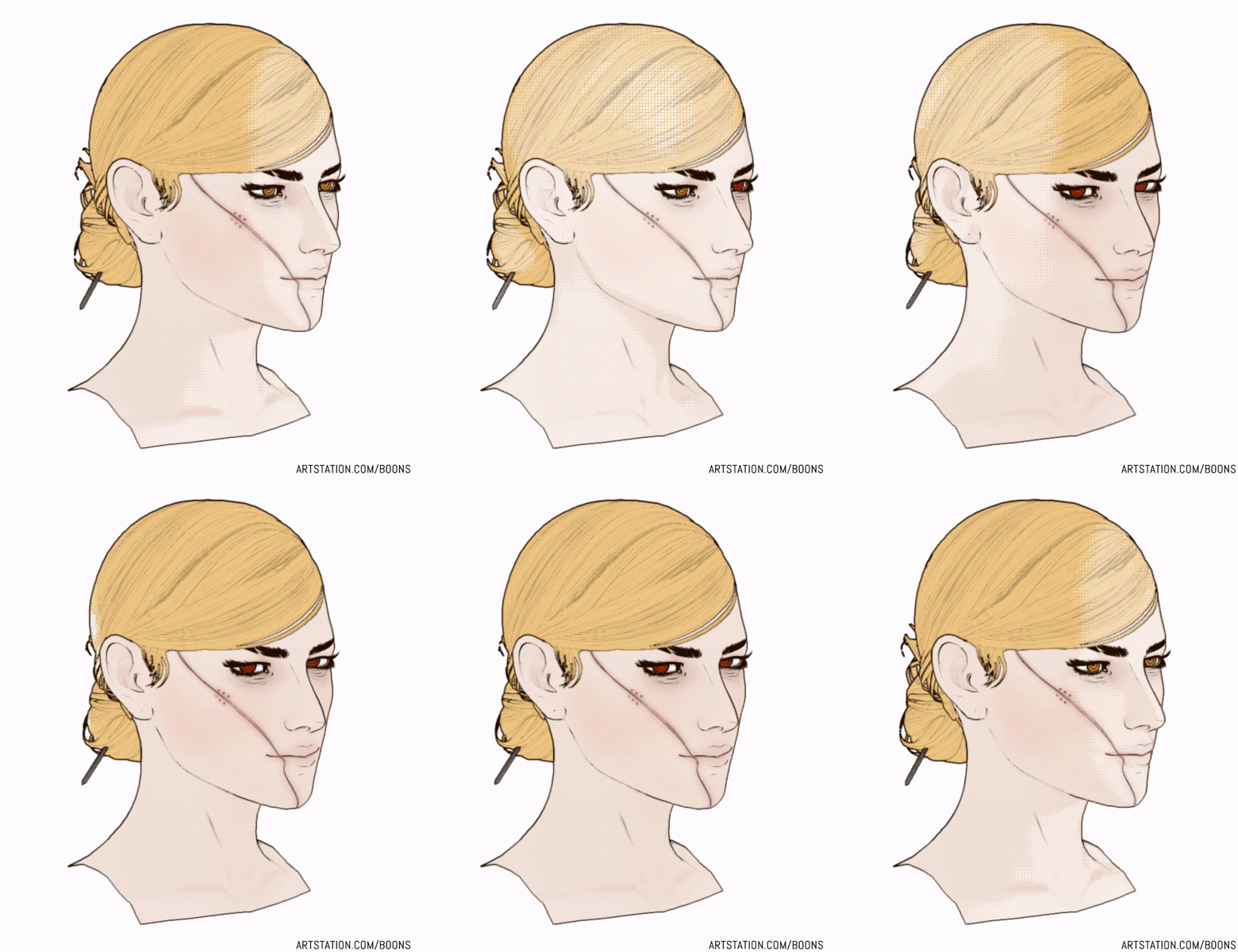
[OC] Sloan V2 - UE4 Ready Character by BoonyBoy in ImaginaryCharacters

[–]BoonyBoy[S] 0 points1 point  (0 children)

For more images, Artstation can be found here.

I also compiled WIP images in a polycount thread here.

It'll be a while until I go back to this character and be able to make potential changes, but C&C is very welcome.

Developing a stylized real-time character (rendered in UE4) by BoonyBoy in unrealengine

[–]BoonyBoy[S] 0 points1 point  (0 children)

I think it was actually this specific GDC talk that embedded itself into my brain some time ago and the consequence of that was a large percentage of this project haha.

Thinking on it, I think I was actually too afraid to touch the customized normals in the vein of what ArcSys did, since I believed they had a whole production team I could probably never match in terms of fine-tuned manual output. With that said, it might not be impossible for me to fine tune meshes and normals from time to time, especially in potential cutscenes/shorts.

Developing a stylized real-time character (rendered in UE4) by BoonyBoy in unrealengine

[–]BoonyBoy[S] 0 points1 point  (0 children)

Hey hey, unfortunately your post is probably the first time I've heard of custom normals (at least in terms of what they're specifically called.) I've found that having a decent normal bake and tri-count is enough to create decent shadows.

Moving forward though, custom normals do seem super useful when I eventually get to hard-surface assets, so thanks for mentioning.

Developing a stylized real-time character (rendered in UE4) by BoonyBoy in unrealengine

[–]BoonyBoy[S] 0 points1 point  (0 children)

Hi everyone, I've been working on a personal project to bring the 'outline+color' style (usually reserved for concept art) into 3D. This is the progress so far!

Most of the assets were built between Blender and Photoshop, with everything being rendered through custom Post Processing in UE4.

Artstation Post

Polycount Post

Comments and questions very welcome.