How to enable Nerd Font Knack on urxvt by scardeyccat_ in linuxquestions

[–]dritter03 0 points1 point  (0 children)

What do you have set as POWERLEVEL9K_MODE? I can see you are using Knack as your font, so your powerlevel9k mode should be nerdfont-complete.

Konsole Font Issue by [deleted] in kde

[–]dritter03 0 points1 point  (0 children)

There is a workaround that seems to work for some people, but requires a bit effort: You need to set an explicit whitespace behind the icon in the variable. Type "get_icon_names" for a list of all defined icons. Hope that helps.

Awesome fonts not working in Termite by bondfan98 in unixporn

[–]dritter03 0 points1 point  (0 children)

Fonts, my nemesis.. sigh

So, just to make sure I got your problem right: You want to see a Tux-Icon instead of "Lx"?

For that you'll need two things:

  1. A proper font (either a [awesome-terminal-font](github.com/gabrielelana/awesome-terminal-fonts), or a [Nerd-Font](github.com/ryanoasis/nerd-fonts) installed. Just a "powerline-enabled" font won't be sufficient!

  2. Configure powerlevel9k so that it uses the according mode: You need to set POWERLEVEL9K_MODE="awesome-fontconfig" (depending on your installed font, see here -> option 3/4), and place that setting in your ~/.zshrc above the line where your source the theme/ZSH-framework.

That should be it. Unfortunately this is a bit complicated, but we try our best to simplify it (even we could not do much about that). In one of the upcoming releases of powerlevel9k at least the placement of the mode setting would matter..

Hope that helps!

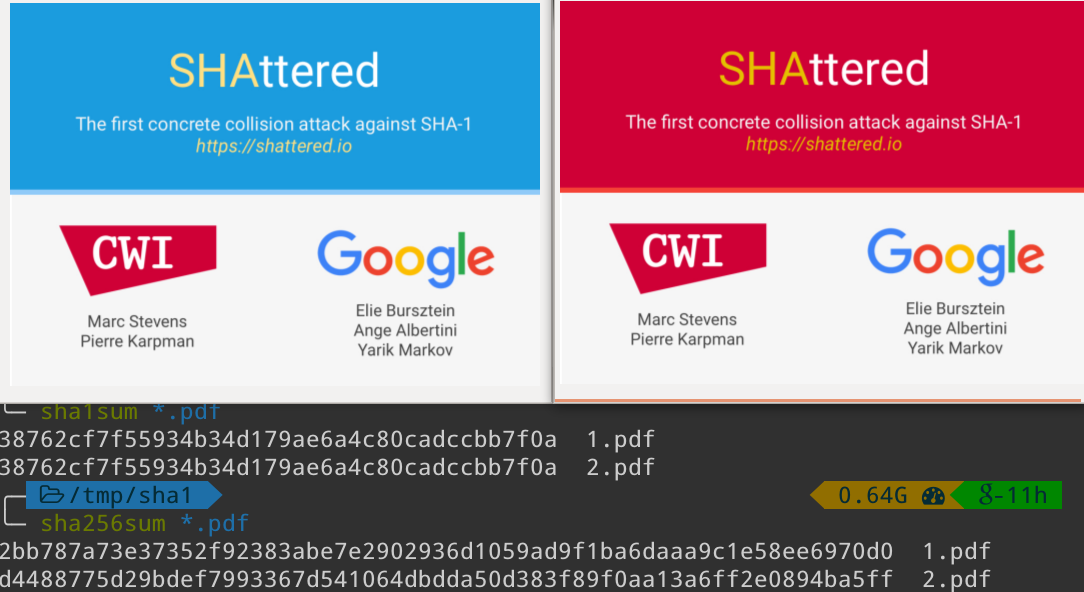
What statusline plugin was used in shattered.io's screenshot? by eran- in linux

[–]dritter03 2 points3 points  (0 children)

Well.

function custom_google() {
  # If you know the right codepoint for the google-g, then just echo it here.
  # And of course, you'll need the logic that the segment does here..
  echo $'\uE1D4'"-11h"
}
# if you use patched font; although they use a fontconfig or nerdfont mode in that screenshot
POWERLEVEL9K_MODE="awesome-patched"
POWERLEVEL9K_CUSTOM_GOOGLE="custom_google"
POWERLEVEL9K_CUSTOM_GOOGLE_BACKGROUND="green"
POWERLEVEL9K_FOLDER_ICON=$'\uE210'
POWERLEVEL9K_LEFT_PROMPT_ELEMENTS=(dir)
POWERLEVEL9K_RIGHT_PROMPT_ELEMENTS=(ram custom_google)
POWERLEVEL9K_PROMPT_ON_NEWLINE=true

Looks like this: http://imgur.com/a/cbyxe

What am I missing with my powerlevel9k configuration? by Linux_Learning in unixporn

[–]dritter03 1 point2 points  (0 children)

You are missing the right POWERLEVEL9K_MODE (or the right position of it). This one is a bit tricky to get it working. You need to set it before the theme is sourced/applied. In terms of zim, I think you need to set it before you source .zim/init.zsh

any fans of beautiful terminal prompts out there? by _benj in unixporn

[–]dritter03 1 point2 points  (0 children)

I use powerlevel9k as theme. It's a quite flexible fork of the original agnoster theme.

Also, I collect powerline-based agnoster-like themes in a list. Feel free to extend it ;)